PACSystems VersaMax Genius Network Interface User Manual Section 4
GFK-1535D Jan 2023
Configuration 74
4.3.9 Configuring Carriers and Modules
For each module in the station, first, configure a carrier base. To do this,
right-click on the slot or module icon in the Navigator. Select Add Carrier
Base to add a carrier after the current location or Insert Carrier Base to
insert a carrier before the current location.
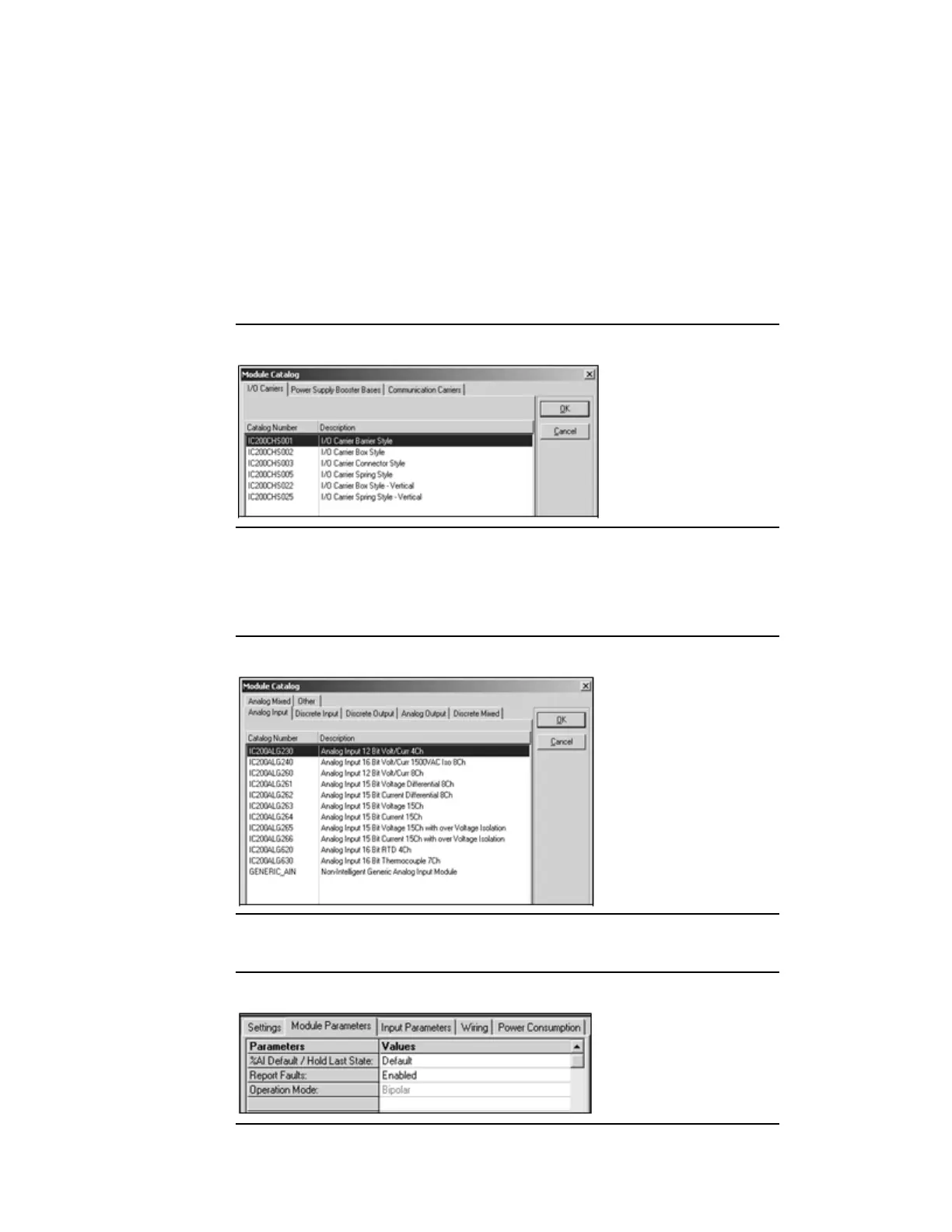
Select the carrier from the Module Catalog.
Figure 53: Module Catalog
Next, add the module. To do this, right-click on the corresponding carrier
base icon and select Add Module. Select the module from the Module
Catalog. For example:
Figure 54: Adding a Module Example
Third, configure the module’s parameters. For example.
Figure 55: Example Module Parameters




 To Next Page