CadJet 3D Service Manual
ASSEMBLY/
DISASSEMBLY
Assembly\Disassembly 5-45
5. Perform steps 2 through 6 of the Remove the Ink Delivery System
procedures to remove the Ink Delivery System.
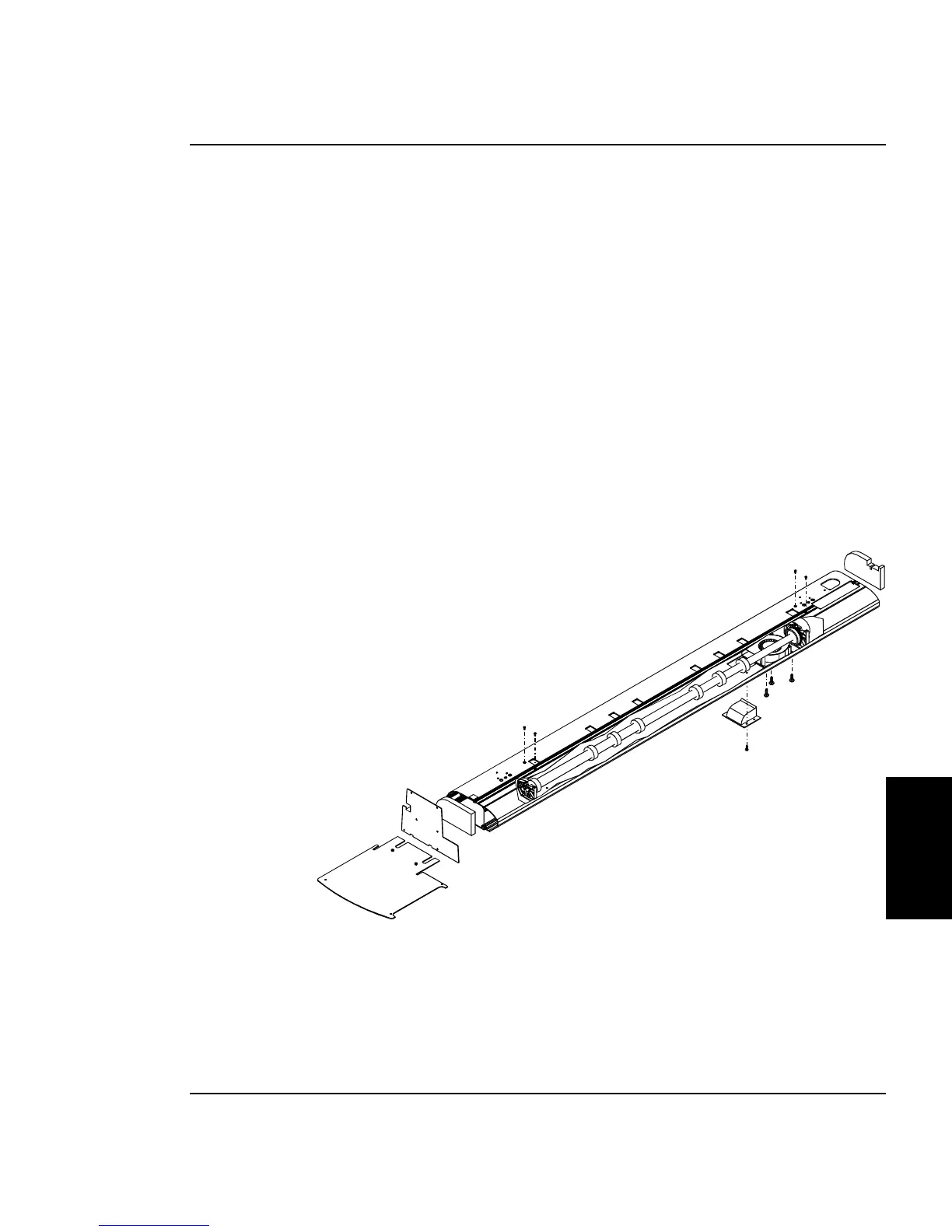
6. Using a #2 Phillips screwdriver, remove the two screws that
secure the Left Sideplate Assembly to the Platen. Remove the
Left Sideplate Assembly and the left Foam Block. See Figure 5-
24.
7. Using a #1 Phillips screwdriver, remove the four screws on the
bottom of the Platen which holds the Fan Exhaust in place.
8. While holding the Vacuum Fan through the hole left when the
Exhaust assembly was removed, remove the 3 screws on the
bottom of the Platen that holds the Vacuum Fan in place using a
#2 Phillips screwdriver. Do not allow the screws to come out at an
angle.
Figure 5-24. Inner Platen Assembly/Disassembly.



 To Next Page