Maintenance 3-21
CadJet 3D Service Manual
MAINTENANCE
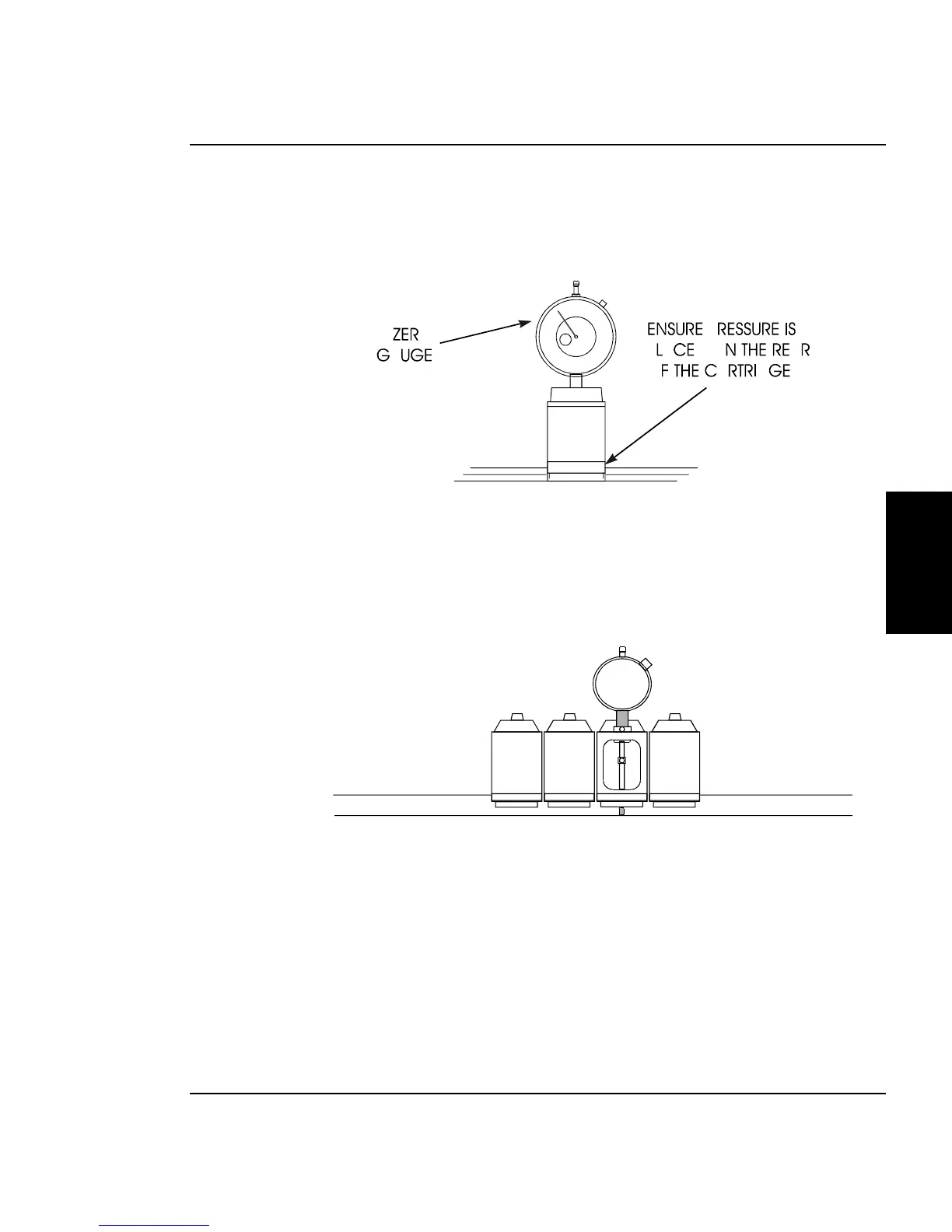
3. Place the test cartridge upright on a flat surface and ‘zero’ the
gauge by loosening the knob near the top and turning the dial
until the needle is at the ‘0’ position on the dial. Tighten the
knob. See Figure 3-15.
Figure 3-15. Zeroing the Micrometer Gauge.
4. Remove the Cyan ink cartridge. Snap the test cartridge with
the micrometer gauge into the position vacated by the Cyan
ink cartridge. See Figure 3-16. Ensure that the micrometer
can be read from the BACK of the printer.
Figure 3-16. Test Cartridge Installed.



 To Next Page