CadJet 3D Service Manual
ASSEMBLY/
DISASSEMBLY
Assembly\Disassembly 5-47
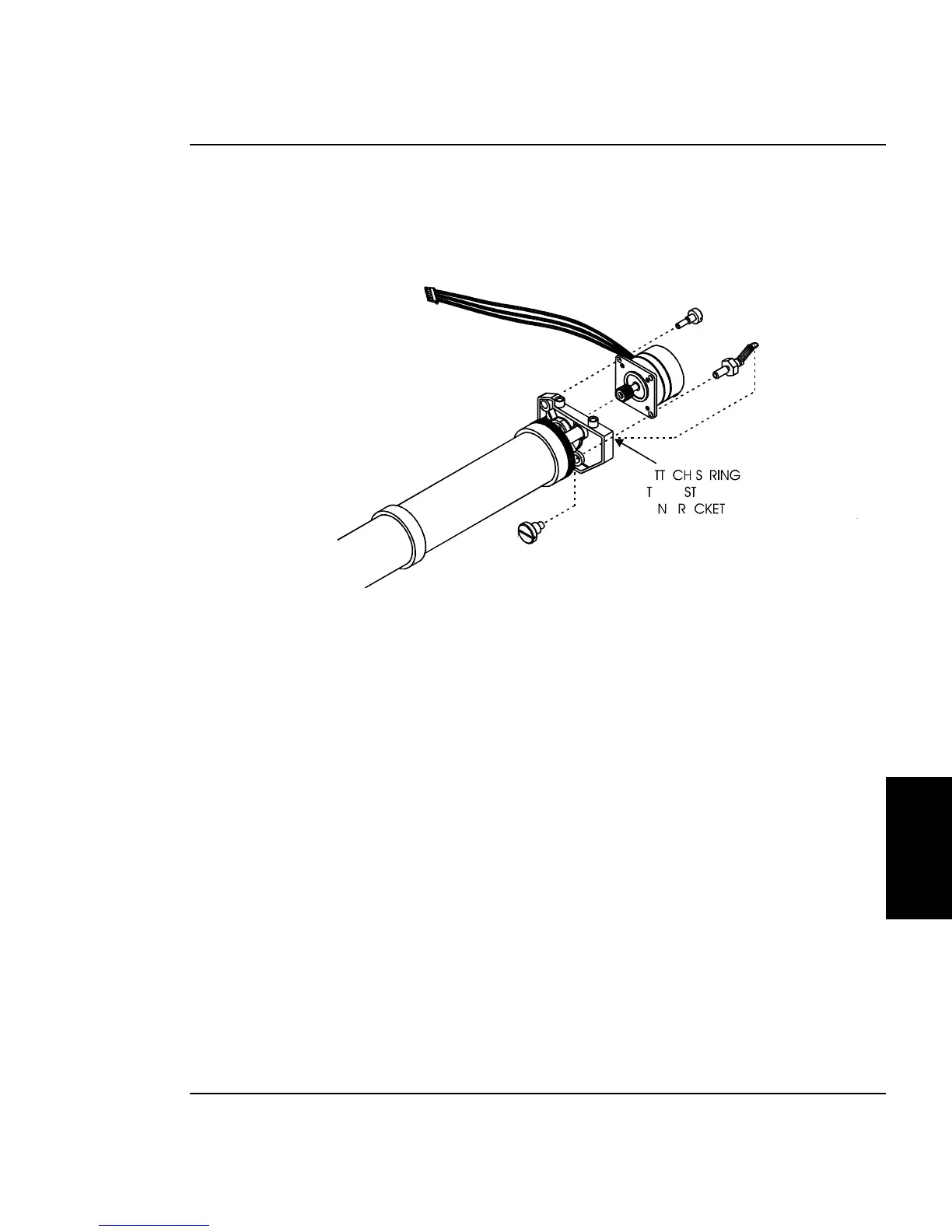
11. Remove the Stepper Motor Extension Spring from the Stepper
Motor and the post on the Left Lower Drive Shaft Bracket. See
Figure 5-25.
Figure 5-25. Stepper Motor Removal/Installation.
12. Remove the hardware securing the Stepper Motor to the Left
Lower Drive Shaft Bracket and remove the Stepper Motor.
Install the Lower Roller Assembly, Stepper Motor
and Vacuum Fan
1. Loosely attach the Stepper Motor to the Lower Roller bracket using
Stepper Motor hardware as shown in Figure 5-19.



 To Next Page