Installation and commissioning PlasmaQuant 9100 (Elite)
40
} Connect the switching valve to the dilution system ("ICP/ASXpress" connection) via
hose connection 2 ("Autosampler") on the 6-port valve.
} Connect the switching valve with the sample hose of the emission spectrometer via
hose connection 5 ("Nebulizer").
Software support during instal-
lation and commissioning
Control of the sampler and the dilution system is integrated into the ASpect PQ soft-
ware.
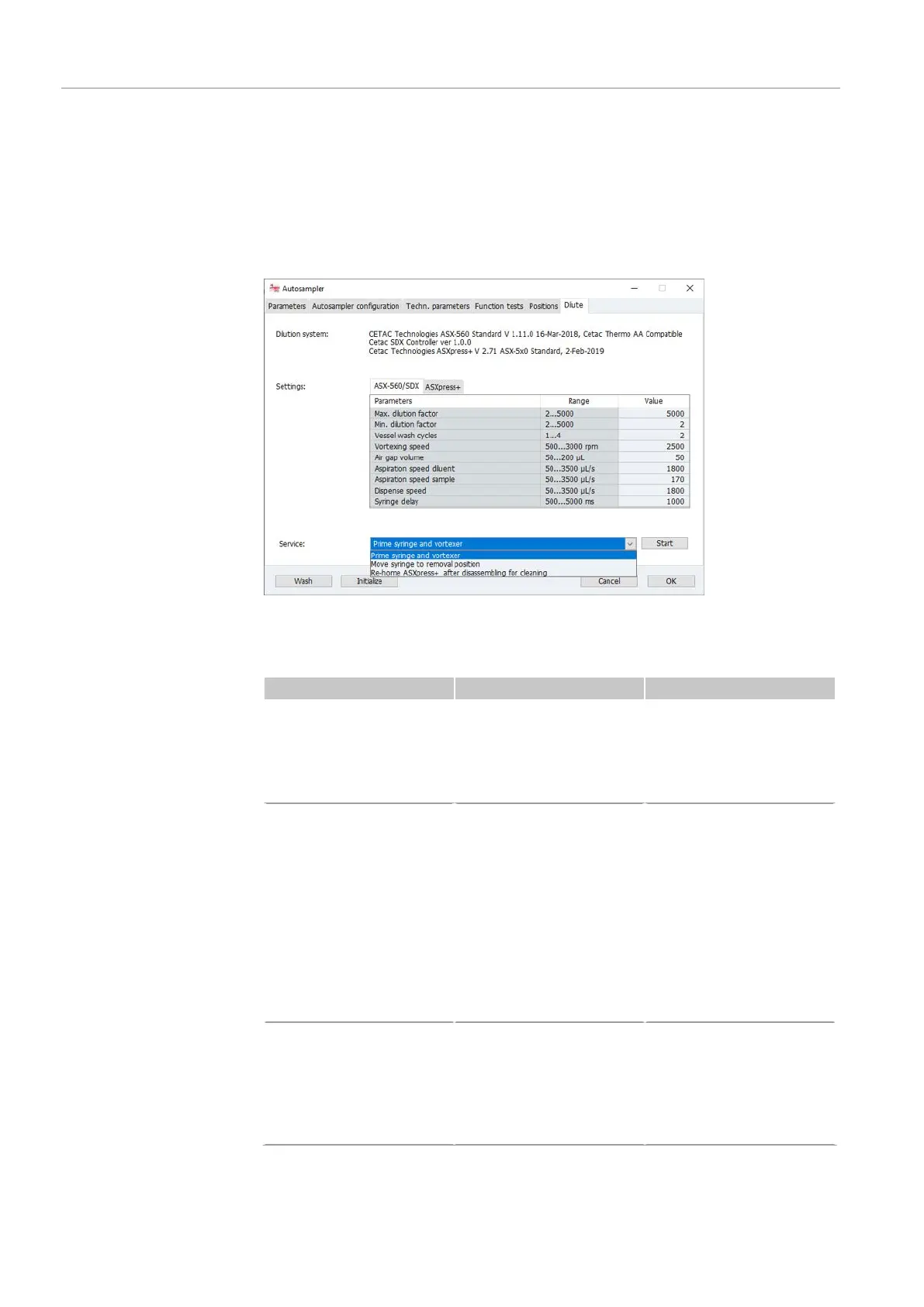
Figure25Autosampler page, Dilute tab
For commissioning and maintenance of the sampler and the dilution system, use the
following software commands in the
Dilute
tab in the
Service
area:
Time Measure Software command
¡ Installation of the di-
lution system
¡ During syringe re-
placement
Inserting the syringe in
the syringe pump of the
dilution system.
Move syringe plunger to
½ position for this.
Move syringe to removal
position
¡ Commissioning of the
dilution system after
installation or main-
tenance
¡ After changing the
diluent
¡ For cleaning after use
of a highly acidic or
alkaline purging solu-
tion or an organic
solvent
Purging the syringe
pump, hoses and vortexer
mixing vessel with purg-
ing solution.
Removing air bubbles
from the hoses.
Prime syringe and vor-
texer
¡ After weekly cleaning
and after replace-
ment of the 6-port
valve
Initializing the switching
valve.
The control electronics
set the internal valve
stops and determine the
correct stroke.
Re-home ASXpress+ after
disassembling for clean-
ing


 To Next Page