PlasmaQuant 9100 (Elite) Security
7
2 Security
For your own safety and to ensure error-free and safe operation of the device, please
read this chapter carefully before commissioning.
Observe all safety instructions listed in this user manual and all messages and infor-
mation displayed on the monitor by the control and analysis software.
2.1 Safety labeling on the device
Warning and mandatory action labels have been attached to the device and must al-
ways be observed.
Damaged or missing warning and mandatory action labels can cause incorrect ac-
tions leading to personal injury or material damage. The labels must not be removed.
Damaged warning and mandatory action labels must be replaced immediately!
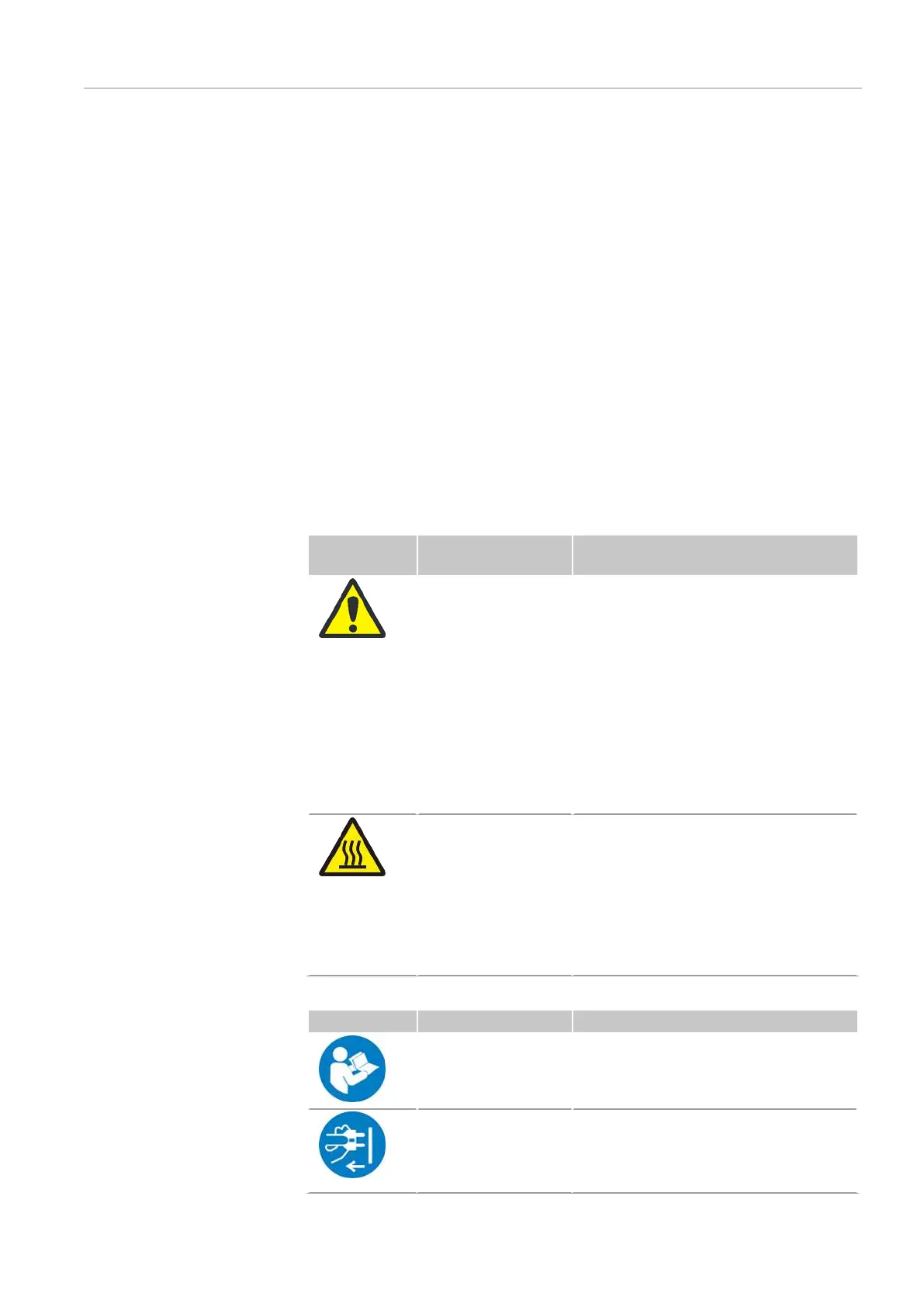
The following warning and mandatory action labels have been attached to the de-
vice:
Warning sym-
bol
Meaning Comment
Warning of a haz-
ardous location
¡ At the exhaust vent: Warning
against optical radiation. If no ex-
haust air hose is connected, looking
indirectly (by mirror) into the radia-
tion of the plasma is possible.
¡ In the sample chamber: Warning of
moving parts; warning of hot torch
¡ In the plasma compartment: Warn-
ing against hot surfaces
¡ At the power inlet: Caution when
connecting the media (gases, cool-
ing water and power)
Warning against hot
surfaces
¡ In the plasma compartment: Warn-
ing against hot surfaces Immedi-
ately after the plasma is extin-
guished, the surface of the plasma
compartment, and in particular the
torch and plasma chamber window
components, and the induction coil,
are hot. Risk of burns!
Notice symbol Meaning Comment
Observe the user
manual.
¡ At the power switch: Before starting
work, read the user manual.
Always disconnect
the power before
opening the device
¡ On the side panel at the power inlet:
Before opening the device cover,
switch off the device and unplug the
power plug.


 To Next Page