73
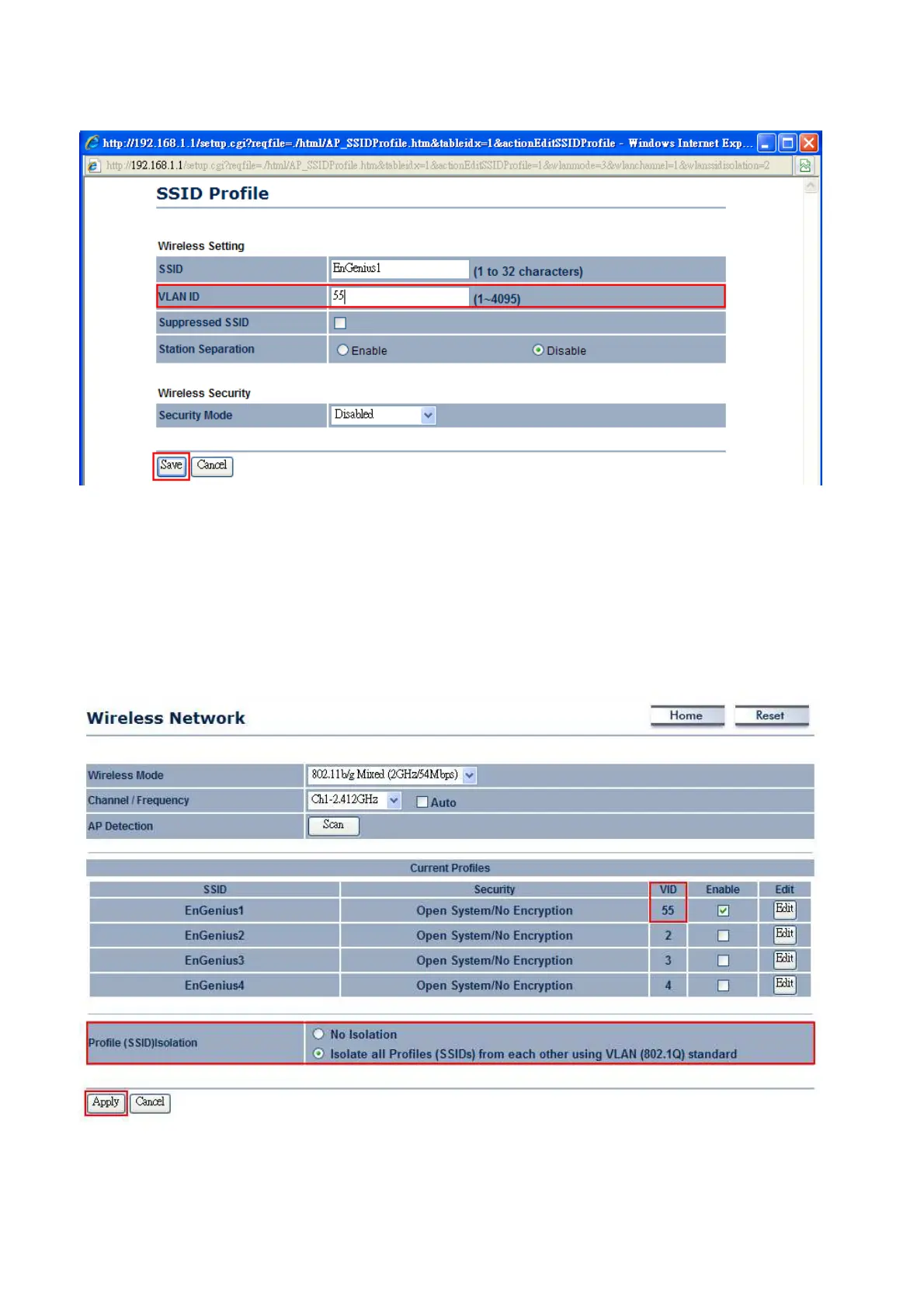
4. After Press Edit, web should pop-out a window as below. You may enter your desire VLAN ID. Then,
press Save to save the changes.
5. Wireless Network webpage should have display all the VID as below. If you would like to enable
Wireless VLAN function, select the radio button of “Isolate all Profiles from each other using VLAN
standard” and then press Apply to configure the changes.
Note: Any Wireless clients associated with SSID1 to SSID4 cannot access to the management page
unless its Wireless VLAN ID is the same as the Management VLAN ID. Enable Profile Isolation will
also deny the communication between different groups of VID.
Auction: If you would like to use 802.1 x authentications (WPA/WPA2/WPA-Mixed) with VLAN tagging, you must
enable Management VLAN. For more details, please follow the instruction below.













 To Next Page