Configure tanks
Page 36
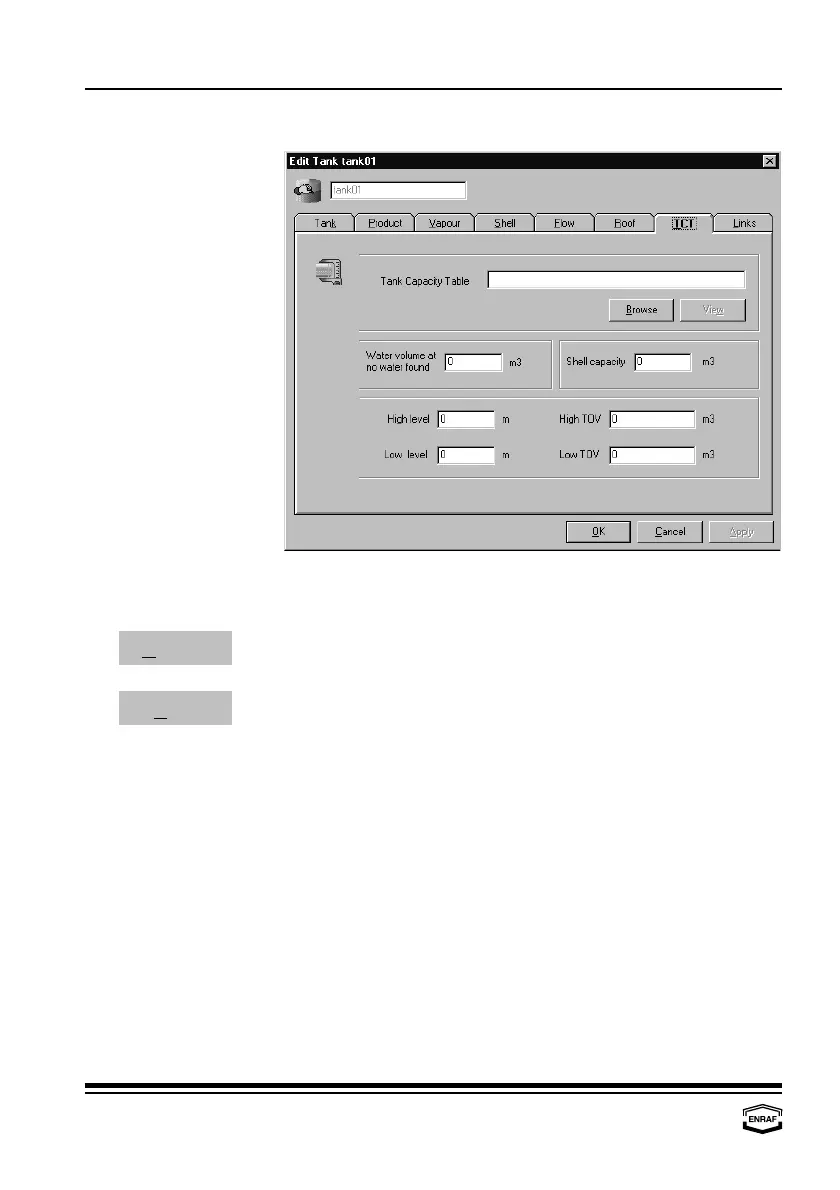
TCT
Tank Capacity Table The format of this file can be found in the ‘Instruction manual series
880 CIU Plus’.
Press the ‘Browse’-button to select a tank capacity table
Browse
Press the ‘View’-button to view the tank capacity table
View
Water volume if no water found
Enter water volume
Shell capacity Enter shell capacity
High level Enter level that corresponds with high TOV (for graphical purposes)
High TOV Enter volume that corresponds with high level
(for graphical purposes in Entis Pro)
Low level Enter level that corresponds with low TOV
(for graphical purposes in Entis Pro)
Low TOV Enter volume that corresponds with low level
(for graphical purposes in Entis Pro)



 To Next Page