Upload configuration
Instruction manual Ensite Pro Configuration Tool Page 63
The ‘Unknown’ condition includes the situation where an earlier
attempt to retrieve the CRC has failed due to a communication error.
In case of such an error, the CRC status is always unchanged
,
whether it was green, orange or red.
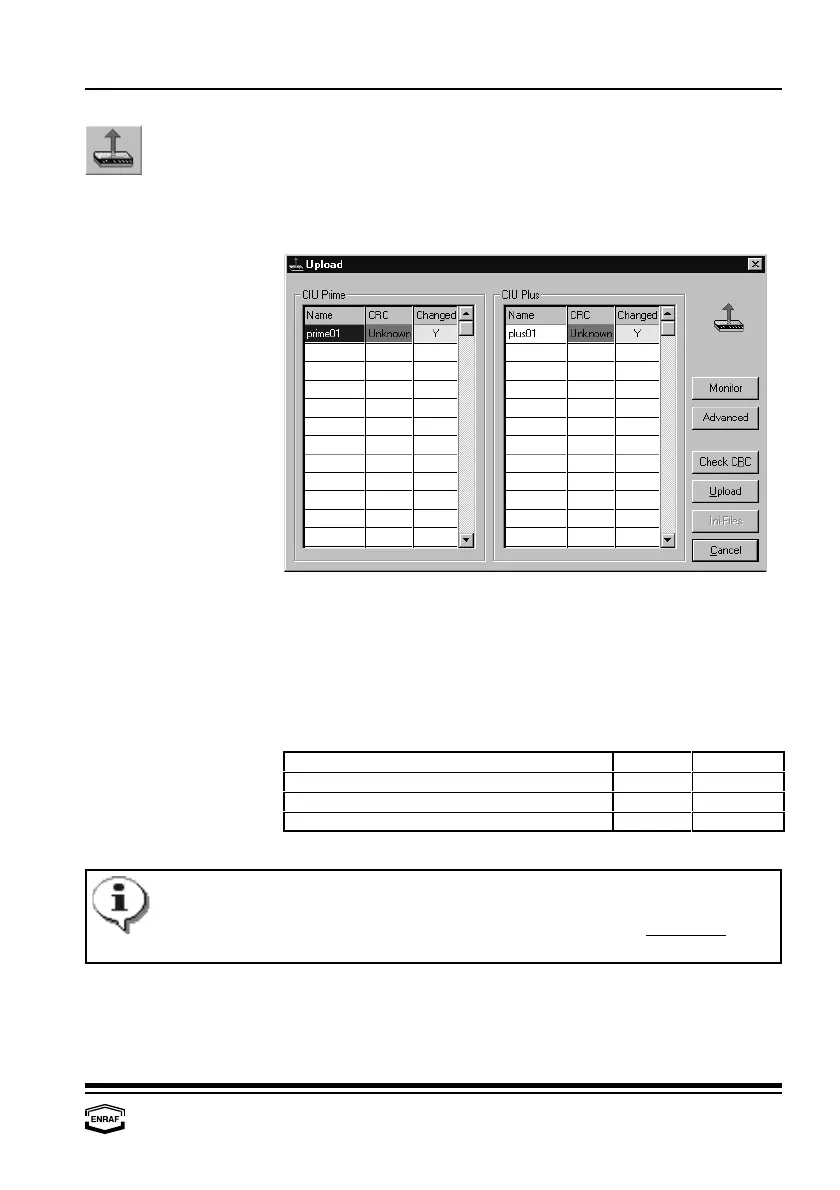
Upload configuration
This function is standard disabled in the toolbar. It is only available for
experienced users. Contact factory. An existing configuration of a
CIU Prime / Plus can be uploaded to work with.
CIU Prime/CIU Plus
These panes displays the following columns
Name
Displays the name of the available CIU’s. Click on the name to select.
CRC
The CIU Prime / Plus calculates an overall CRC over the settings.
Ensite Pro fetches this CRC after a download and saves it in its
database. The CRC status can be:
Situation Color Text
CRC OK Green Ok
CRC unknown (not yet retrieved) Orange Unknown
CRC wrong Red Mismatch



 To Next Page