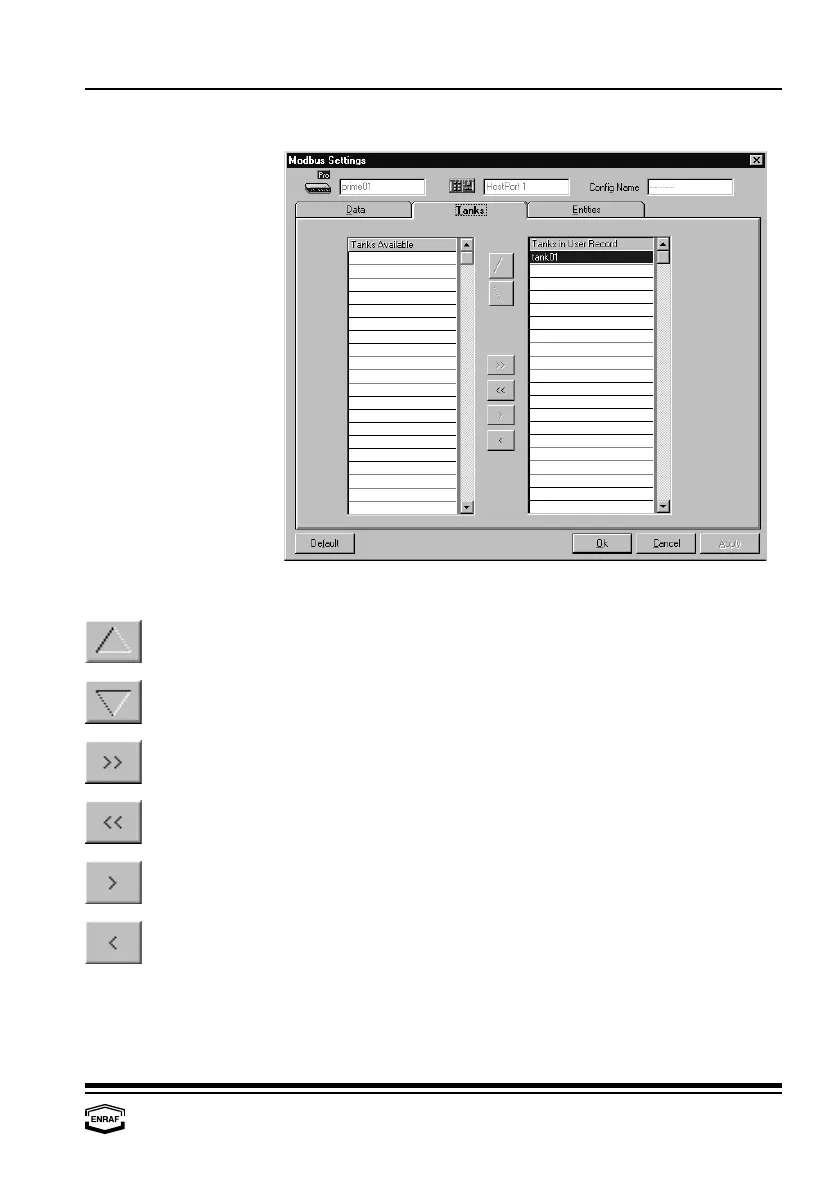
Modbus settings
Instruction manual Ensite Pro Configuration Tool Page 51
Tanks
Tanks Available This column displays all available tanks.
Press the ‘arrow up’-button to move the highlighted tank in the
‘Tanks in User Record’-column one position up.
Press the ‘arrow down’-button to move the highlighted tank in the
‘Tanks in User Record’-column one position down.
Press the ‘arrow right right’-button to move all tanks to the
‘Tanks in User Record’-column.
Press the ‘arrow left left’-button to move all tanks to the
‘Tanks Available’-column.
Press the ‘arrow right’-button to move the highlighted tank in the
‘Tanks Available’-column to the ‘Tanks in User Record’-column.
Press the ‘arrow left’-button to move the highlighted tank in the
‘Tanks in User Record’-column to the ‘Tanks Available’-column.
Tanks in User Record This column displays all tanks, selected for communication.



 To Next Page