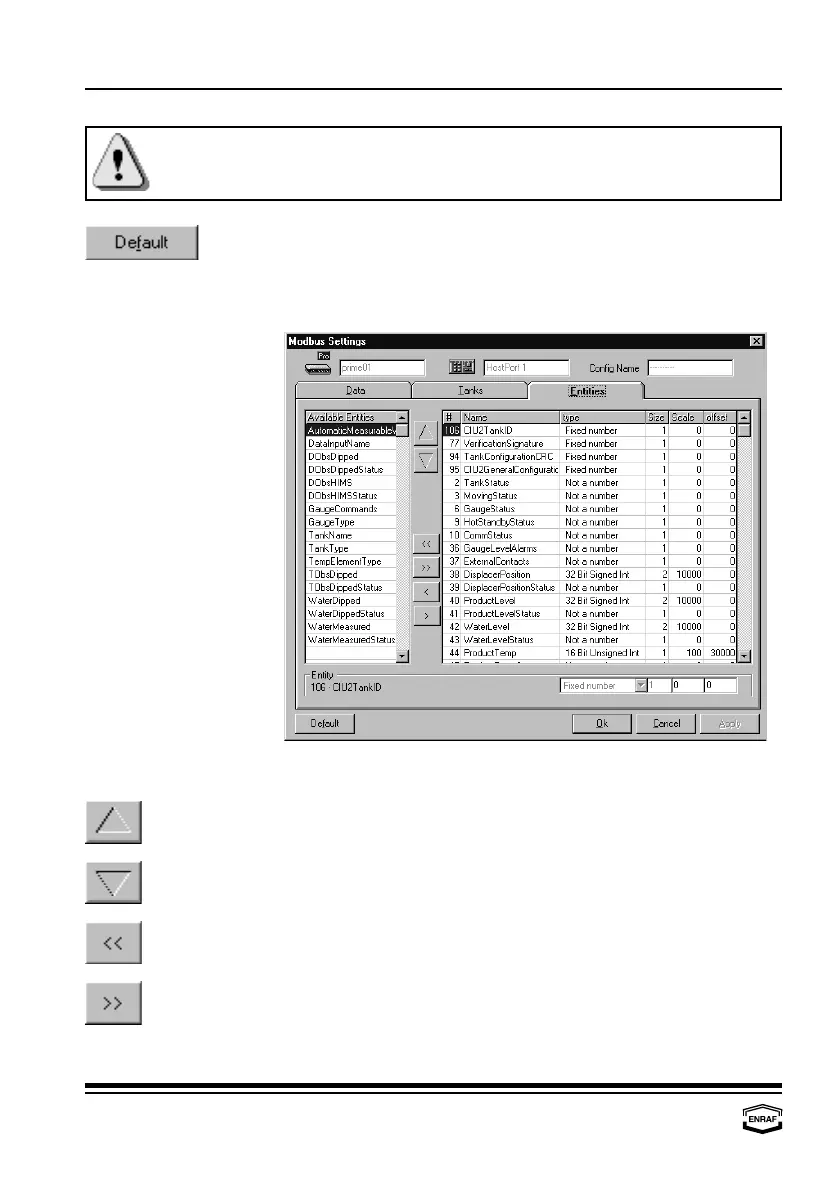
Modbus settings
Page 52
When links are changed (adding, moving or deleting tanks) after
having the Modbus mapping input, the Modbus mapping of tanks will
be reset to default.
Press the ‘Default’-button to restore all default settings.
Entities
Available Entities This column displays all available entities.
Press the ‘arrow up’-button to move the highlighted entity in the
‘ID’-column one position up.
Press the ‘arrow down’-button to move the highlighted entity in the
‘ID’-column one position down.
Press the ‘arrow left left’-button to move all entities in the
‘ID’-column to the ‘Available Entities’-column.
Press the ‘arrow right right’-button to move all entities in the
‘Available entities’-column to the ‘ID’-column.



 To Next Page