Configure CIU Prime
Page 40
If ‘RS-232C’ is selected, while in reality RS-485 hardware is applied,
communication can not be established.
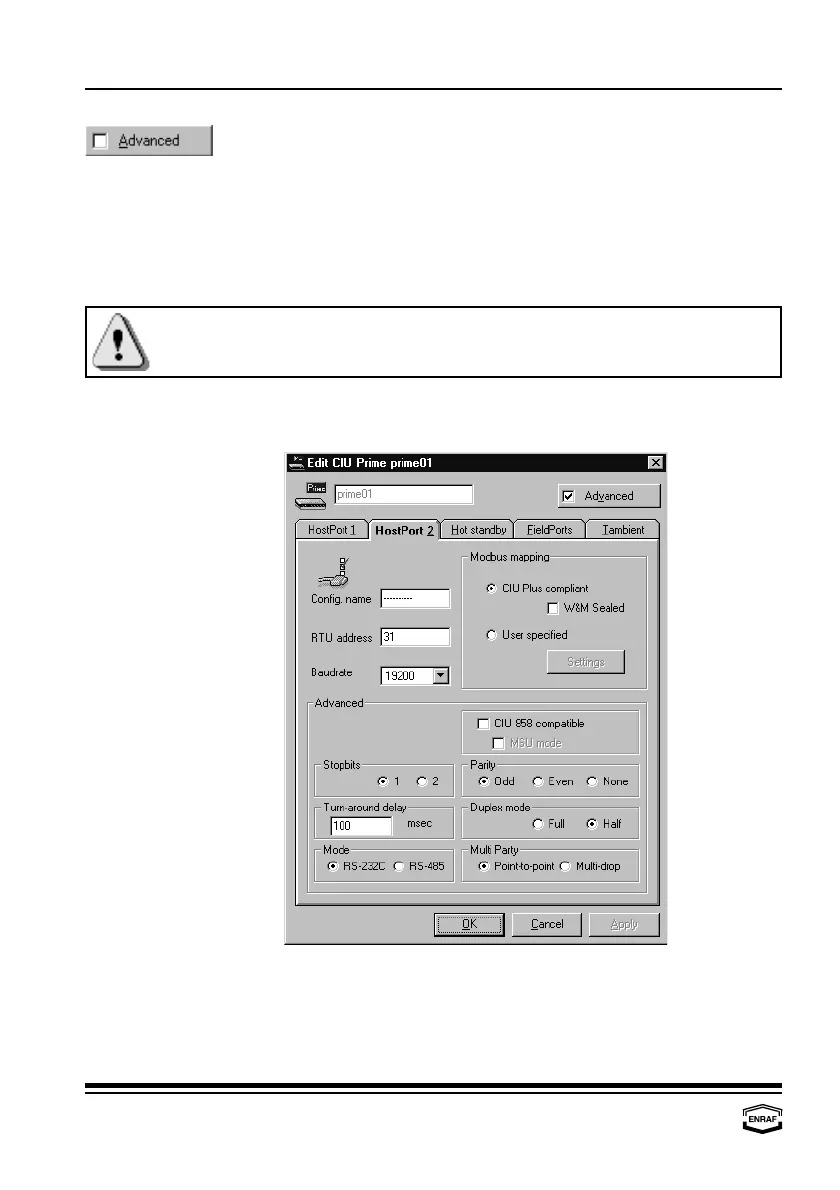
Stop bits
Select: 1 or 2
Parity
Select: Odd, Even or None
Turn-around delay
Enter reply waiting time in ms (default = 100 ms)
Duplex mode
Select: Full or Half
Mode
Select: RS-232C or RS-485
Multi Party
Select: Point-to-point or Multi-drop
HostPort 2
Config. name Enter the name of the connected device (up to 10 characters).
RTU address Enter the RTU address (default = 31)
Baudrate Select: 1200, 2400, 4800, 9600 ,19200 or 38400.



 To Next Page