Modbus settings
Instruction manual Ensite Pro Configuration Tool Page 53
If any changes are made to any of the CIU Plus settings
(while a hot standby counterpart is defined), the program will warn
to keep the configurations of both units synchronous.
Press the ‘arrow left’-button to move the highlighted entity in the
‘ID’-column to the ‘Available Entities’-column.
Press the ‘arrow right’-button to move the highlighted entity in the
‘Available entities’-column to the ‘ID’-column.
# Entity ID number
Name Entity name
type Entity type / dimension
Size Number of registers
Scale Scaling factor
offset Offset value
Entity When in the list an entity is highlighted, it is possible to change the
type, size, scale and/or offset.
Press the ‘Default’-button to restore “Entis Pro default’ default
settings.
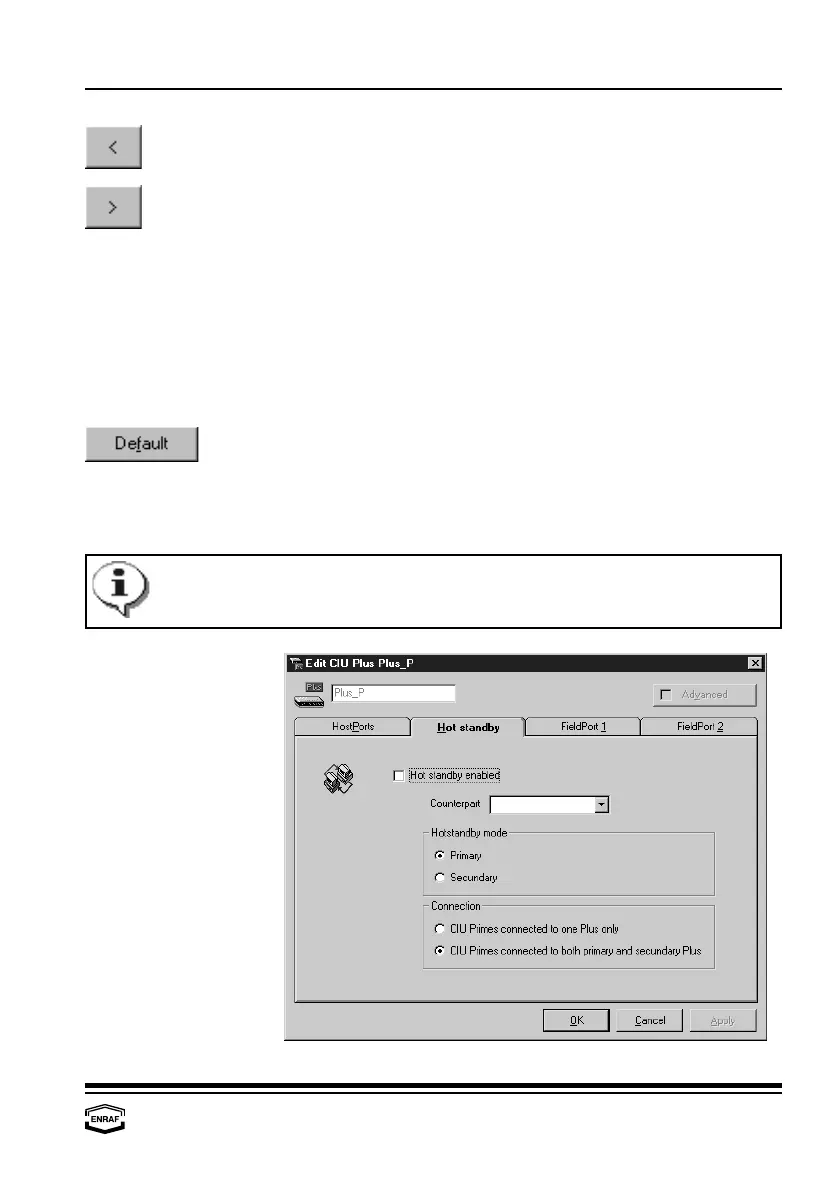
Hot standby



 To Next Page