Repairs
3.
Press and hold the button for at least ten seconds. The light will switch
from blinking rapidly to blinking slowly.
4.
Release the switch.
5.
The light should blink 5 times. Press the button three times. The sensor
should now blink two times.
6.
The light stops blinking after about 15 seconds and then remains on.
7.
Block the sensor, and the light should turn off.
Wenglor PET/Material Sensor Adjustment
Use the following procedure to adjust a Wenglor
PET
sensor, so that it continues to correctly
identify
PET
bottles.
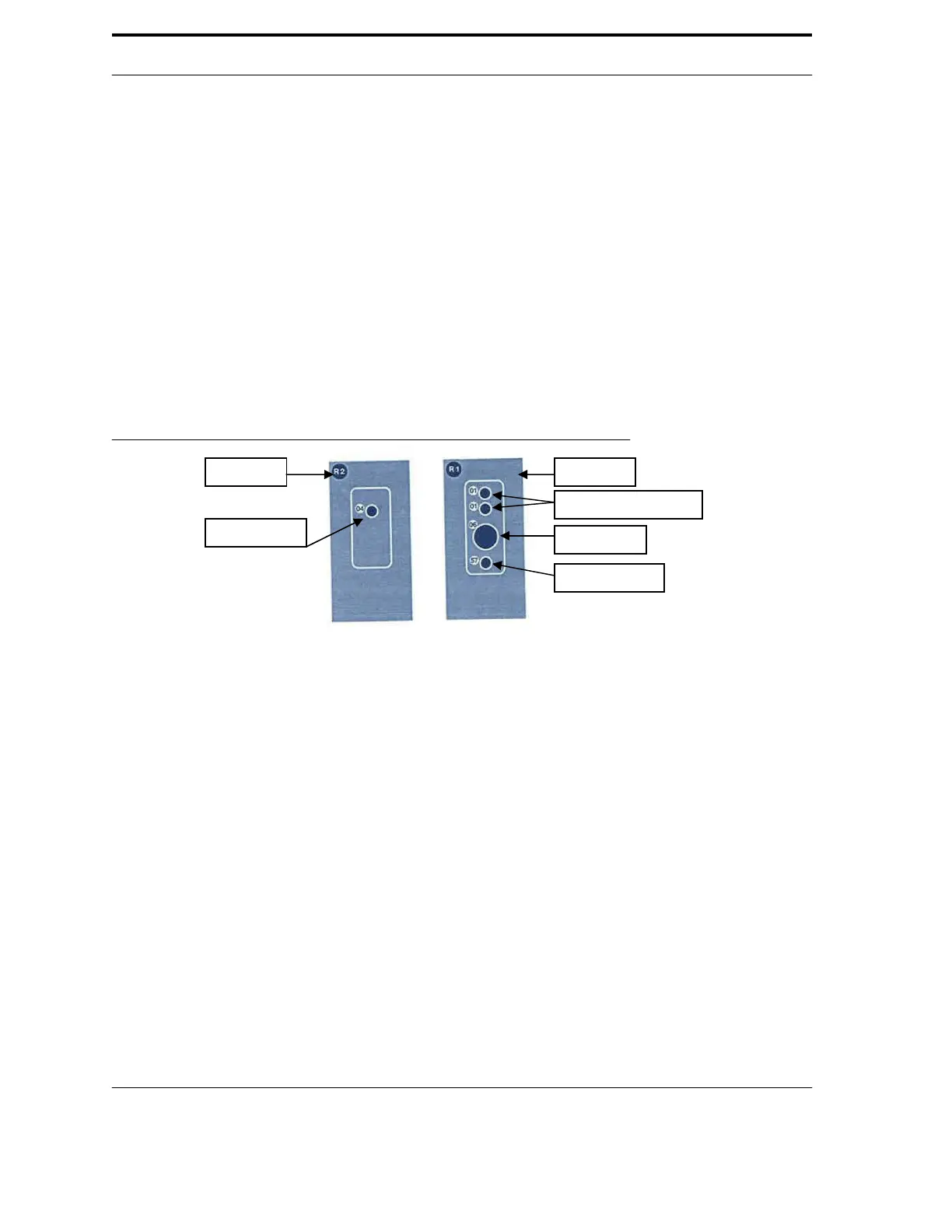
FIGURE 6-6. PET Emitter and Receiver Side View
1.
Enter Service Mode on the machine, and open the Diagnostic Program.
2.
Click
on
the
U
ltra-48
tab,
and
change
the
“S
ho
w:”
drop
bo
x
to
“S
ensors.
”
3.
Find the
PET
sensor in the list. The sensor should always move to the top
of the list when it has been triggered on or off.
4.
Press and hold the
PET
sensor “Teach Button for two (2) seconds. Refer
to Figure 6-6.
5.
With the
PET
sensor not blocked, verify that the Diagnostic Program reports
that the
PET
sensor state is
OFF
.
6.
Insert a green
PET
bottle in the sensor beam. Verify that the
PET
sensor state reads
PET
.
7.
Insert a Glass bottle in the sensor beam. Verify that the
PET
sensor state read Glass.
8.
Exit the Diagnostic Program.
Proximity Sensors
There are proximity sensors on the compactor and the Sorting Cylinder. On the compactor, the
proximity sensor monitors the rotations per minute of the main gear. If the speed drops too low,
the
RVM
Controller reports a stall. The proximity sensor on the Sorting Cylinder monitors its
position and speed.
6-9
Indicator Light
Switching Status Lights
Teach Button
Alignment Light



 To Next Page