Envision One cDLM® User Manual
TS-MAM-EnvisionOneCDLMUserManual-V5.0-FN-EN , 2021-12-15
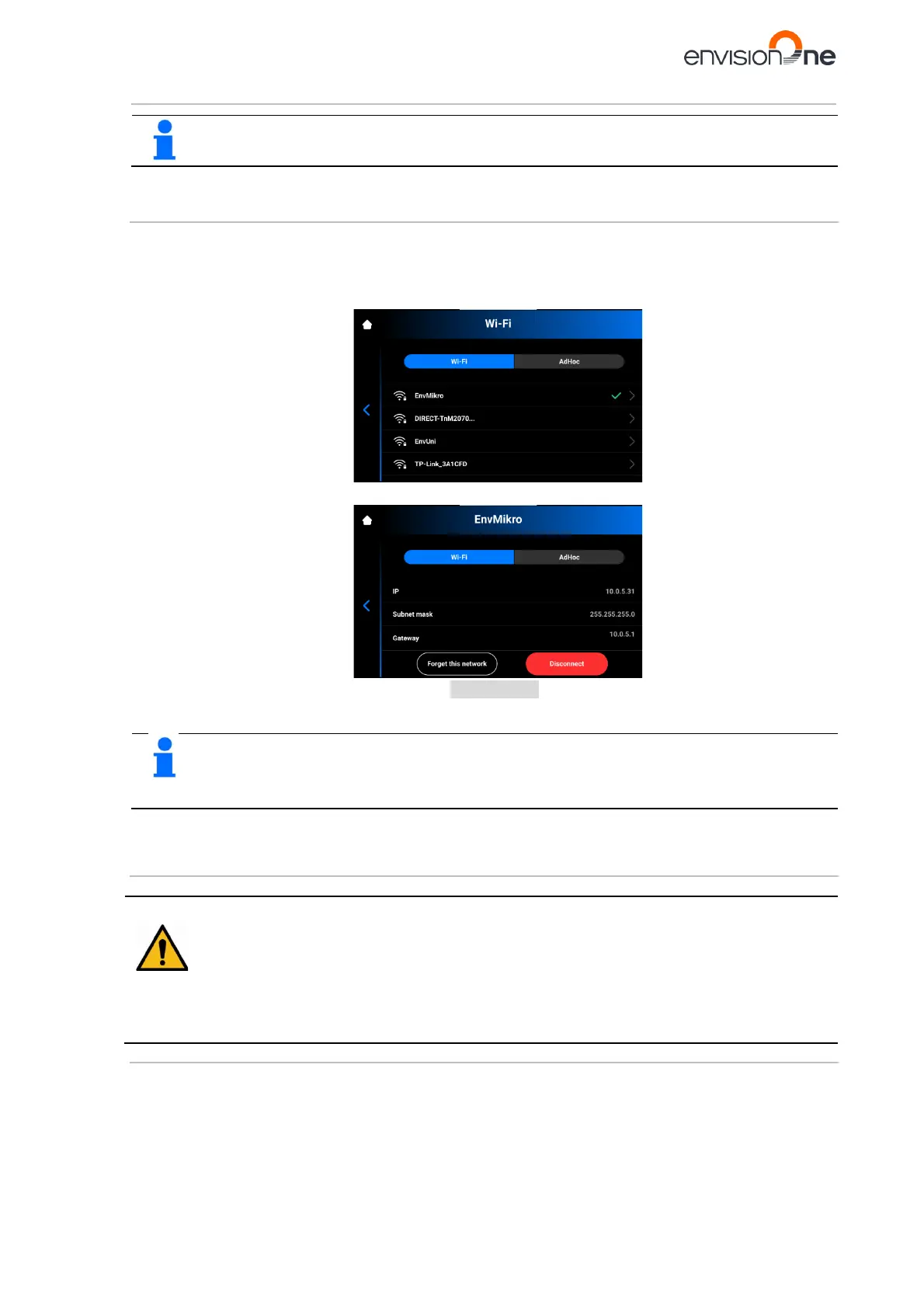
The list of available Wi-Fi networks refreshes automatically each time you enter the Wi-Fi tab.
7.7.1 Connecting to Another Wi-Fi Network
To join another Wi-Fi network, proceed with the following steps:
1. Enter the Wi-Fi tab by tapping Settings | Wi-Fi on the touch screen.
2. Select the network you want to disconnect from by tapping on it.
3. Tap [Disconnect].
4. Proceed with the steps outlined in the Setting Wi-Fi section.
Tap Forget this network to disable automatic connection to the current Wi-Fi network. It is possible
to reconnect to this network again in the future. The system will ask for a password for protected Wi-
Fi networks.
7.8 Connect to the Printer via VNC Clients
Risk of injury!
Improper use of the remote printer control over local network using VNC software may lead to damage
or injuries.
• Use the remote printer control with great attention.
• Do not use the remote printer control without an operator next to printer.
• The printer owner is responsible for any unsafe operation of the printer using the remote printer
control.
7.8.1 Supported Clients for Windows
VNC Viewer
Step-by-step:
1. Download VNC Viewer and open the program.
2. Type the IP address into the VNC Server box.



 To Next Page