Envision One cDLM® User Manual
TS-MAM-EnvisionOneCDLMUserManual-V5.0-FN-EN , 2021-12-15
8 Software Presentation
Envision One Control Software
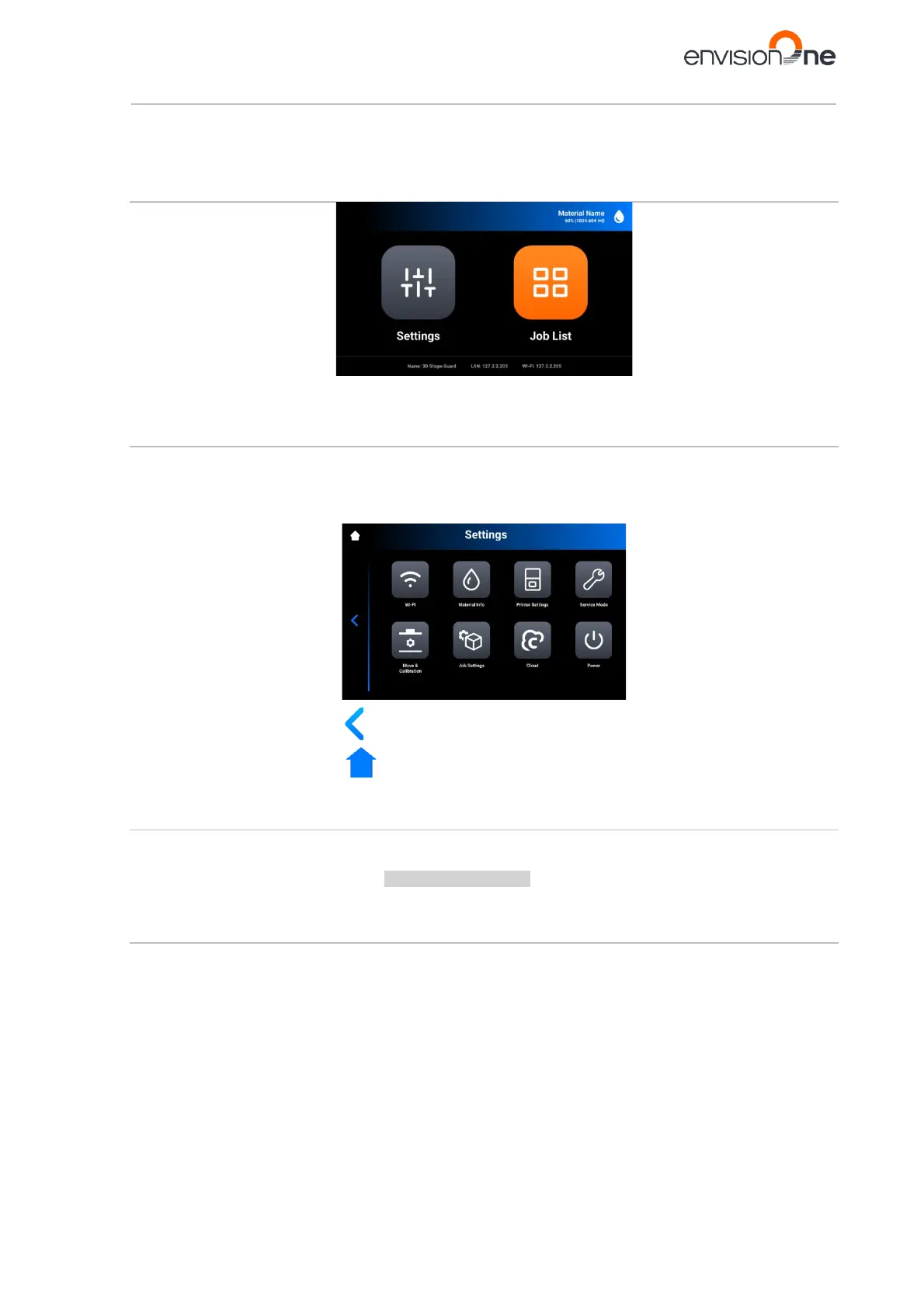
In the Control Software, there are two main menus: Settings Menu and Job List Menu.
Settings Menu
The Settings Menu:
• allows the user to change settings of the printer build parameter or the printer itself,
• gives further information about the printer or the LAN connection,
• allows the user to switch the printer off electronically.
To exit the Settings Menu, tap the icon on the left part of the screen.
To enter the main screen, tap the icon on top-left corner of the screen.
8.1 Wi-Fi Tab
The Wi-Fi tab allows for setting the Wi-Fi connection on the printer.
Tap Settings | Wi-Fi to open the tab.
For detailed information, see the section WI-FI Set on the printer.
8.2 Material Info Tab
The Material Info tab provides information about:
• the type of material used on the printer;
• the amount of the material left on the material tag.
Tap Settings | Information | Material Info to open the tab.



 To Next Page