Envision One cDLM® User Manual
TS-MAM-EnvisionOneCDLMUserManual-V5.0-FN-EN , 2021-12-15
10.5 Starting a Print
Risk of damage to the printer!
Make sure the build platform is clean and the material tray is in place and has material in it before
starting a print!
Failure to do so will result in failed builds and damage to the equipment!
Before starting a print, the software checks the buildstyle in the job matches the material tag on the
printer.
If they do not match, then the job will not start.
To pause a job, use the [Pause Job] button. All other methods will likely result in a failed build.
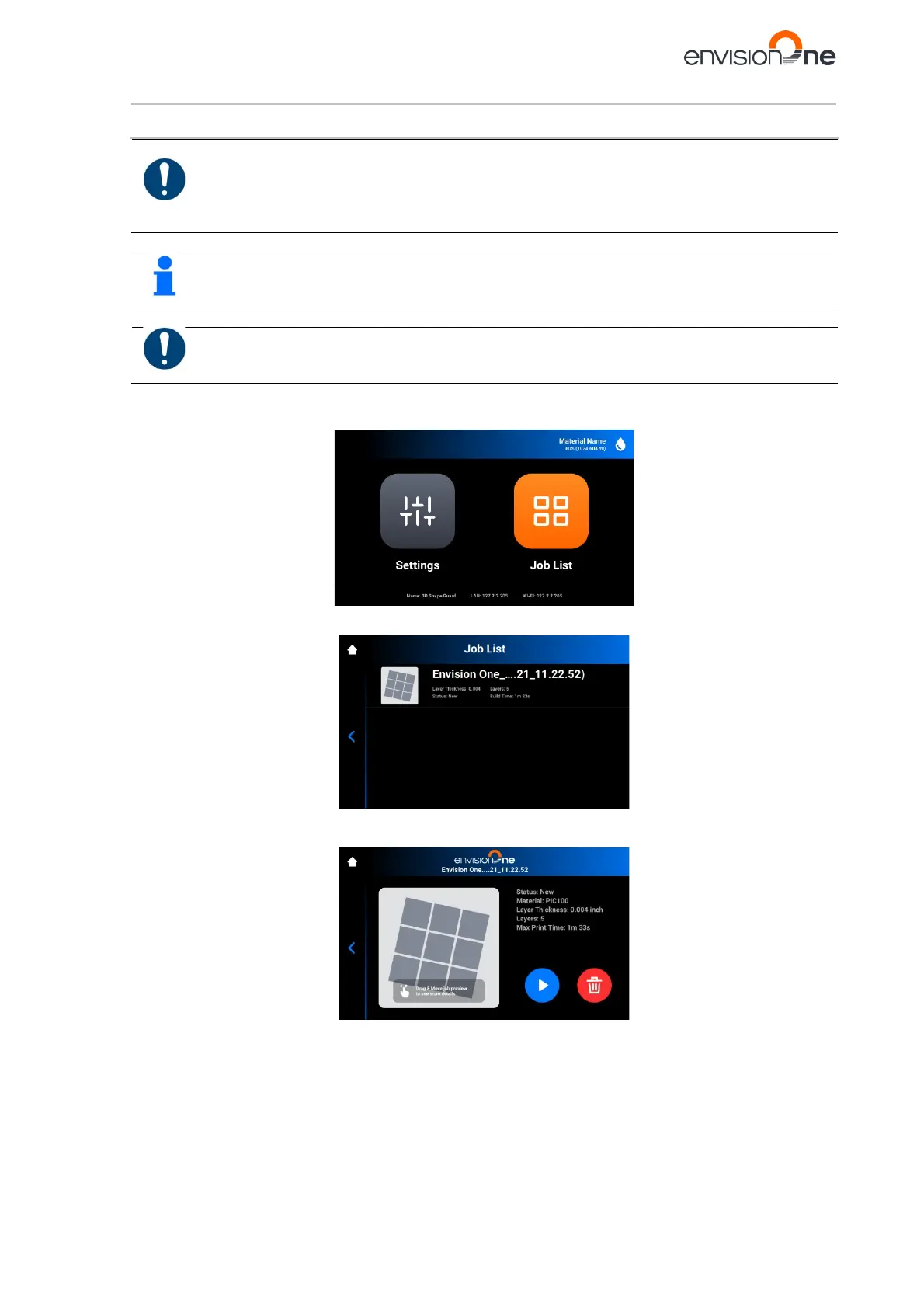
To start a job:
1. From the Home screen, select the Job List:
2. Select the job folder from the Job List.
3. Tap the Play button to start a job.
→ The following screen appears.
→ The following window appears.



 To Next Page