Need help?
Do you have a question about the Epec 5050 and is the answer not in the manual?
Explains icons used in the manual for clarity.
Lists prerequisite knowledge for users of the document.
Provides general safety instructions and precautions for machine operation.
Details the terms and conditions of the product warranty.
Highlights the controller's processing power and versatile application capabilities.
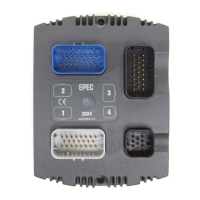
Describes the physical design, materials, and robust construction of the unit.
Details the wide range of I/O pins and their configurable features.
Discusses software aspects like programming environment and error logging.
Details the functionality and specifications of PWM/DO/DI pin types.
Details specifications for DI/PI and AI/DI pin types.
Illustrates how to connect various external actuators to different pin types.
Details power supply connections, current limits, and voltage ranges.
Details the CAN interface, protocols, and connection pins.
Describes the Ethernet interface primarily used for software uploading.
Explains the meaning of different LED states for system status.
Details the temperature sensors for processor and PCB area monitoring.
Describes the internal error log for firmware and application errors.
Summarizes the Electromagnetic Compatibility (EMC) test results and standards.
Lists environmental tests performed on the control units.
Provides dimensional drawings and measurements of the control unit.
Instructions for proper unit mounting, orientation, and cleaning procedures.
Guidelines for connecting and disconnecting AMPSEAL connectors safely and correctly.
Shows wiring examples for power supply connections with different current requirements.
Information on AMPSEAL connectors used with Epec CAN Module Family products.
 General
| Brand | Epec |
|---|---|
| Model | 5050 |
| Category | Control Unit |
| Language | English |


 To Next Page