Name Function
P
Audio1 port
Inputs audio from equipment connected to the
Computer1 port.
Q
Audio-L/R port
Inputs audio from equipment connected to the S-Video
port or the Video port.
R
S-Video port
For S-video signals from video sources.
S
Video port
Inputs composite video signals from video sources.
T
HDMI port
Inputs video signals from HDMI compatible video
equipment and computers. This projector is compatible
with
HDCP
g
signals.
U
Trigger out port
When the projector is turned on, a DC 12 V signal is
output from this port. When the projector is turned off, or
if it enters an abnormal status, 0 V is output from this port.
This informs external devices whether the projector is on
or off.
To enable trigger output, set Trigger Out from the
Configuration menu to On.
s Extended - Operation p.69
Base
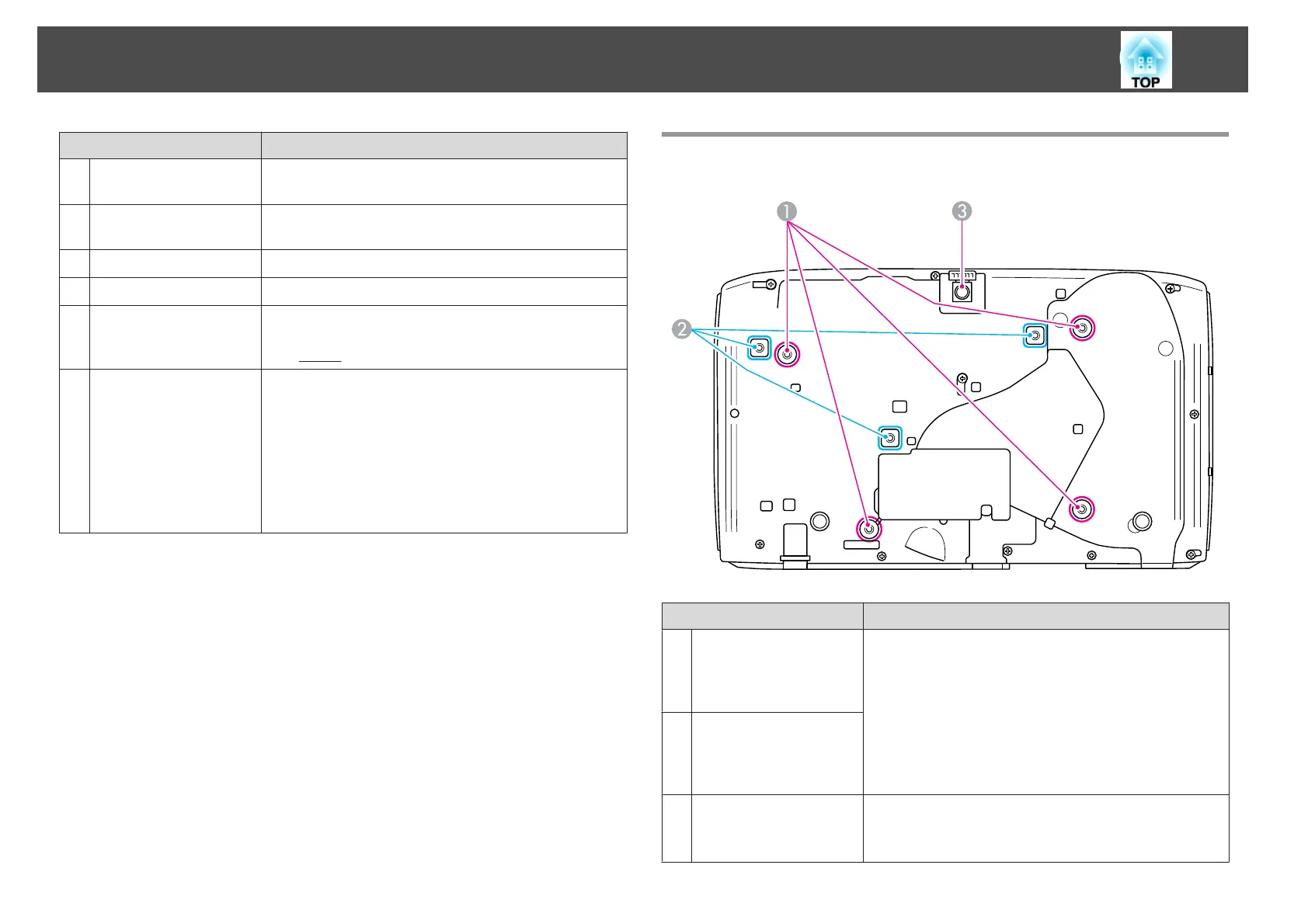
Name Function
A
Ceiling mount fixing
points (For Ceiling
mount ELPMB22: four
points)
Attach the optional ceiling mount here when suspending
the projector from a ceiling.
s "Installing the Projector" p.18
s "Optional Accessories" p.124
B
Ceiling mount fixing
points (For Ceiling
mount ELPMB23:
three points)
C
Front adjustable foot
When setup on a surface such as a desk, extend the foot to
adjust the position of the image.
s "Adjusting the Image Position" p.36
Part Names and Functions
11



 To Next Page