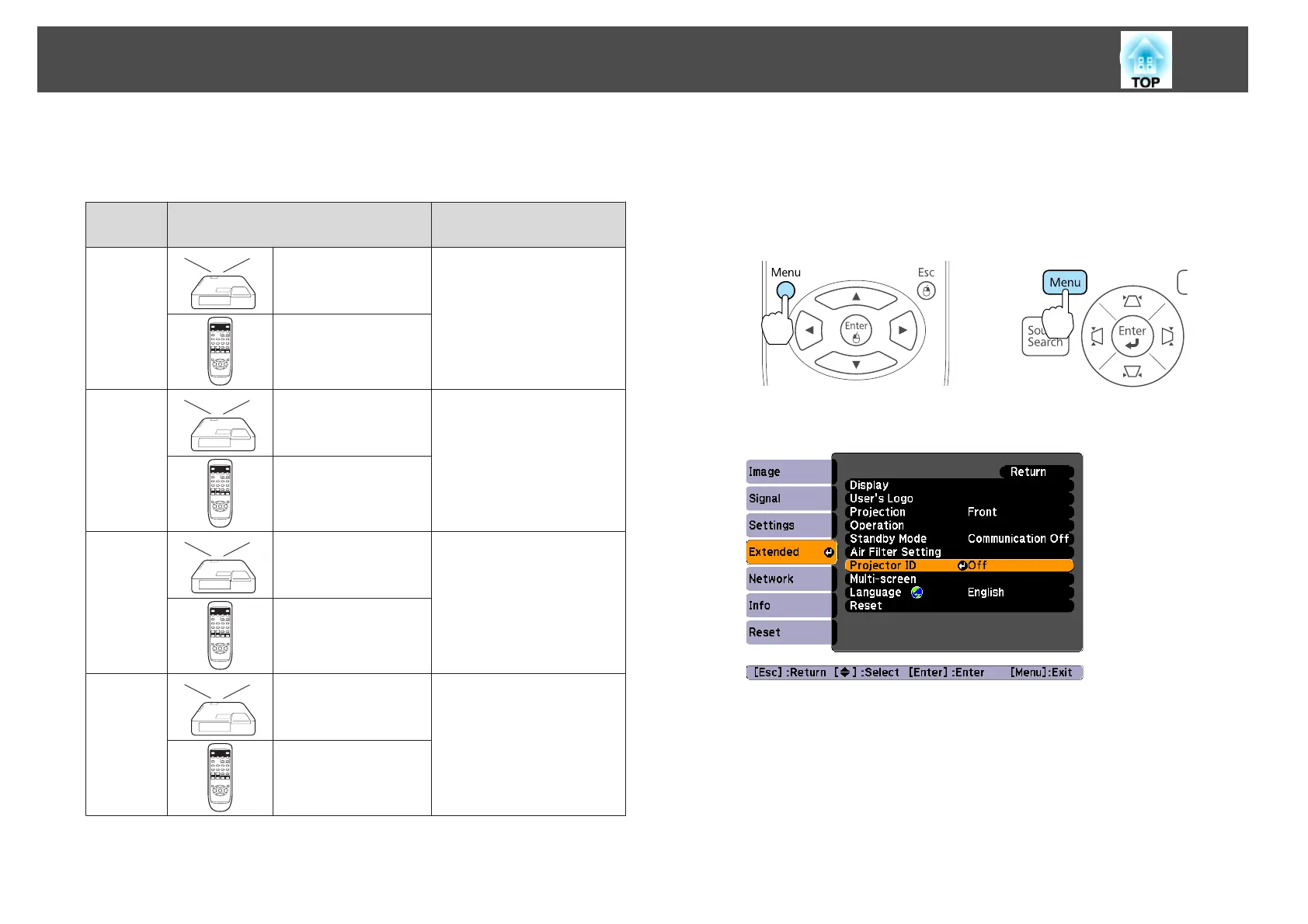
You can set an ID for the remote control within a range of "0" to "9". The
default value is "0". The following table shows the possible combinations of
Projector ID and remote control ID.
Opera-
tion
Combinations Descriptions
Possible
Projector ID: 1 The projector ID and the
remote control ID are
identical, therefore you can
operate the projector with the
remote control.
Remote control ID: 1
Possible
Projector ID: Off When the Projector ID is Off,
you can operate with the
remote control regardless of
the remote control ID setting.
Remote control ID: 1
Possible
Projector ID: 1 When the remote control ID
is "0", you can operate with
the remote control regardless
of the Projector ID setting.
Remote control ID: 0
Not possi‐
ble
Projector ID: 1 The Projector ID and the
remote control ID do not
match, therefore you cannot
operate the projector with the
remote control.
Remote control ID: 3
Setting the Projector ID
a
Press the [Menu] button while projecting.
s
"Using the Configuration Menu" p.62
Using Remote Control Using the Control Panel
b
Select Projector ID from Extended.
c
Choose the ID you want to set and press the [Enter] button.
Projection Functions
52



 To Next Page