The port name, location, and connector orientation differ depending on the source being connected.
Connecting a Computer
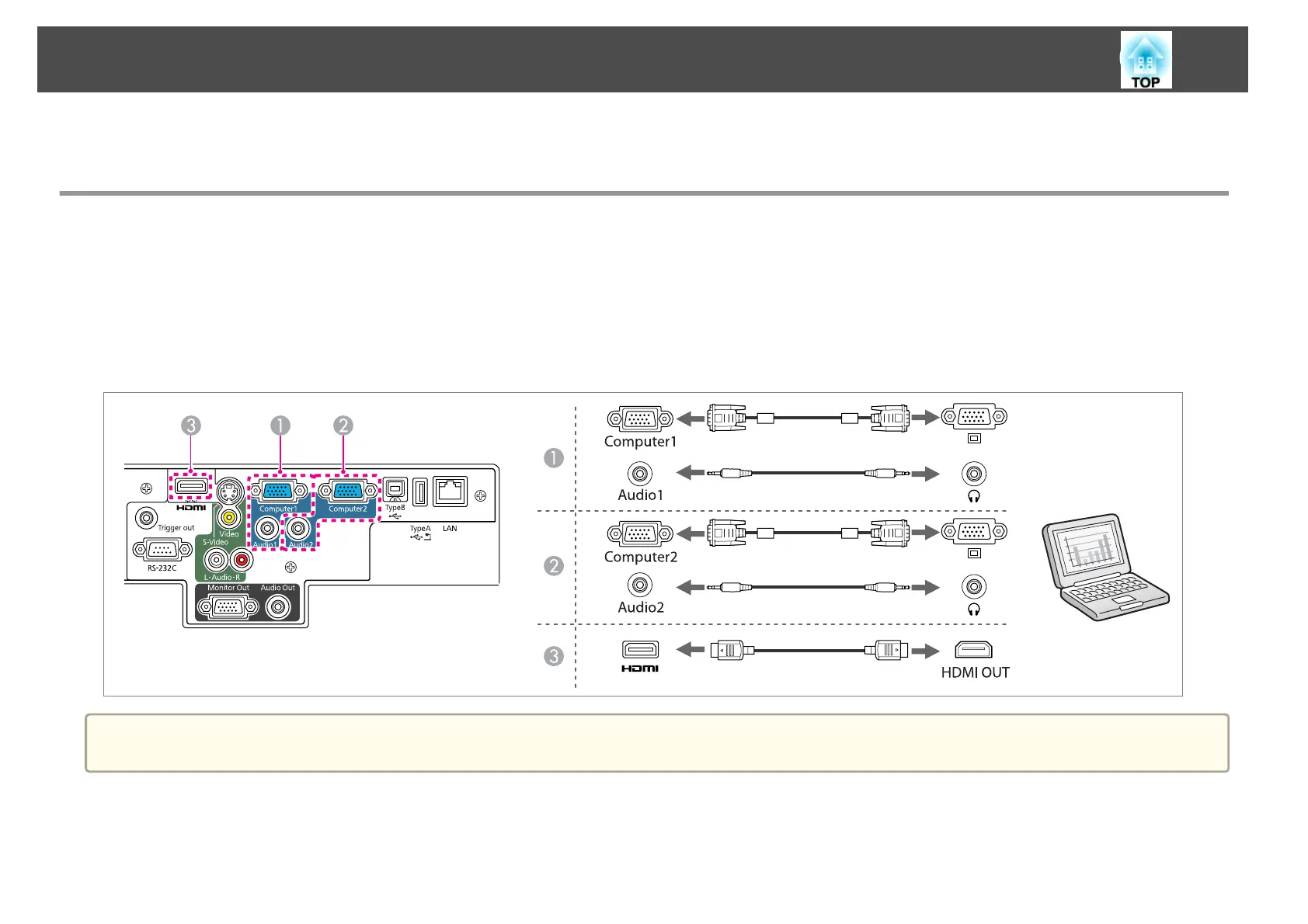
To project images from a computer, connect the computer using one of the following methods.
AB
When using the supplied computer cable
Connect the computer's display output port to the projector's Computer1 or Computer2 port.
C
When using a commercially available HDMI cable
Connect the computer's HDMI port to the projector's HDMI port.
a
To output audio from the projector's speaker, you need to connect a commercially available audio cable.
Connecting Equipment
20



 To Next Page