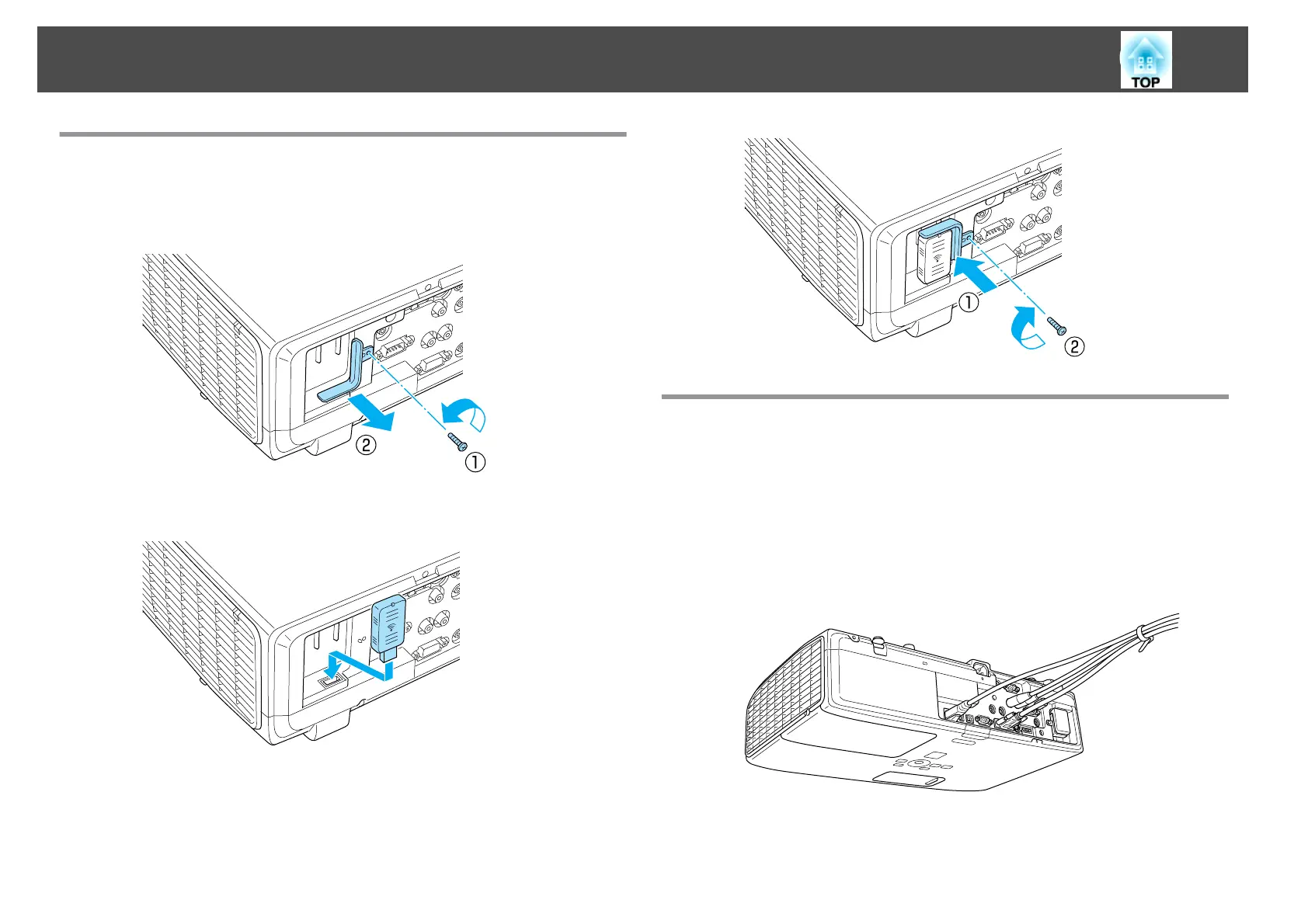
Installing the Wireless LAN Unit
a
Remove the stopper fixing screw, and then remove the wireless
LAN unit's stopper.
b
Install the Wireless LAN unit.
c
To avoid losing the wireless LAN unit, secure the stopper using the
stopper fixing screw.
Attaching and Removing the Cable Cover
By attaching the cable cover, disordered cables can be tidied away (the
illustration shows a projector suspended from the ceiling).
Attaching
a
Bundle the cables with a commercially available band.
b
Place the cable cover on the rear of the projector.
Connecting Equipment
27



 To Next Page