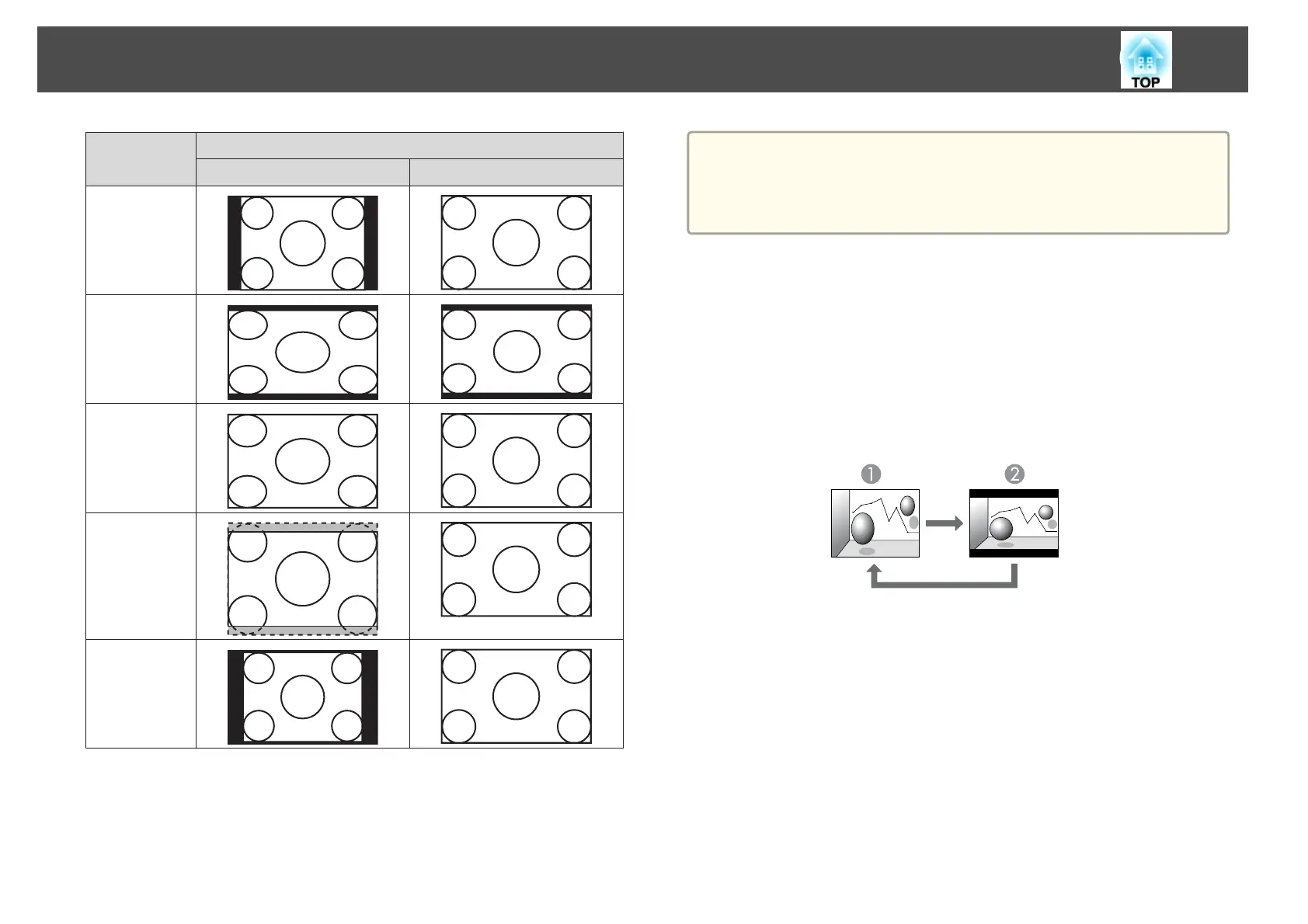
Aspect Mode Input Signal
XGA 1024x768 (4:3) WXGA 1280x800 (16:10)
Normal/Au-
to*
16:9
Full
Zoom
Native
* Only available when the source is HDMI.
a
If parts of the image are missing, set the Resolution setting to Wide
or Normal from the Configuration menu, according to the size of the
computer panel.
s Signal - Resolution p.66
Changing the aspect mode (EB-D6250/EB-D6150 only)
Projecting images from video equipment
Each time the [Aspect] button on the remote control is pressed, the aspect
mode changes in the order 4:3 and 16:9.
When inputting a 720p/1080i signal and the aspect mode is set to 4:3, a 4:3
zoom is applied (the right and left sides of the image are cut off).
A
4:3
B
16:9
Projecting images from the HDMI port
Each time the [Aspect] button on the remote control is pressed, the aspect
mode changes in the order Auto, 4:3, and 16:9.
Adjusting Projected Images
40



 To Next Page