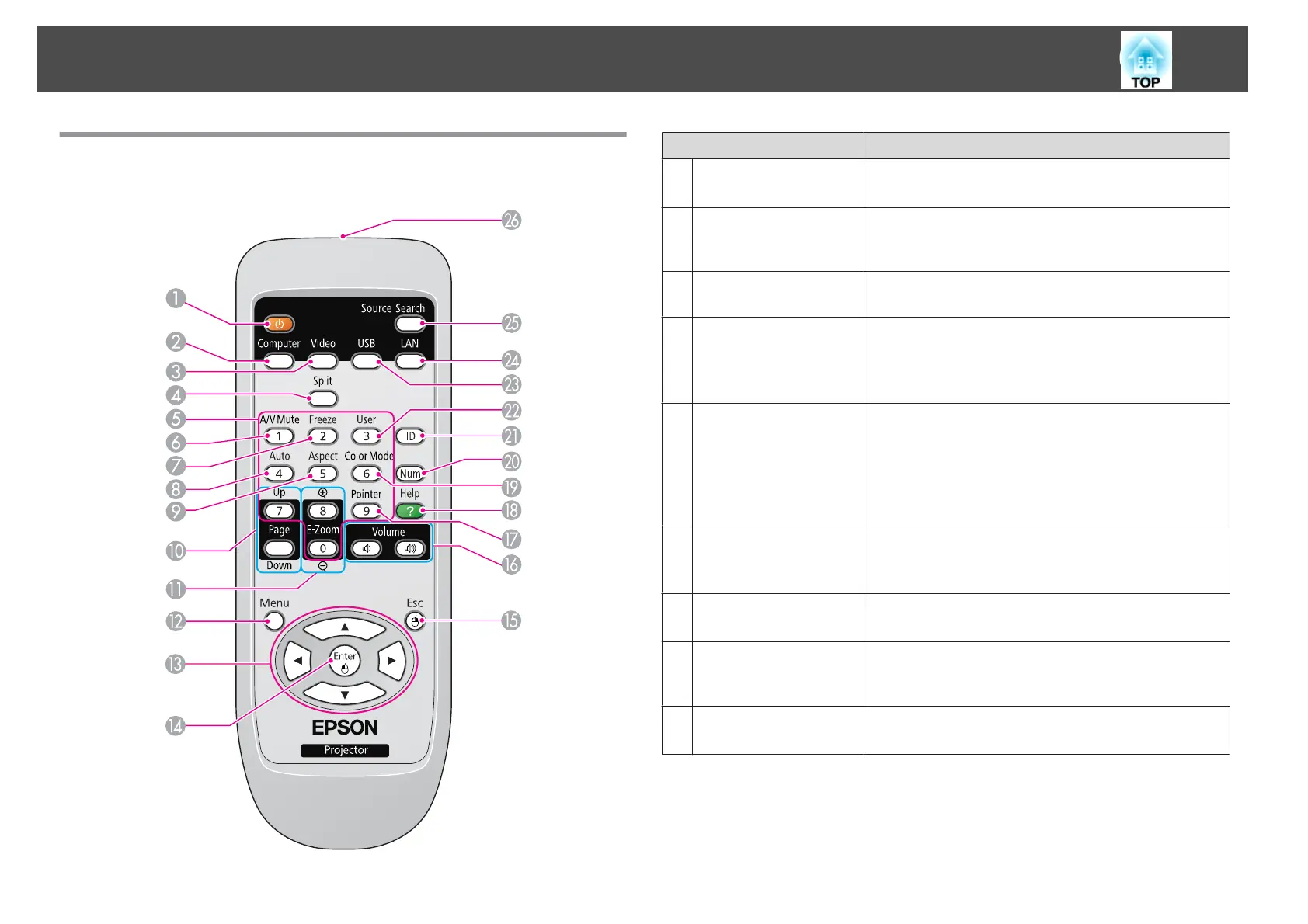
Remote Control
Name Function
A
[t] button
Turns the projector power on or off.
s "From Installation to Projection" p.30
B
[Computer] button
Each time you press the button, the input changes between
images from the Computer1 port and the Computer2
port.
C
[Video] button
Each time the button is pressed, the image cycles through
the S-Video, Video, and HDMI ports.
D
[Split] button
Press this button to split the screen in two and project two
images simultaneously.
s "Projecting Two Images Simultaneously (Split
Screen)" p.43
E
Numeric buttons
• Use this button to enter passwords and set the remote
control ID.
s
"Setting the remote control ID" p.53
s "Setting Password Protect" p.57
• Use this button to enter numbers in Network settings
from the Configuration menu.
F
[A/V Mute] button
Turns the video and audio on or off.
s "Hiding the Image and Sound Temporarily (A/V
Mute)" p.47
G
[Freeze] button
Images are paused or unpaused.
s "Freezing the Image (Freeze)" p.48
H
[Auto] button
If pressed while projecting analog RGB signals from
Computer1 port or Computer2 port, you can
automatically optimize Tracking, Sync., and Position.
I
[Aspect] button
The aspect ratio changes each time the button is pressed.
s "Changing the Aspect Ratio" p.39
Part Names and Functions
13



 To Next Page