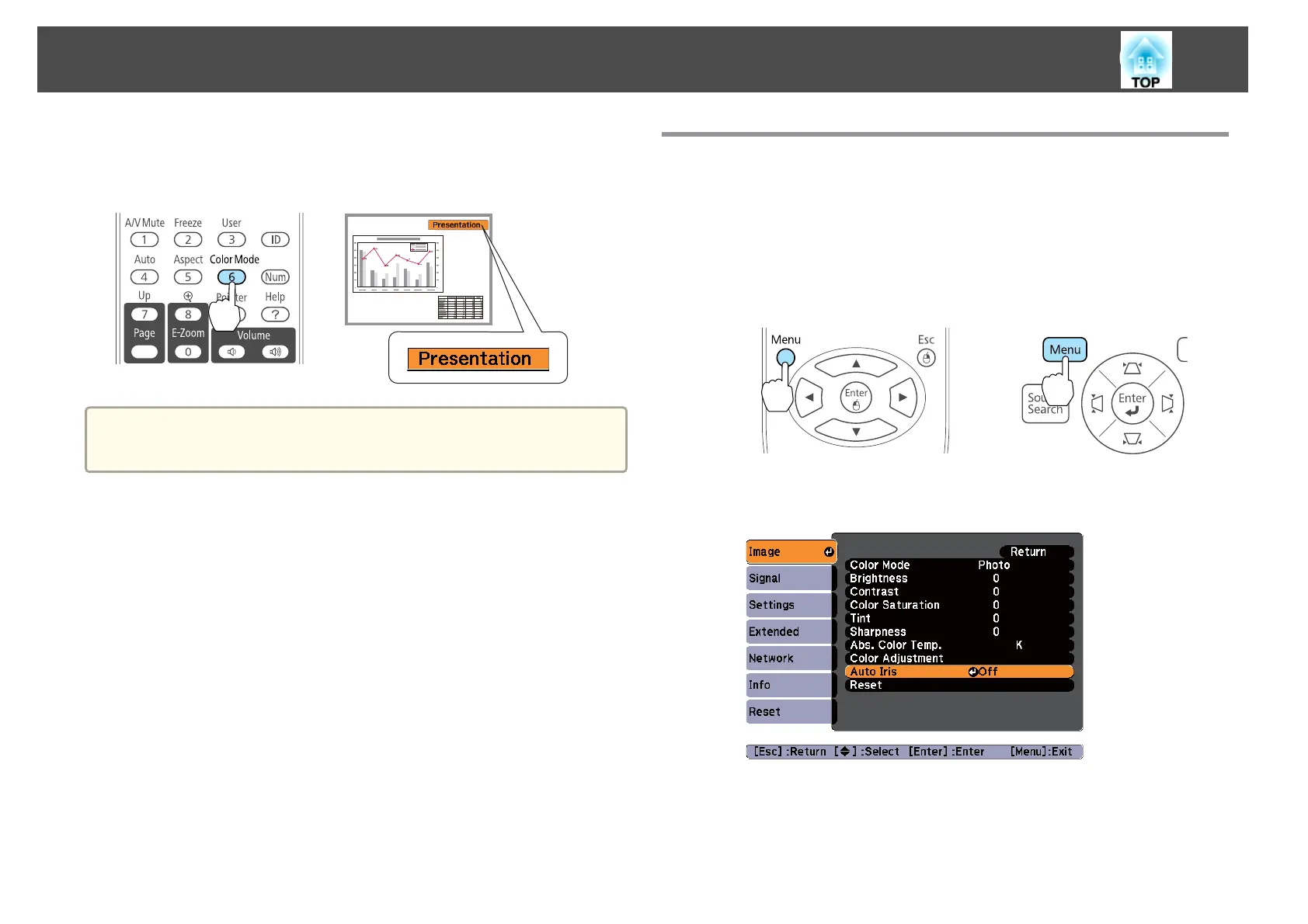
Each time you press the [Color Mode] button, the Color Mode name is
displayed on the screen and the Color Mode changes.
Remote control
a
You can set Color Mode from the Configuration menu.
s Image - Color Mode p.65
Setting Auto Iris
By automatically setting the luminance according to the brightness of the
displayed image, it lets you enjoy deep and rich images.
a
Press the [Menu] button.
s "Using the Configuration Menu" p.62
Using the remote control Using the control panel
b
Select Auto Iris from Image.
c
Select On.
The setting is stored for each Color Mode.
d
Press the [Menu] button to end the setting procedure.
Adjusting Projected Images
38



 To Next Page