Correcting Keystone Distortion
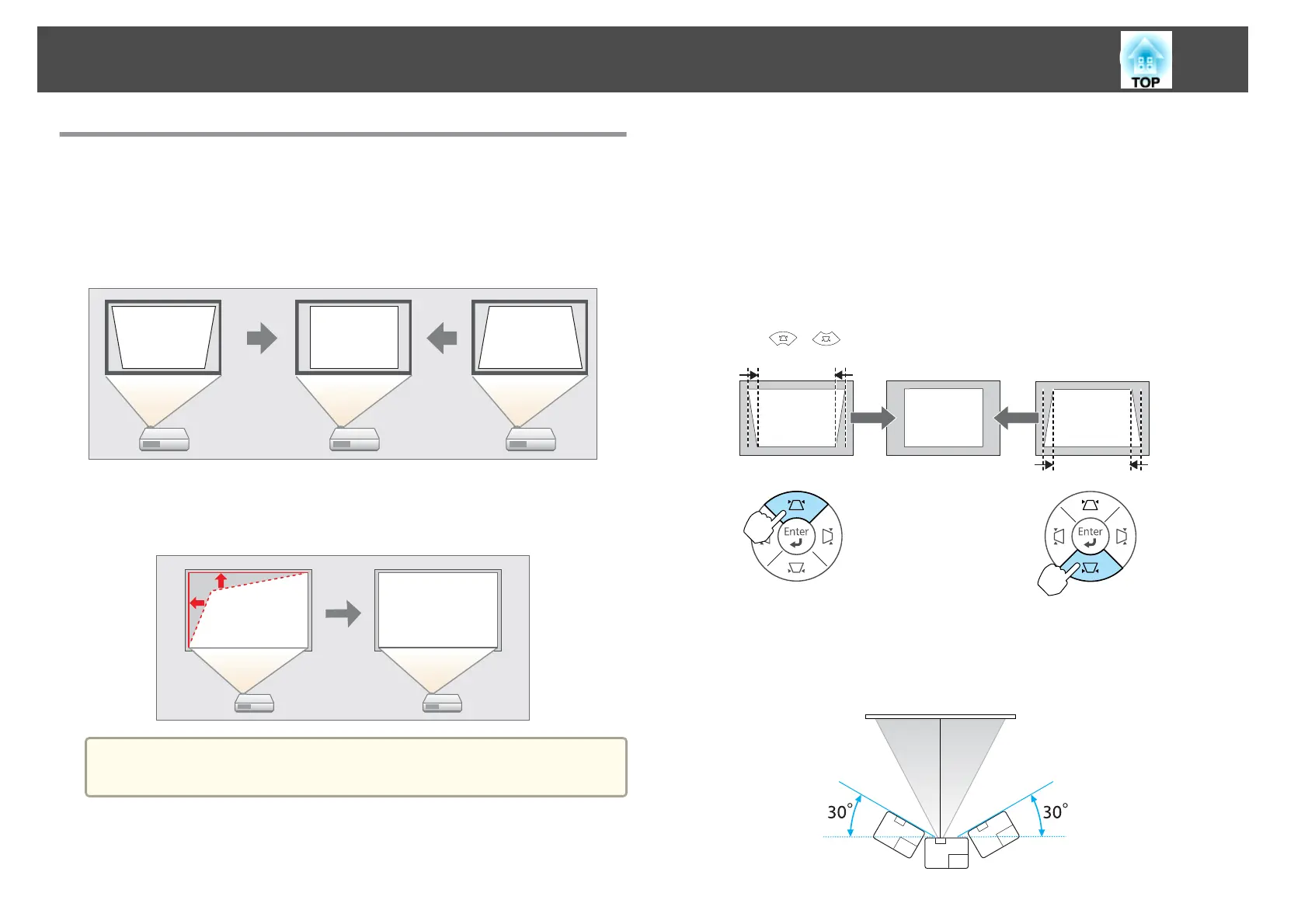
You can correct keystone distortion using one of the following methods.
• H/V-Keystone
Manually correct distortion in the horizontal and vertical directions
independently. This function allows you to make easy corrections.
• Quick Corner
Manually correct the four corners independently. This function allows you
to make more accurate keystone correction.
a
When you correct keystone distortion, the projected image may be
reduced.
H/V-Keystone
Manually correct distortion in the horizontal and vertical directions
independently.
Correcting keystone distortion in vertical directions
Vertical keystone can be corrected to a vertical projector tilt of up to 30˚
against the screen.
Press the [
][ ] buttons on the control panel.
Correcting keystone distortion in horizontal directions
Horizontal keystone can be corrected to a horizontal projector tilt of up to
30˚.
Adjusting Projected Images
33



 To Next Page