a
Auto Iris can be set only when the Color Mode is Dynamic,
Theatre, or Customized.
Changing the Aspect Ratio
Change the Aspect Ratio
g
when video equipment is connected so that
images that have been recorded in digital video or onto DVDs can be
viewed in 16:9 wide-screen format. Change the aspect ratio when projecting
computer images at full size.
Available Aspect Modes vary depending on the image signal currently being
projected.
The changing methods and the types of Aspect Modes are as follows.
Changing methods
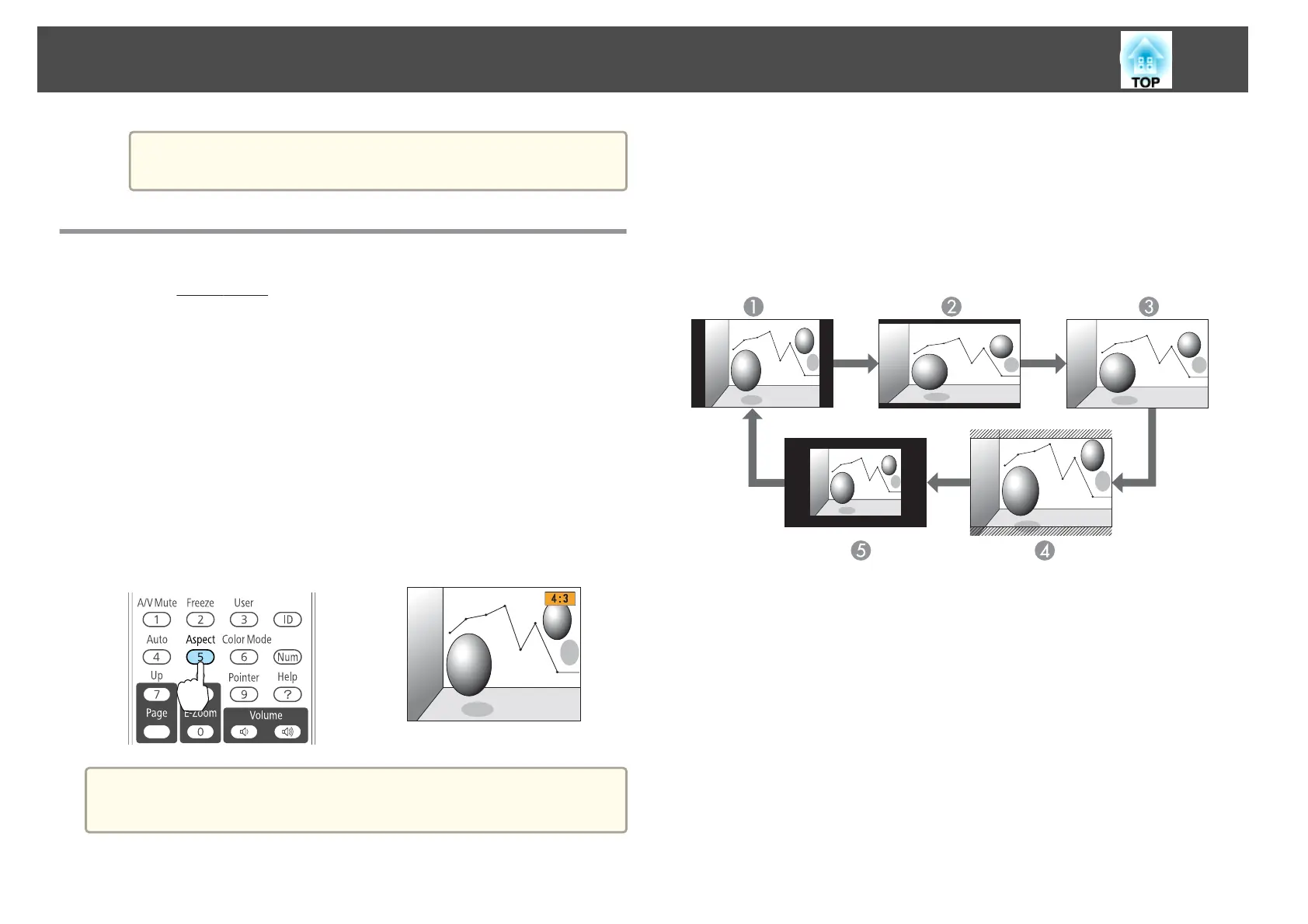
Each time you press the [Aspect] button, the Aspect Mode name is
displayed on the screen and the aspect ratio changes.
Remote control
a
You can set the aspect ratio from the Configuration menu.
s Signal - Aspect p.66
Changing the aspect mode (EB-D6155W only)
Projecting images from video equipment or from the HDMI port
Each time the [Aspect] button on the remote control is pressed, the aspect
mode changes in the order Normal or Auto, 16:9, Full, Zoom, and
Native.
A
Normal or Auto
B
16:9
C
Full
D
Zoom
E
Native
Projecting images from a computer
The following shows projection examples for each aspect mode.
Adjusting Projected Images
39



 To Next Page