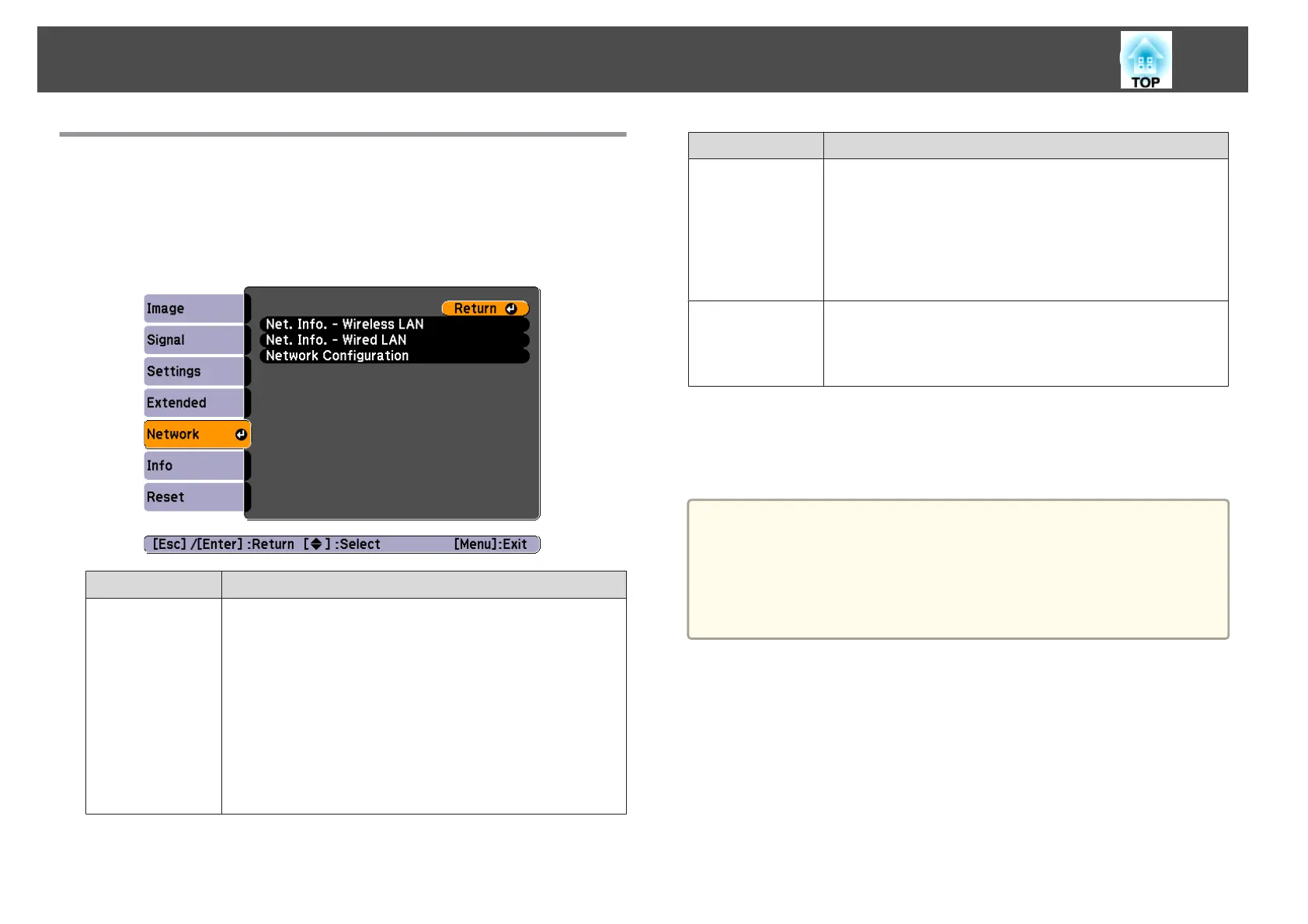
Network Menu
When Network Protect is set to On in Password Protect, a message is
displayed and the network settings cannot be changed. Turn Network
Protect Off and then configure the network.
s "Setting Password Protect" p.57
Sub-menu Function
Net. Info. - Wire-
less LAN
Displays the following network setting status information.
• Connection Mode
• Antenna Level
• Projector Name
• SSID
• DHCP
• IP Address
• Subnet Mask
• Gateway Address
• MAC Address
• Region Code
*
Sub-menu Function
Net. Info. -
Wired LAN
Displays the following network setting status information.
• Projector Name
• DHCP
• IP Address
• Subnet Mask
• Gateway Address
• MAC Address
Network Config-
uration
The following menus are available for setting Network
items.
Basic, Wireless LAN, Security, Wired LAN, Mail, Others,
Reset, and Setup complete
* Displays available region information for the Wireless LAN unit being used.
For more details, contact your local dealer or the nearest address provided in
the Epson Projector Contact List.
s Epson Projector Contact List
a
By using a Web browser of a computer connected to the projector on
a network, you can set functions and control the projector. This
function is called Web Control. You can easily enter text using a
keyboard to make settings for Web Control such as Security settings.
s "Changing Settings Using a Web Browser (Web Control)"
p.114
Notes on operating the Network menu
Selecting from the top menu and sub menus, and changing selected items is
the same as making operations from the Configuration menu.
When done, make sure you go to the Setup complete menu, and select one
of Yes, No, or Cancel. When you select Yes or No, you return to the
Configuration menu.
List of Functions
71



 To Next Page