a
• When User's Logo Protect from Password Protect is set to
On, a message is displayed and the User's Logo cannot be
changed. You can make changes after setting User's Logo
Protect to Off.
s "Managing Users (Password Protect)" p.57
• If User's Logo is selected when Keystone, E-Zoom, or Aspect
are being performed, the function currently being performed
is cancelled.
c
When the message "Choose this image as the User's Logo?" is
displayed, select Yes.
a
When you press the [Enter] button on the remote control or
the control panel, the screen size may change depending on the
signal to match the actual resolution of the image signal.
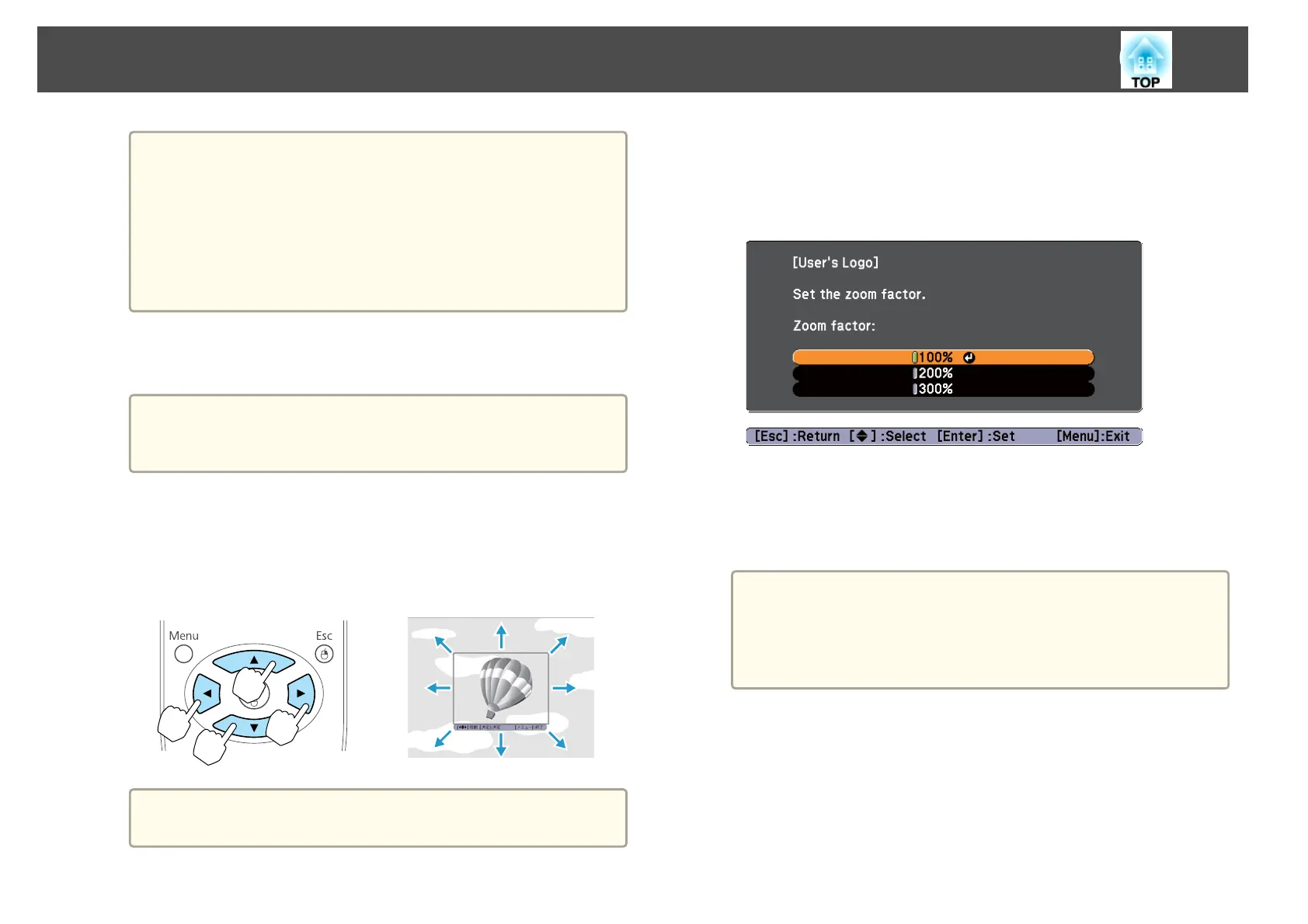
d
Move the box to select the part of the image to use as the User's
Logo.
You can perform the same operations from the projector's control
panel.
Remote control
a
You can save at 400x300 dots in size.
e
When you press the [Enter] button and the message "Select this
image?" is displayed, select Yes.
f
Select the zoom factor from the zoom setting screen.
g
When the message "Save this image as the User's Logo?" is
displayed, select Yes.
The image is saved. After the image has been saved, the message
"Completed." is displayed.
a
• When a User's Logo is saved, the previous User's Logo is
erased.
• Saving the User's Logo may take approximately 15 seconds.
Do not operate the projector or any connected equipment
while it is saving, otherwise malfunctions may occur.
Projection Functions
56



 To Next Page