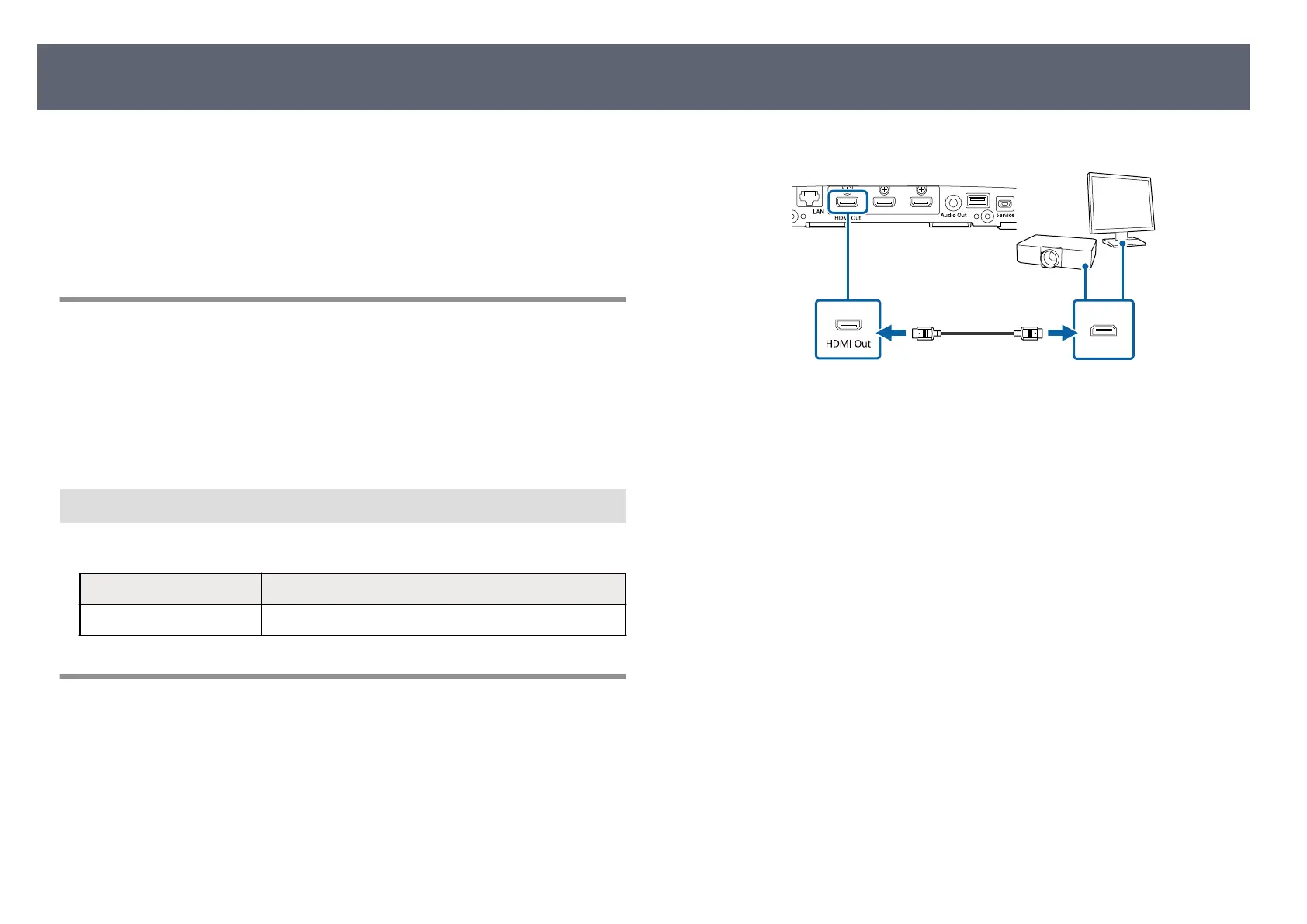
Follow the instructions in these sections to connect an external display device to
th
e base unit.
g
Related Links
•
"Preparing an External Display Device" p.27
•
"Connecting to External Display Device" p.27
Preparing an External Display Device
Prepare an external display device to project the computer screen.
For example: Projector, large monitor, and so on
g
Related Links
•
"Specications for the External Display Device" p.27
Specications for the Ex
ternal Display Device
See the following table for the external display device specications.
Items Specications
Input resolution Supports 1920 × 1080 @60Hz RGB
Connecting to External Display Device
You can display an input source connected to the base unit to an external
dis
play device such as a projector or a monitor. Use the supplied HDMI cable to
connect an external display device to the base unit.
a
Connect the supplied HDMI cable to your external display device's HDMI
inp
ut port.
b
Connect the other end to the base unit's HDMI Out port.
Connecting the Base Unit to an External Display Device
27



 To Next Page