2. Installation
RC700 / RC90 Option Fieldbus I/O Rev.14 101
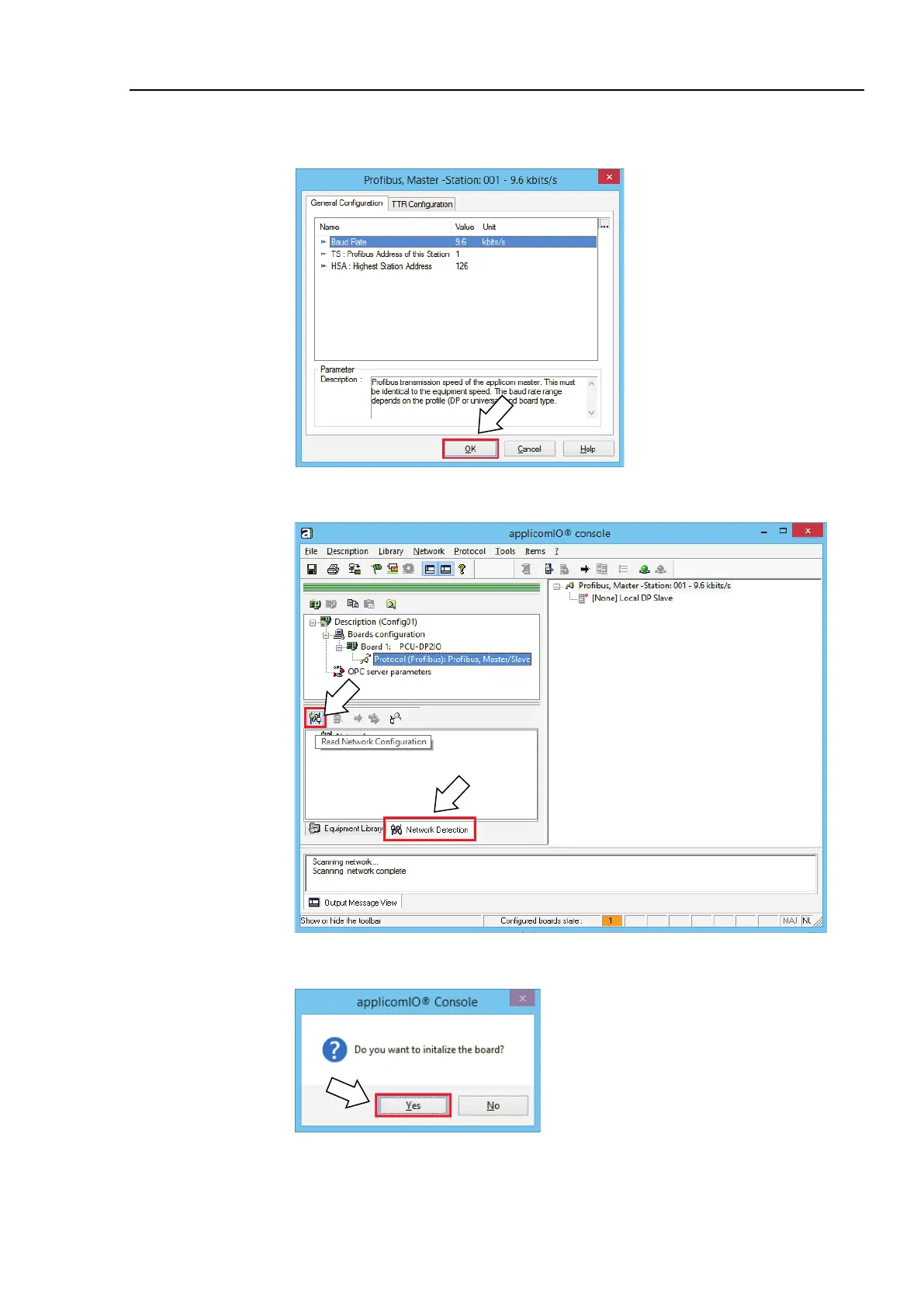
17. The [Profibus Master] dialog box appears.
Set Baud Rate for the PROFIBU-DP network, the master address (Profibus Address
of this Station), and Highest Station Address in the network.
When the PROFIBUS-DP master setting is completed, click <OK>.
18. Select the [Network Detection] tab.
19. Click the <Read Network Configuration>.
20. The following message box appears. Click <Yes>.



 To Next Page