T3-B T6-B Maintenance 6. Firmware Update
34 T-B series Maintenance Manual Rev.1
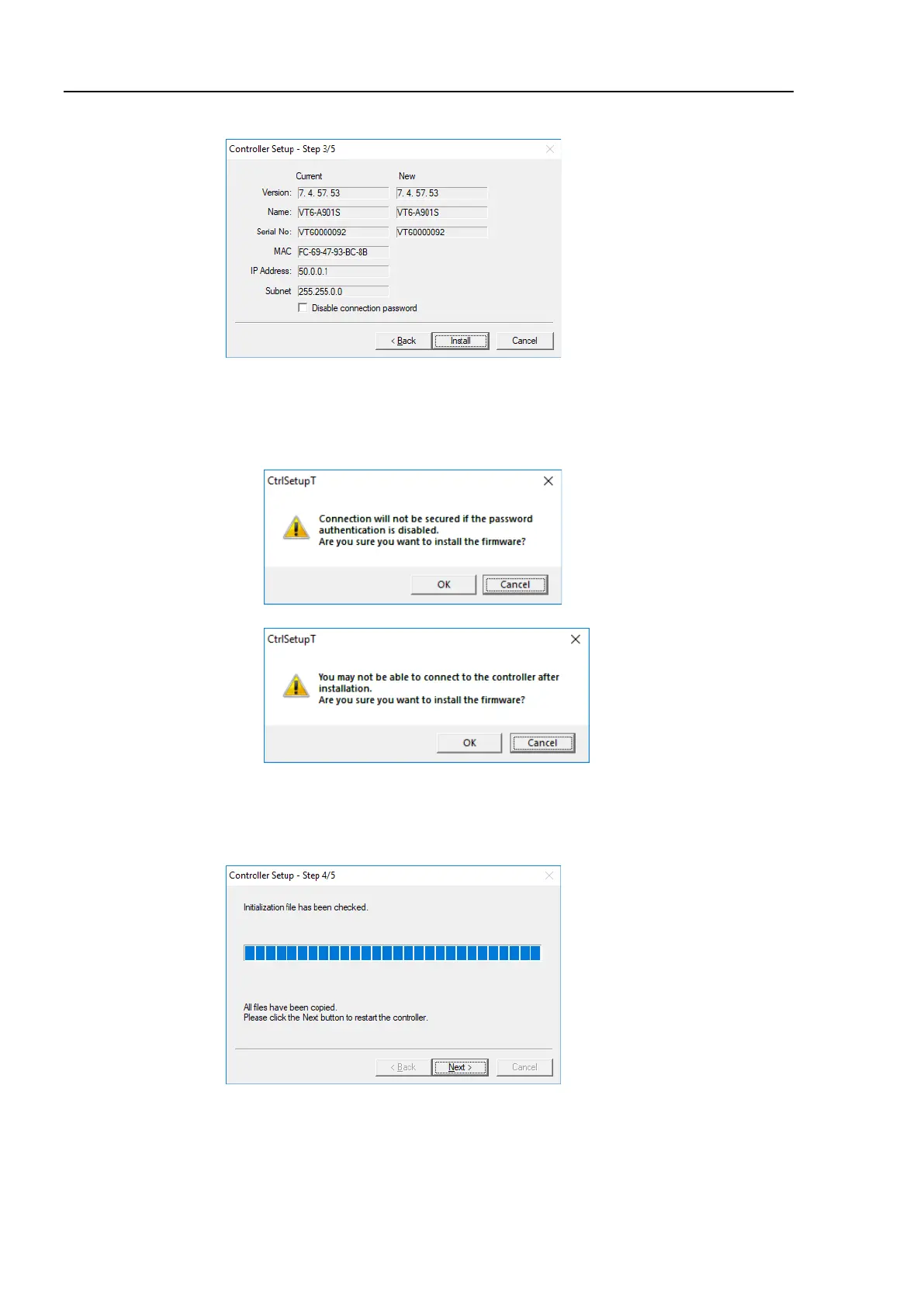
(6) Step 3 window is displayed.
(6)-1 If the [Disable connection password] check box is selected, connection
authentication after updating the firmware is disabled.
(6)-2 If the <Install> button is clicked, the confirmation window is displayed.
When the [Disable connection password] check box is selected:
When the [Disable connection password] check box is not selected:
When the <OK> button is clicked, Step 4 window is displayed. Go to the step (7).
When the <Cancel> button is clicked, the window is closed.
(7) Firmware installation starts.
When the firmware is installed, click the <Next> button. Reboot the Controller.



 To Next Page
 Loading...