Chapter 3 Application Development Information
75
3
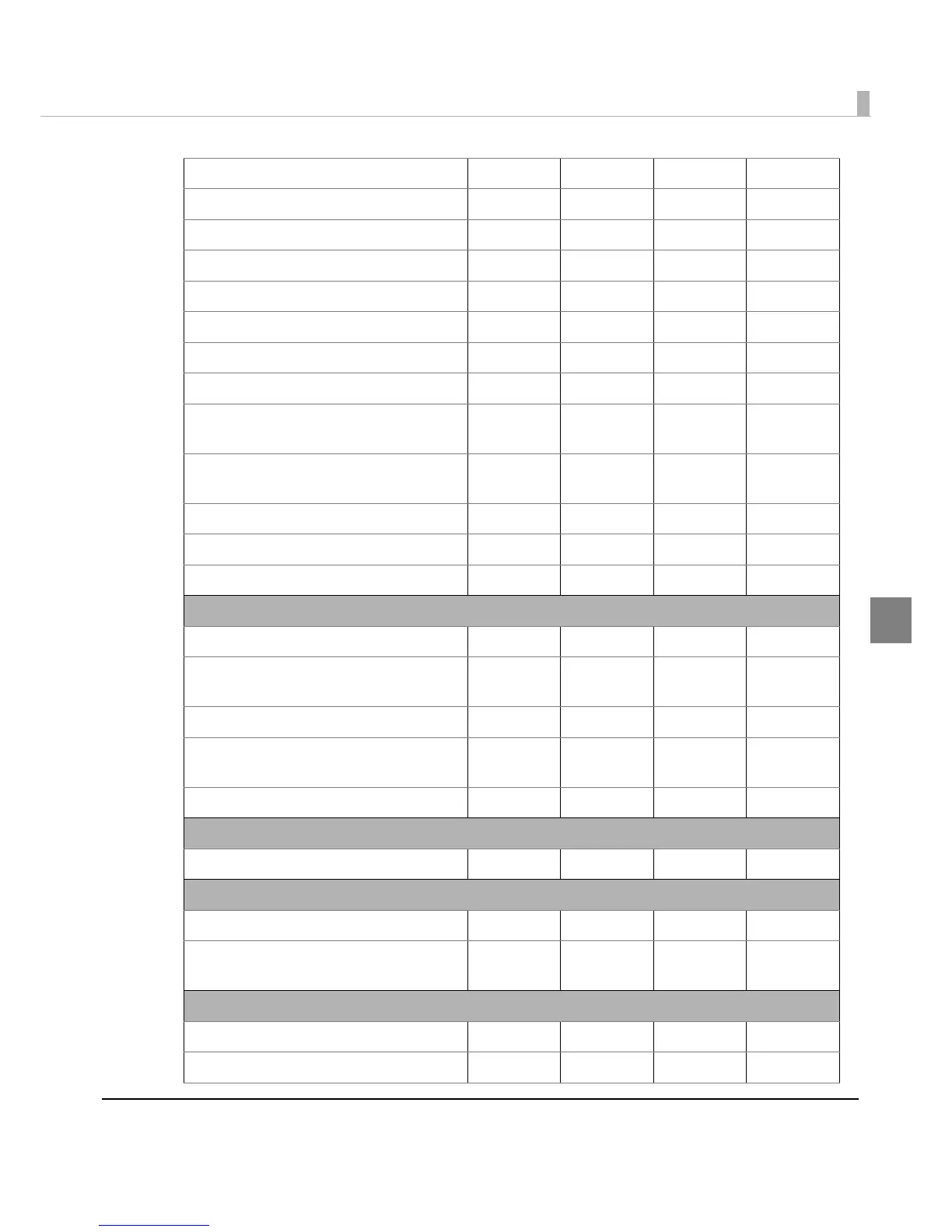
Turn underline mode on/off ✔✔✔
Turn emphasized mode on/off ✔✔✔
Select character font ✔✔✔
Select character size ✔✔✔
Turn smoothing mode on/off ✔
Turn double-strike mode on/off ✔✔✔
Turn upside-down print mode on/off ✔✔✔✔
Turn 90° clockwise rotation mode on/off ✔
Turn white/black reverse print mode
on/off
✔
Select/cancel user-defined character
set
✔✔✔
Define user-defined characters ✔✔✔
Cancel user-defined characters ✔✔✔
Cancel print data in page mode ✔✔
Printing paper commands
Select the side of the slip ✔✔✔
Feed to the print starting position for
the slip
✔✔✔
Select paper type(s) for printing ✔✔✔✔
Select paper type(s) for command
settings
✔✔✔✔
Set cut sheet wait time ✔✔✔✔
Panel button commands
Enable/disable panel buttons ✔✔
✔✔
Paper sensor commands
Select paper sensor(s) to stop printing ✔✔✔✔
Select paper sensor(s) to output paper-
end signals
✔✔✔✔
Print position commands
Horizontal tab ✔✔✔✔
Set horizontal tab positions ✔✔✔✔


 To Next Page
 Loading...