18
Chapter 1 Product Overview
1
Connectors
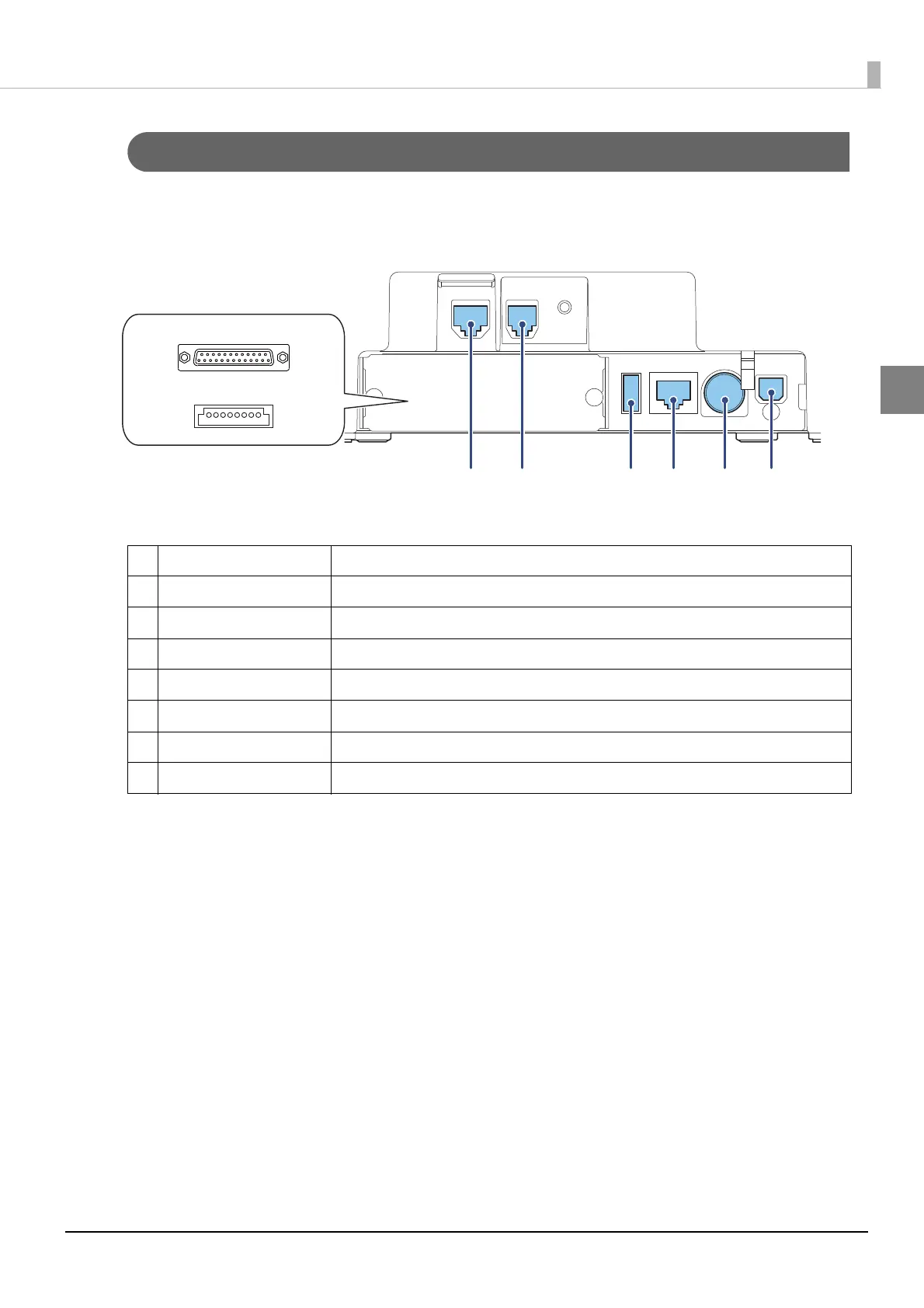
All connectors are located on the lower rear of the printer.
1 Serial Interface connector For connecting a serial cable for connecting to a computer.
2 USB Plus Power connector For connecting a USB Plus Power cable for connecting to a computer.
3 DM-D connector For connecting the customer display.
4 Drawer kick connector For connecting a modular cable for the cash drawer.
5 USB connector For connecting the Epson certified unit.
6 Ethernet connector For connecting a LAN cable.
7 Power supply connector For connecting the AC adapter.
8 USB connector (type-B) For connecting a USB cable for connecting to a computer.


 To Next Page
 Loading...