E
34
630791 DS MKII INSTALLATION MANUAL
µ
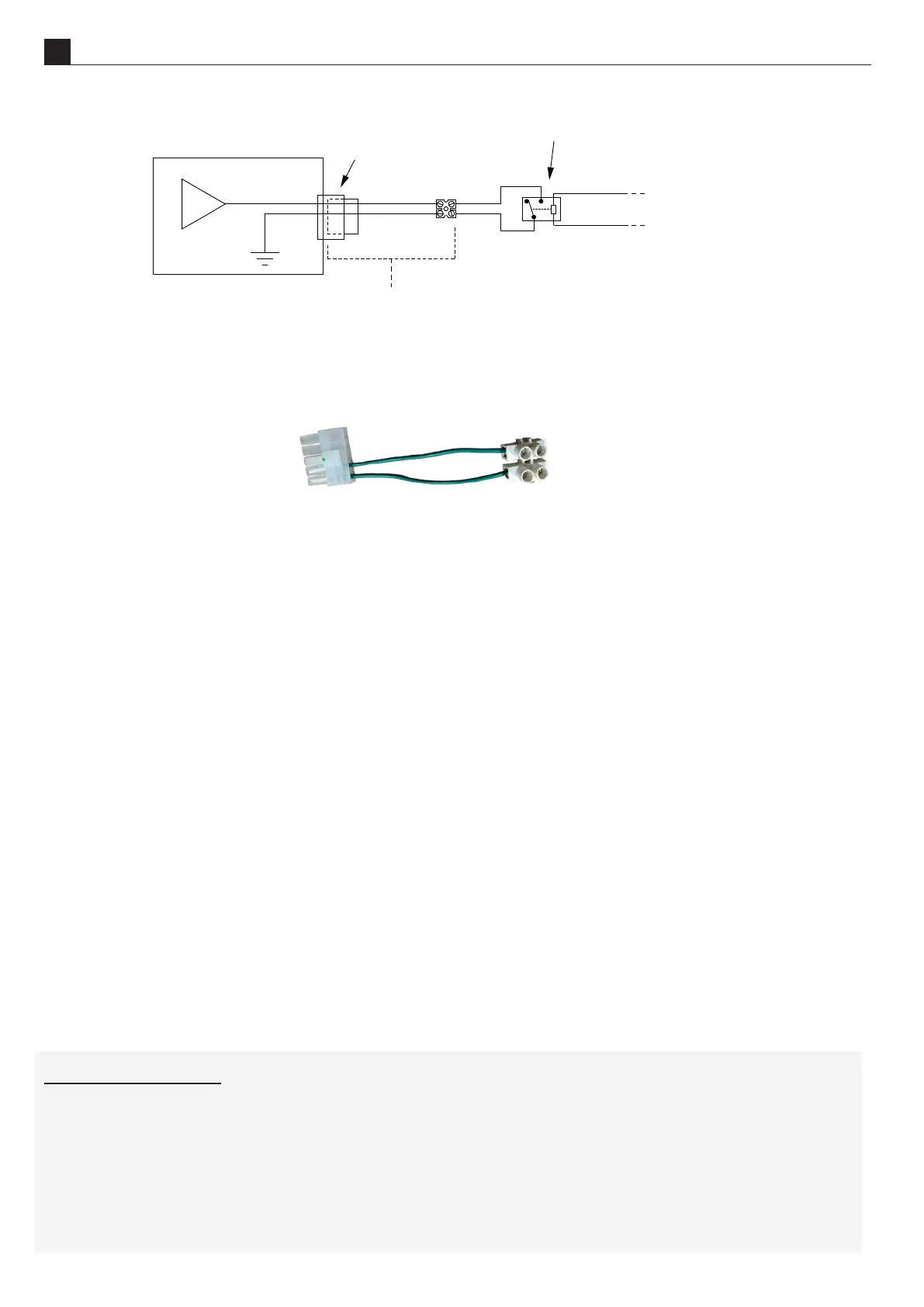
Terminal block
Connector
on fireplace
Fireplace
Connector and terminal
block supplied by Escea
+3.3VDC
From Automation system
The home automaon connecon can be found in your replace accessory pack (shown below). Use the green
wires for home automaon.
This connects to the replace via the middle of the side panel of the replace, next to the powerue cable, as
shown in secon D3 on page 24.
Relay closed
The replace will start in a medium seng unl the remote control talks to the replace and picks up the ‘ON’
signal (which can take up to 4 minutes). Once the remote has communicated with the replace it will turn on
and begin operang thermostacally. The remote will use whatever temperature the user has previously set
and cannot be altered by the home automaon system. The replace will connue to operate while the relay is
closed.
NOTE: If the replace cannot communicate with the remote within 10 minutes of the relay contact closure
then the replace will shut down and return to standby. The remote controller is required to be within
operang range of the replace for its safe operaon.
Relay open
If the replace is operang with a closed relay then, upon opening the relay contacts, the replace will shut
down and return the remote controller to its standby mode when it next updates (which can take up to 4
minutes). While the relay is open the replace will be in standby mode and available for manual operaon by
the user
END OF SECTION E
BY THE END OF THIS SECTION, YOU SHOULD HAVE:
The appliance installed in the cavity



 To Next Page