S
62
630791 DS MKII INSTALLATION MANUAL
S10
Start by following the instrucons in secon "S9 Removing or Cleaning Fan(s)" on page 61 in order to access
the control trays.
NOTE: It is not necessary to remove the fans to access the control trays.
WARNING!
TURN THE GAS AND POWER SUPPLIES OFF.
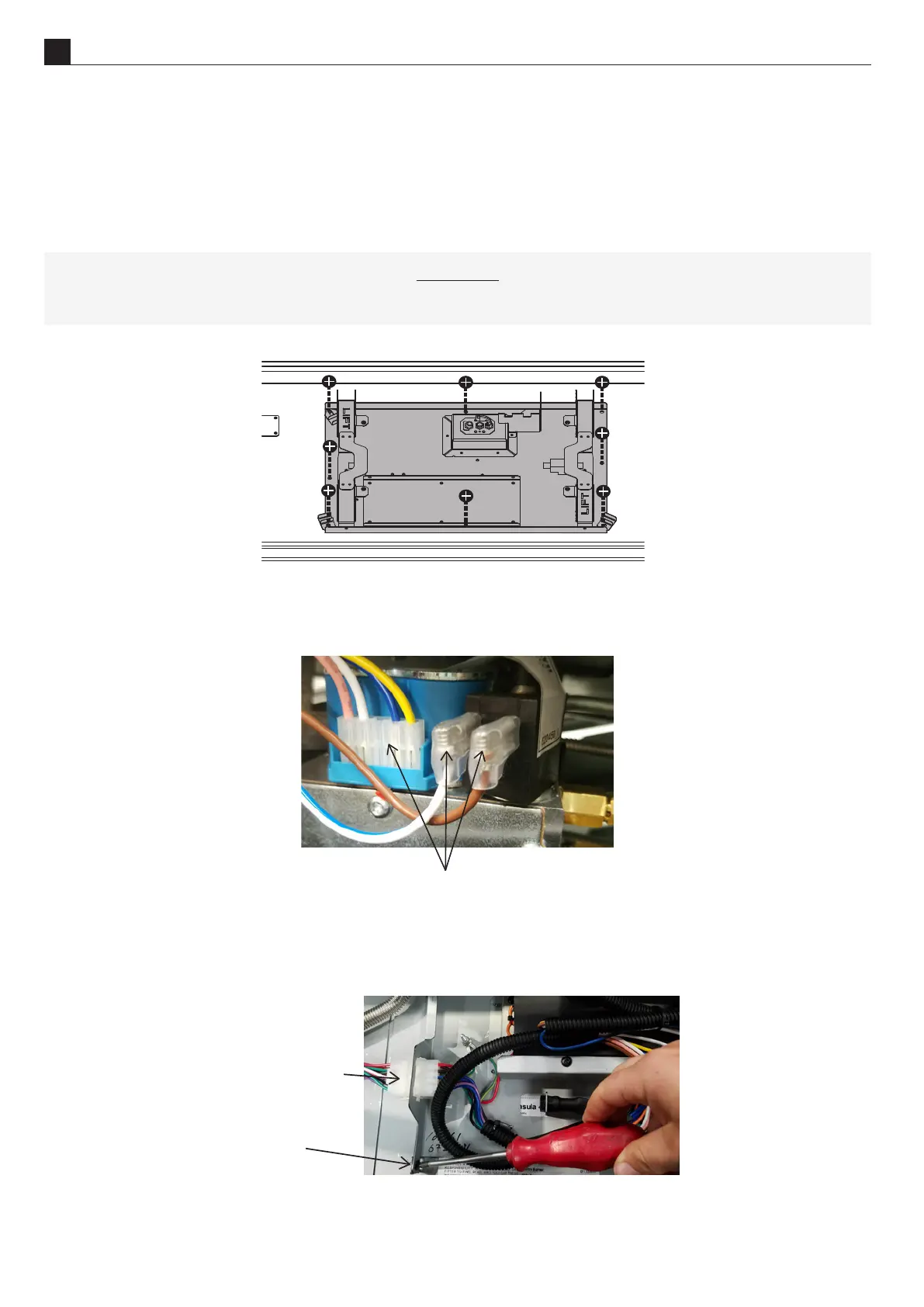
Remove the 8 screws on the gas tray (shown shaded in the diagram below).
Remove the gas tray by liing up and to the right. This is sll connected internally to the gas hose and
power cables. Disconnect the 4 pin connector between the electronics tray and the gas part of the tray. Also
disconnect the ignion and reccaon leads from the black box on top of the modulator (shown below).
Disconnect the 4 pin modulator connector, the
ignition and rectification connectors
To remove the electronics tray, unscrew the one black screw shown and disconnect the white wire connector.
Li the end of the tray where the screw was just removed and slide it out towards you.
Remove
Screw
Disconnect Wire
Connector



 To Next Page