E
33
630791 DS MKII INSTALLATION MANUAL
IMPORTANT: IT IS NECESSARY TO CHECK AND CALIBRATE THE OPERATING PRESSURES AFTER DOING A GAS
TYPE CONVERSION. THIS CAN BE DONE BY FOLLOWING THE INSTRUCTIONS IN SECTION "E5 CHECKING THE
GAS OPERATING PRESSURE" ON PAGE 28.
E7
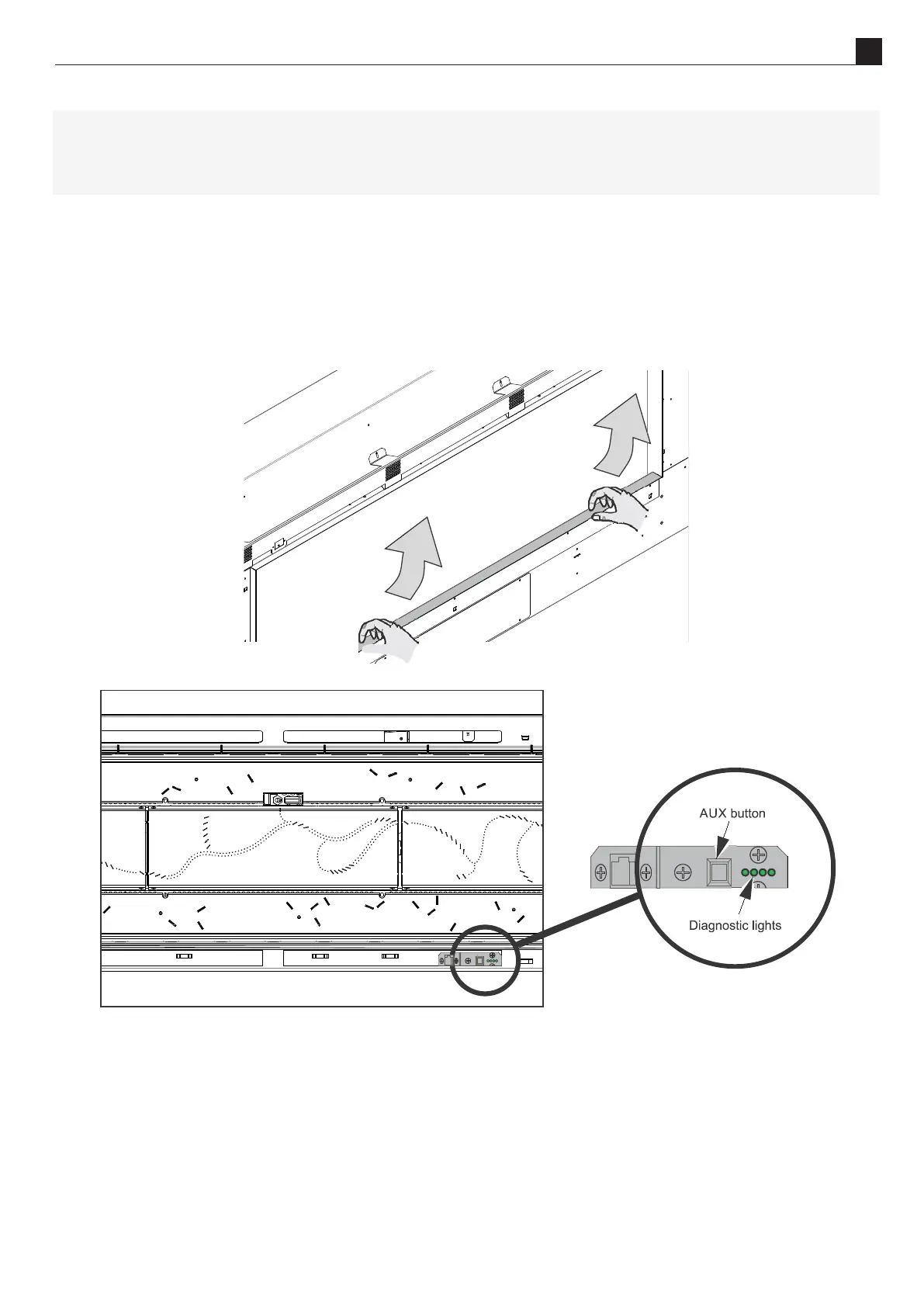
The auxiliary on/o (AUX) buon is used to turn the replace on without the remote control. For informaon on
pairing a new remote control, see secon S6 on page 61 of the service manual at the end of this document.
To access the AUX buon, remove the boom trim by liing the trim upwards then sliding out (as shown in the
diagram below). Take care not to scratch the glass or side trims.
The AUX buon locaon can be seen in the diagram below.
Remote Pairing Buon
E8
Escea K-Series replaces have a simple interface for connecon to a home automaon system. This allows
the replace to be woken up, started, and then shut down. The “Close to Wake” connecon (shown below) is
essenally taking one of the 3.3 V DC pins on the replace micro controller and shorng it to ground.
In order to isolate the replace from the automaon system, a relay needs to be used (as shown in the diagram
on the next page). This allows you to keep the replace’s 3.3 V supply isolated.



 To Next Page