12
Bedienungsanleitung
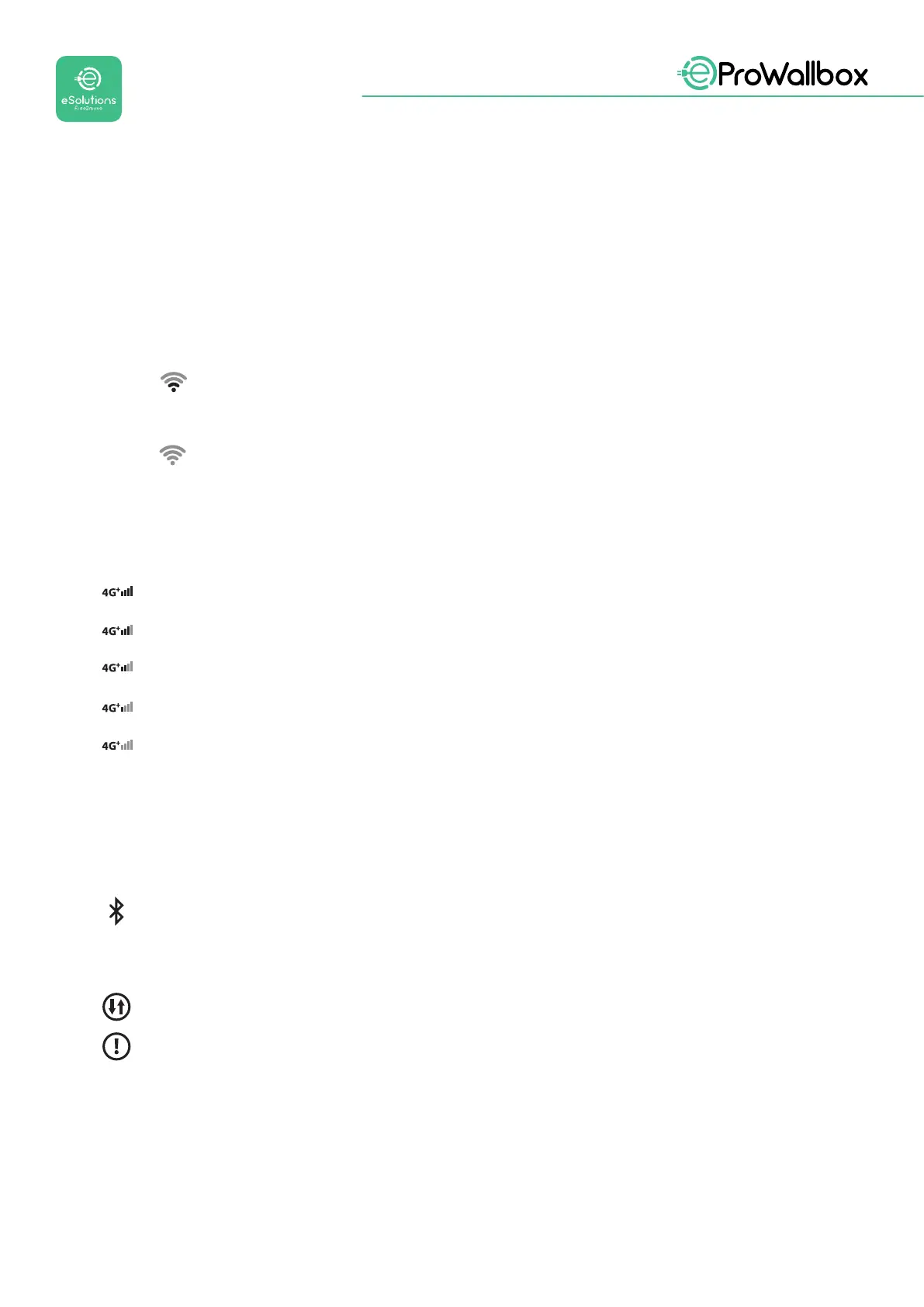
3.1 Wallbox-Displaysymbole
3.1.1 WLAN
• Starke WLAN-Verbindung
• Gute WLAN-Verbindung
Schwache WLAN-Verbindung
• Sehr schwache WLAN-Verbindung
Keine WLAN-Verbindung
WenndasWLANnichtkonguriertist,wirdkeinWLAN-Symbolangezeigt
3.1.2 4G LTE
Starke 4G LTE-Verbindung
Gute 4G LTE-Verbindung
Schwache 4G LTE-Verbindung
Sehr schwache 4G LTE-Verbindung
Keine 4G LTE-Verbindung
Wenn die eProWallbox im Standalone-Betriebsmodus eingestellt ist, wird kein 4G
LTE-Symbol angezeigt (siehe Kapitel 4)
3.1.3 BLUETOOTH
Bluetooth aktiv
3.1.4 Verbindung mit der eSolutions Steuerungsplattform
Die Verbindung mit der eSolutions Steuerungsplattform (CPMS) ist hergestellt
Verbindungsproblem mit der eSolutions Steuerungsplattform (CPMS)



 To Next Page
 Loading...