Appendix: Troubleshooting Problems60
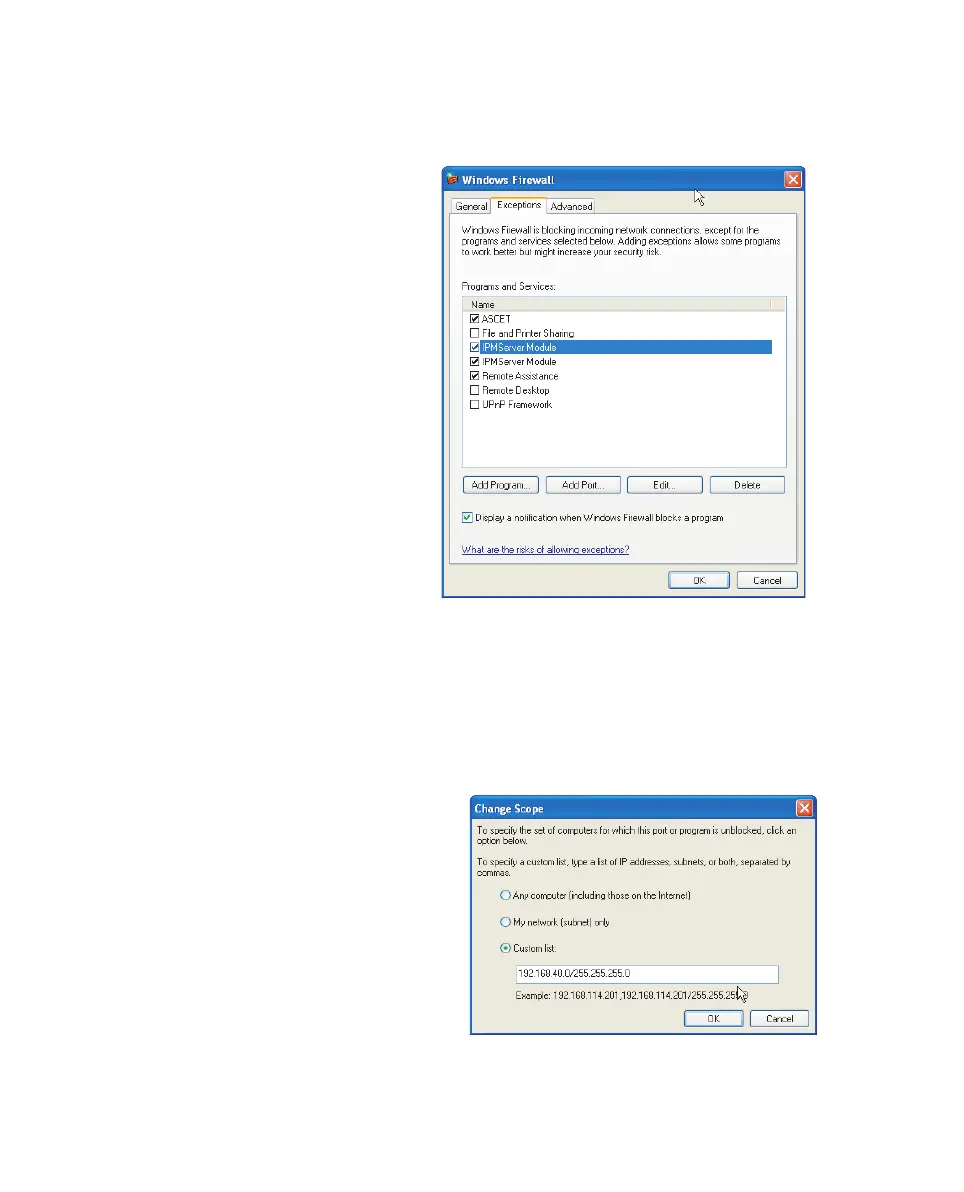
• In the "Windows Firewall" dialog window,
open the "Exceptions" tab.
This tab lists the exceptions not blocked by the
firewall. Use Add Program or Edit to add
new programs, or edit existing ones.
• Make sure that the ETAS products and ser-
vices you want to use are properly configured
exceptions.
– Open the "Change Setup" window.
Manual.book Seite 60 Montag, 13. Juli 2009 6:24 18



 To Next Page