31
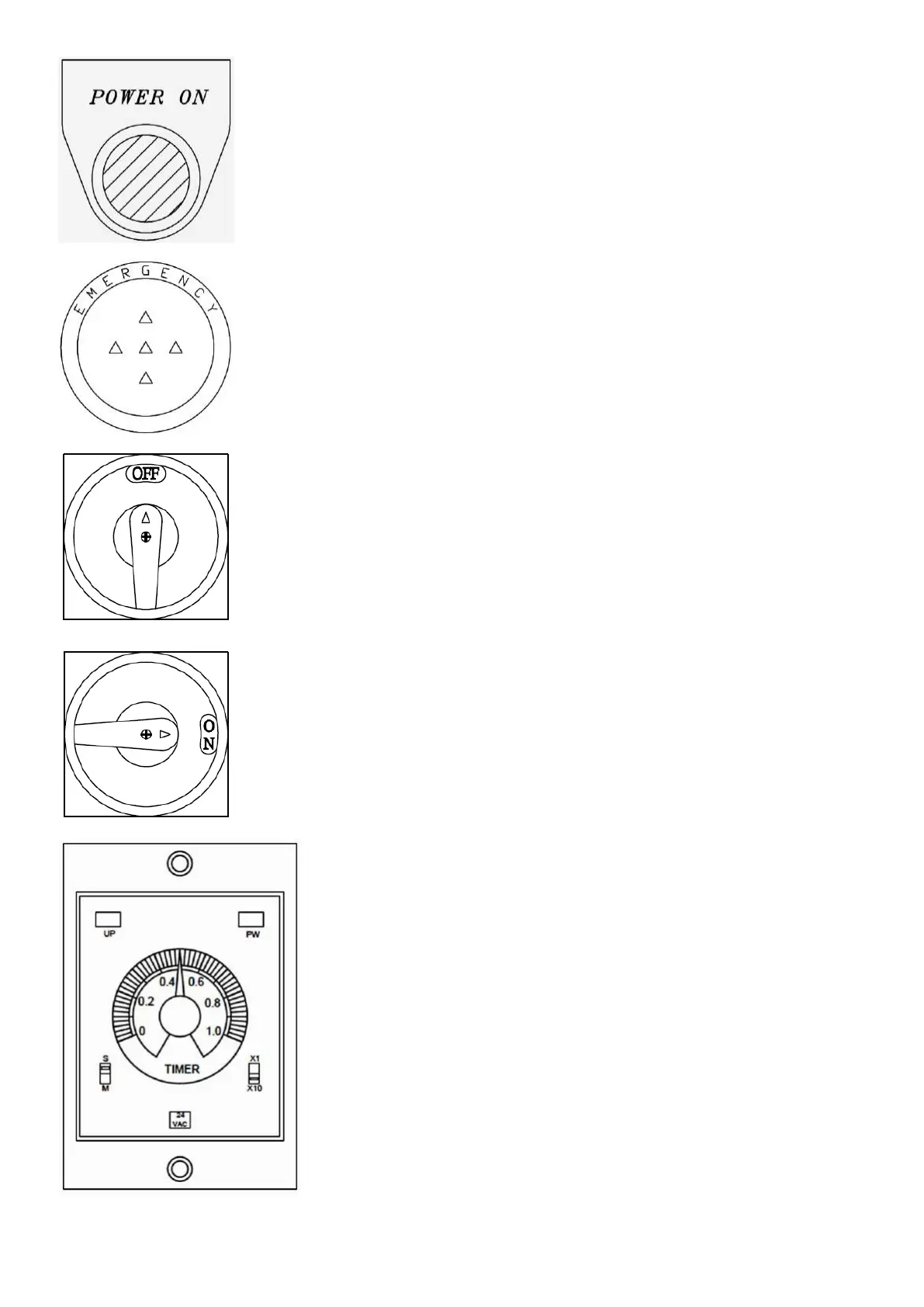
1. The lamp is on to indicate power alive.
2. The lamp is off to indicate power not alive.
1. Press this button to stop all power and operation.
2. For emergency use only.
3. Press this button to ensure safety after job finishing.
1. A safety switch to control the power of machine, turn OFF to stop all power,
then the electricity box can be opened.
2. Before opening the electricity box, the manual must be read carefully. Only
qualified technician can open the box.
1. Turn right to ON to supply the machine power.
2. Before turning to ON , the manual must be read carefully.
3. While turning to ON , the electricity box can’t be opened.
1. The timer controls the lifting height of saw frame, scale is by second,
i.e. spent time of lifting to certain height.
2. The timer has ranges from 0 to 10 seconds, which controls the time
spent after sawing completion, proper setting will enhance
efficiency.
3. Under normal condition, the PW lamp on top right corner will be on.
4. When the saw frame lifting after sawing completion, the UP lamp on
top left corner will be on, which will be off again once the set second
is reached.
5. Default location at the bottom left corner of timer is at “S”. The
location at bottom right corner is at “X10”, it represents second-“S”,
and “X10” represents the “0.2” second indicated on the turner shall
time “10” to be 2 seconds. The both switches can’t be changed freely
to avoid inconvenient operation.


 To Next Page