64
13-4. Motor Not Stops after Sawing Completion
Motor not stops after sawing completion
a. Damaged prompt switch
b. Any dirt/dust, object in the prompt switch, or its connection spot moved
a. Check prompt switch, or replace it if necessary
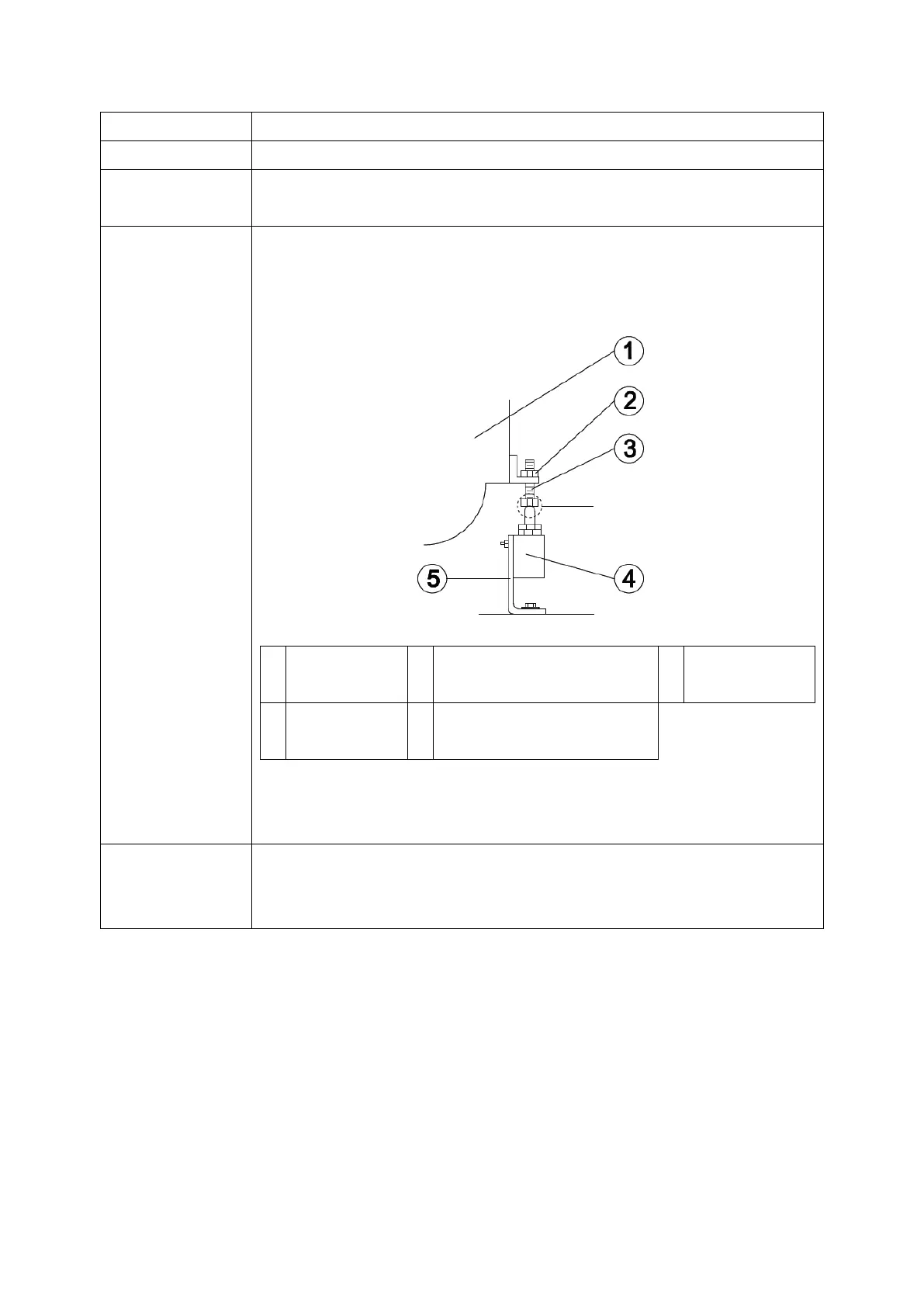
Notice the proper connection and location, ensure to adjust the lifting
height of saw frame properly, as illustration:
Fixing Nut of Adjusting
Screw
b. Clean up the dust in the surrounding of prompt switch, adjust the
connection spot between○
3
and○
4
1. Repaired by qualified technician, notice the proper connections
2. Adjustment of connection spot must be precise
3. Contact local dealer/producer for parts supply if necessary
Adjusting spot of prompt
switch after sawing
completion


 To Next Page