METALJET D2+ INSTALLATION
Revision 19, November 2016 Page 4-30
4.6.2 Network connectivity
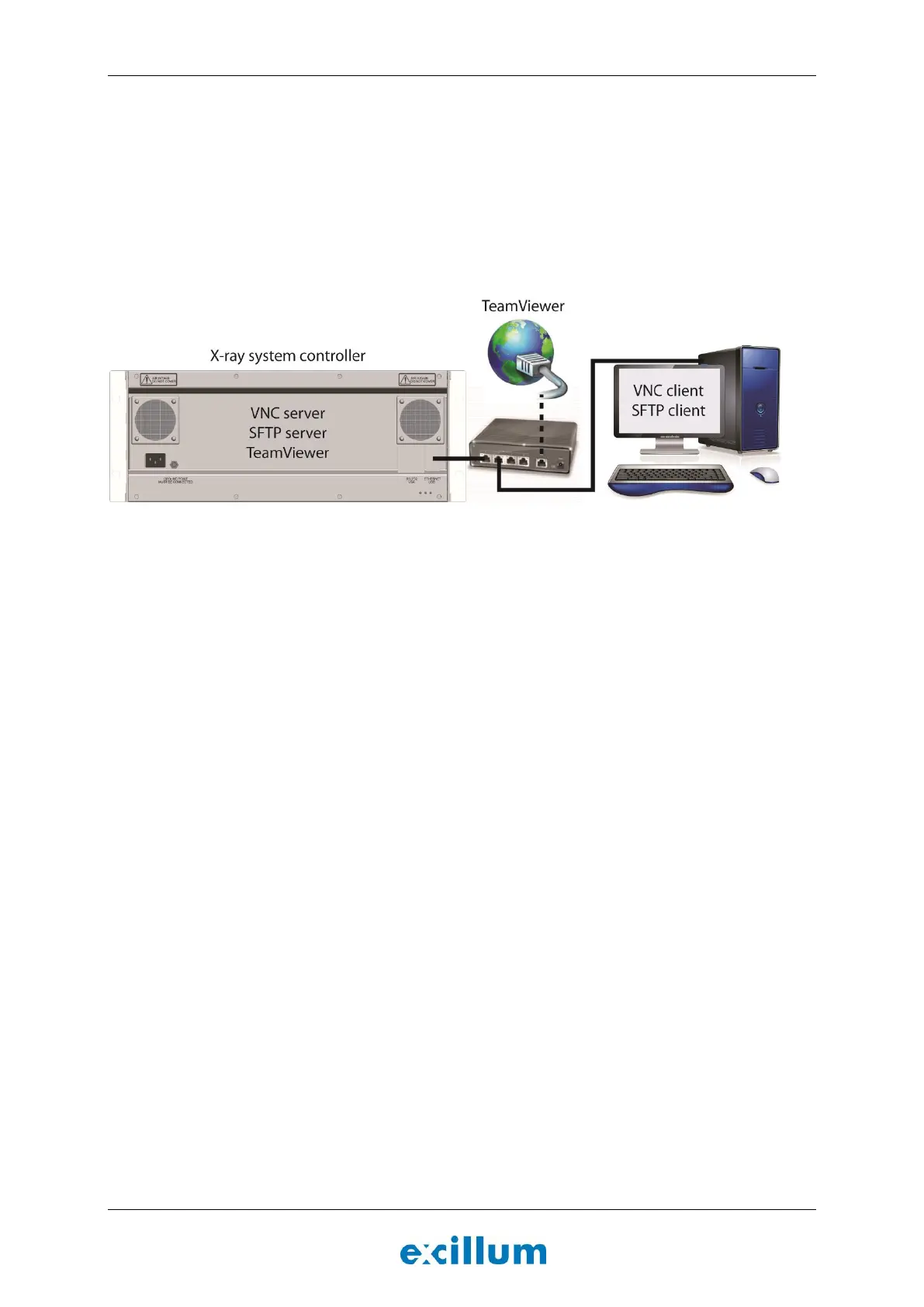
The x-ray system controller should be connected to a local network, see Figure 4-32. A router with a DNS server
is preferred but a switch can also be used if the x-ray system controller is configured to use a static IP address.
The x-ray system controller runs a VNC server and a SFTP server that can be used to remote control the
machine and access files stored on the system controller.
In most cases, connecting a monitor, keyboard and a mouse directly to the x-ray system controller is only
necessary during installation if network settings need to be changed.
Figure 4-32. Suggested network architecture and capabilities of the x-ray system controller.
We recommend using TightVNC combined with FileZilla or MobaXterm to remote connect to the x-ray system
controller desktop as well as transferring files to and from the system. The user name is “jxs” and the password
is “jxs4944”. These three application can be downloaded for free from the internet.


 To Next Page