METALJET D2+ OPERATION
Revision 19, November 2016 Page 5-13
19. The result from “Linefocus” can also be found under the “Results” tab by selecting “Linefocus” in the
images list. However, no inspection is necessary.
20. Go to the “Summary” tab, change the user level to “User” and follow the instructions under Section
5.9 to set and calibrate the spot size.
5.9 Set emission power and spot size
The focus lens has some hysteresis, which may affect the electron-beam spot size setting negatively when the
spot size value is changed, especially when making big changes to the spot size. To avoid this potential
problem, the focus lens should be adjusted for the focus lens hysteresis effect after every change of electron-
beam spot size. The calibration routine measures the spot size by sweeping the electron beam. It then adjusts
the focus lens and the linefocus coils and iterative until the measured electron spot size is within ±1.0 μm.
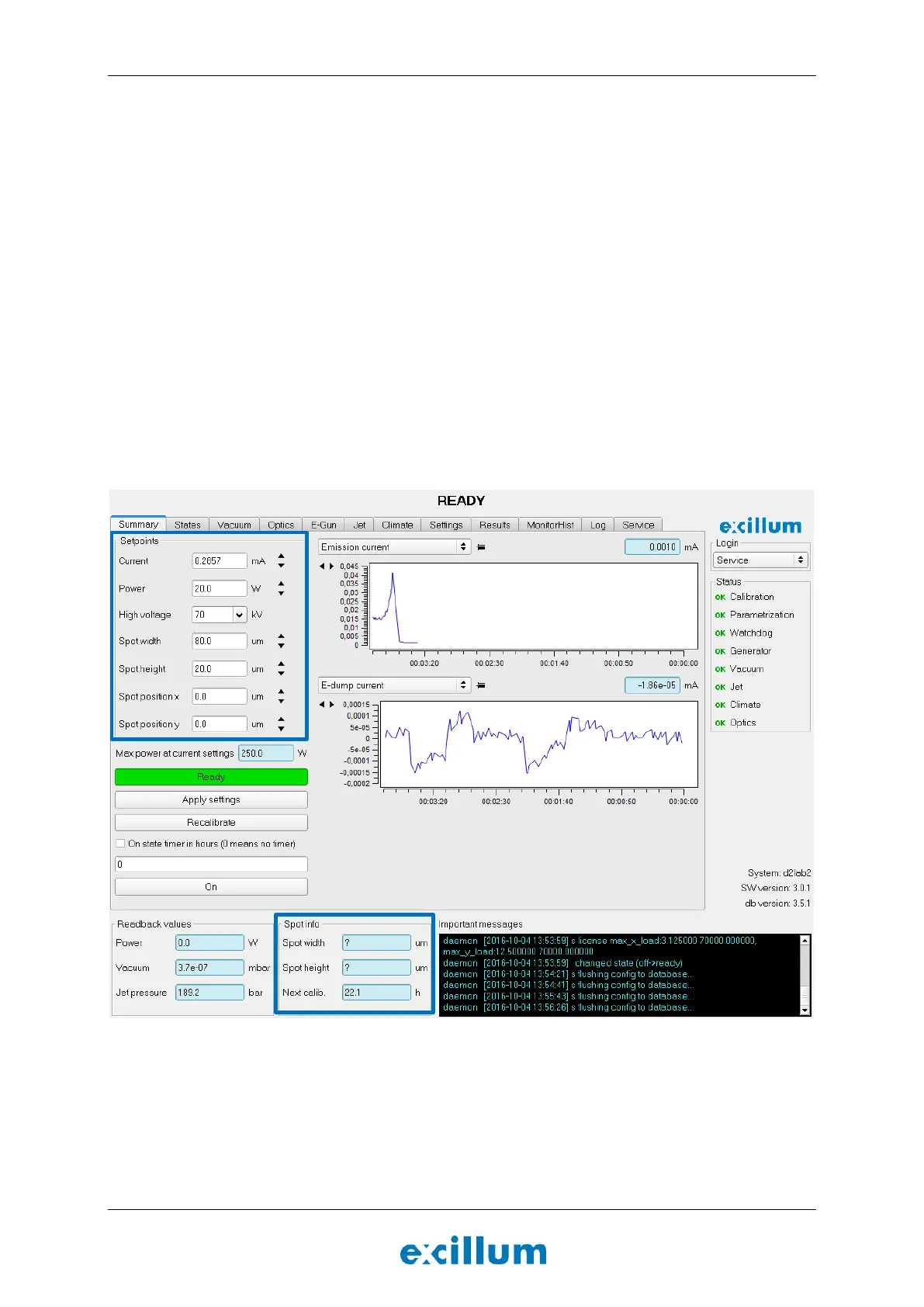
1. Go to the “Summary” tab and set “Power”, “High voltage”, “Spot width” and “Spot height” in the
“Setpoints” region (see Figure 5-9).
Note: The “High voltage” settings can only be changed in the “Ready” state.
Note: The “Spot info” region will say “? um”. This will be the case until the spot has been calibrated
(see below).
Figure 5-9. The “Setpoints” and “Spot info” regions of the “Summary” tab are highlighted with a blue frame.
2. Click the Recalibrate button for the new set point settings to take effect.
The high voltage will be enabled unless this is already done.


 To Next Page