METALJET D2+ OPERATION
Revision 19, November 2016 Page 5-3
5.2 Starting the MetalJet D2+ system
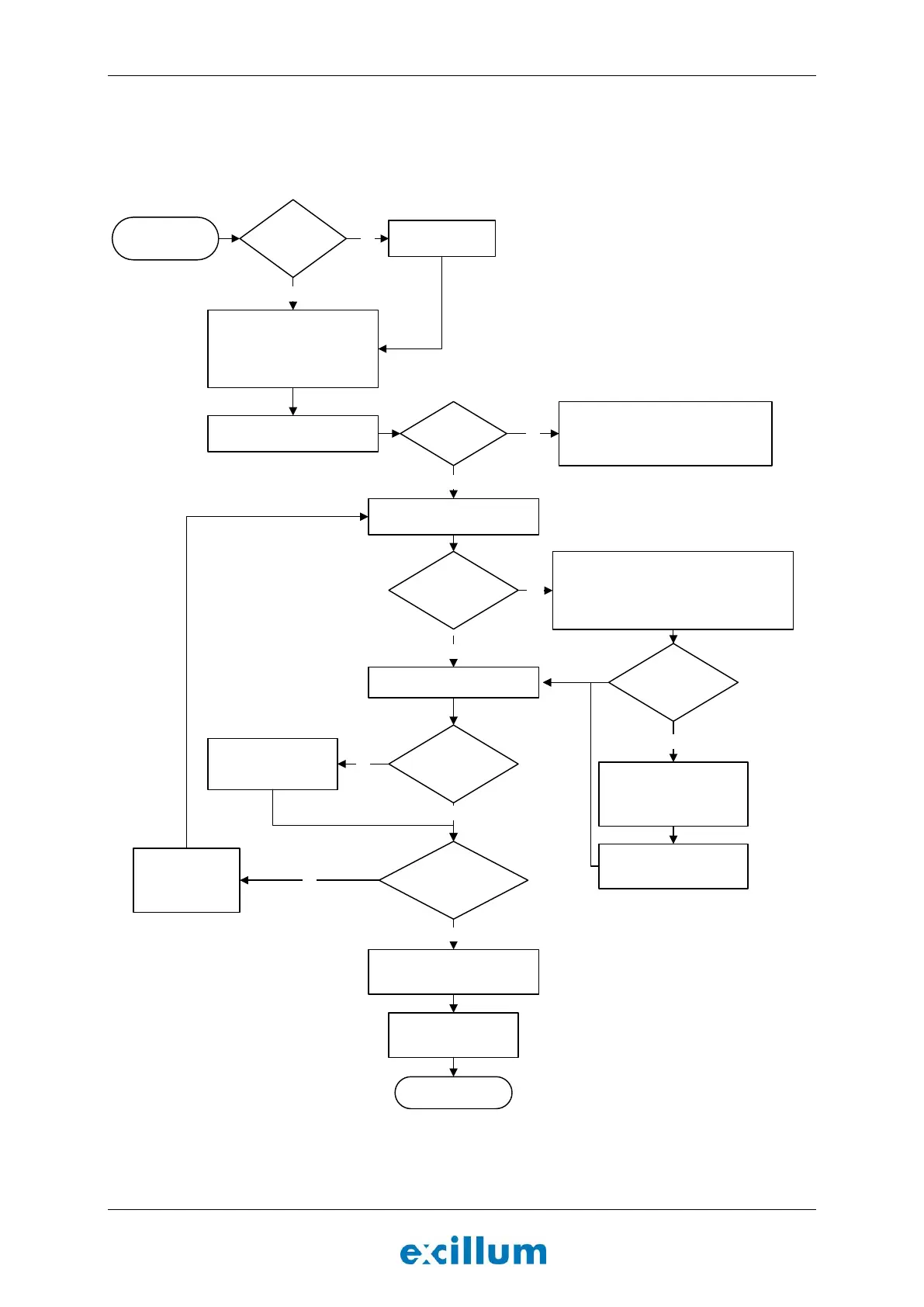
The decision process when starting the MetalJet D2+ system is illustrated by a flowchart in Figure 5-1 below.
Contact Excillum according to the instructions in Page ii in situations not covered by this flowchart.
START
Initial state
Start HMI 2.0 (Section 5.4)
Put system in Ready state
Turn on:
Pump box
X-ray high voltage controller
Water chiller
X-ray system controller
END
On state
System fully
assembled?
Assemble systemNo
Press Cathode changed
under the ”Service” tab
Bake cathode by clicking
Cathodebake
Parametrize system
(Section 5.8)
Set kV setting and put system in
Lowpower state
HV flange just
attached?
Condition high voltage by clicking Conditioning.
Follow the service manual instructions to
Calibrate electron-gun emission leakage current
Press Clear parametrizations under the
”Service” tab
Yes
No
Jet stable?
(Section 5.8.4-5.8.5)
Replace nozzle &
restart source
(Section 6.2.4)
Set emission power and spot size
(Section 5.9)
Calibrate spot size by
clicking Recalibrate
Tune heater parameters by
clicking Heatertuning
Yes
Alloy liquified?
Yes
Put system in Highvacuum state and
follow the instructions in the service
manual under Section Start jet pump.
No
Yes
Cathode replaced?
Yes
No
System
Parametrized?
No
Yes
No


 To Next Page