METALJET D2+ CUSTOMER SUPPORT
Revision 19, November 2016 Page 9-2
9.2 Remote support
Remote support using TeamViewer requires that the x-ray system controller itself or a computer, which can
connect to the x-ray system controller using VNC, is connected to internet. TeamViewer comes preinstalled on
the x-ray system controller, but it can be downloaded for free from www.teamviewer.com. When TeamViewer
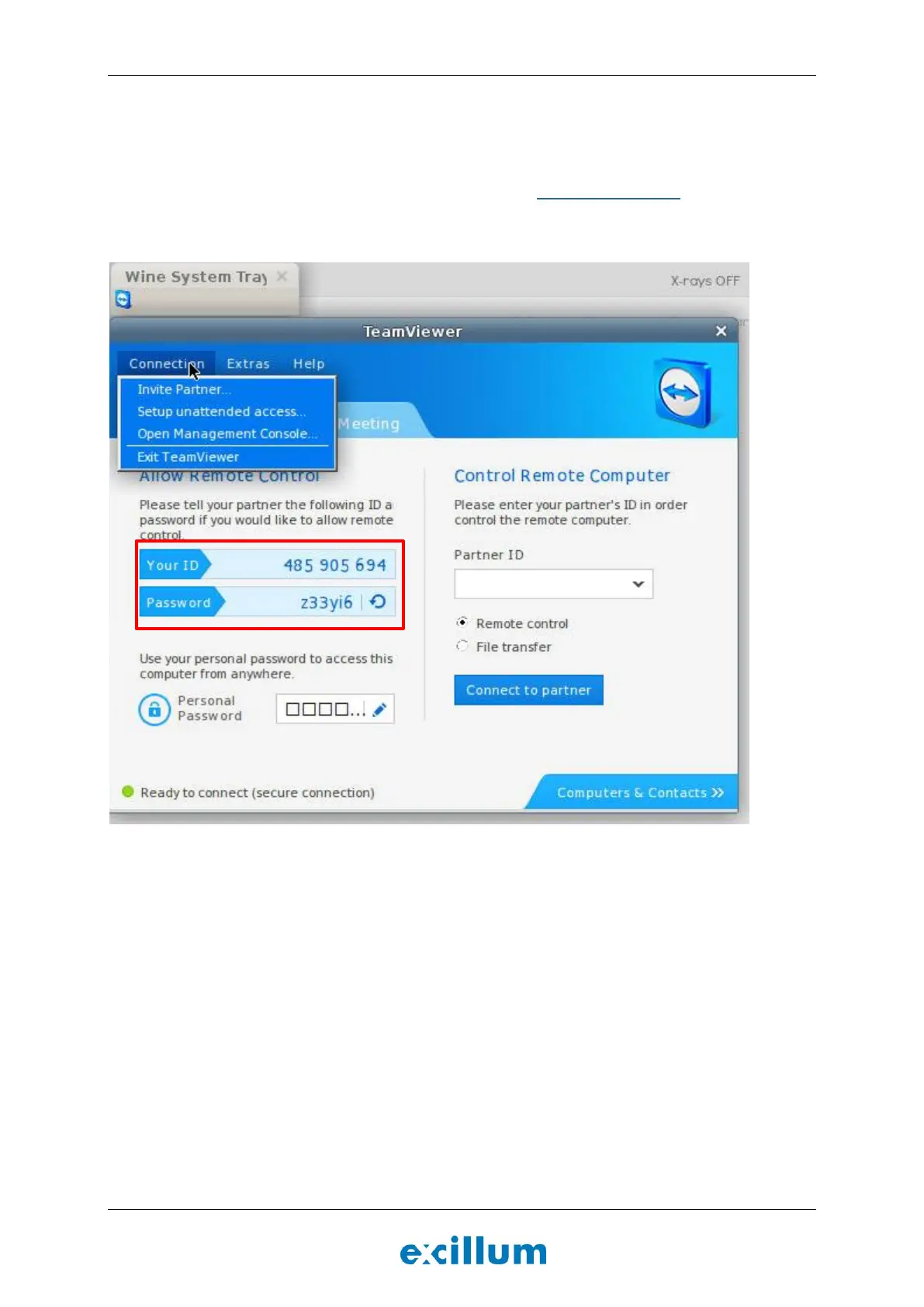
is started an ID number and a password is shown which can be used to invite Excillum support to assist with
troubleshooting.
Figure 9-1. TeamViewer started on the x-ray system controller.
After the support session has finished and TeamViewer has been closed down by selecting Connection->Exit
TeamViewer, the ability to remotely connect is disabled.


 To Next Page