METALJET D2+ OPERATION
Revision 19, November 2016 Page 5-12
15. The software automatically checks the status of the jet stability, and changes the color of the “confirm
stability jet” button in the “Service” tab if the jet is stable.
In case the software does not confirm jet stability automatically, the customer has the option to
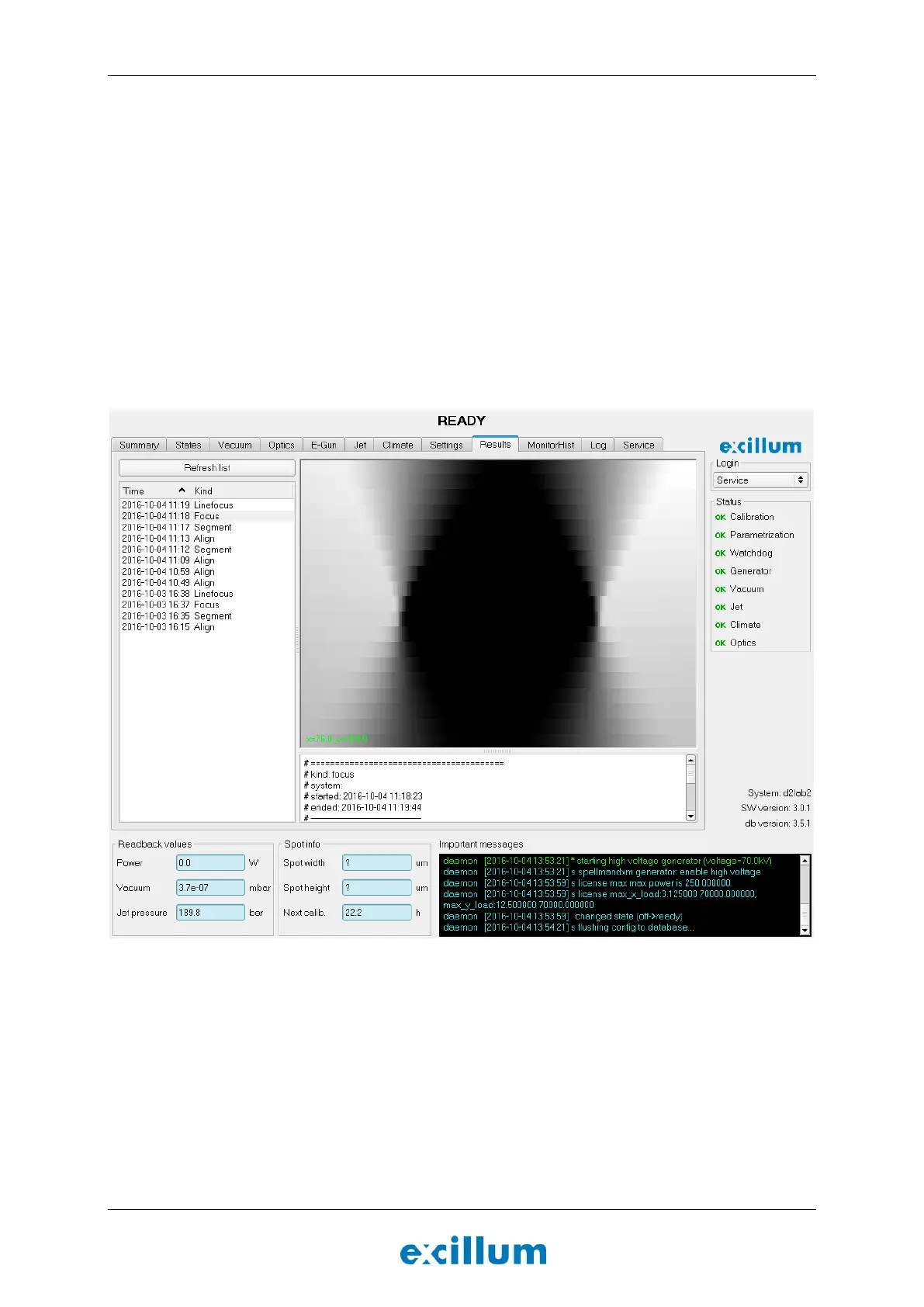
analyze the image in figure 5-8 and determine if the jet is stable enough. The following procedure is
then executed:
If the image shows an hourglass shape with smooth edges, similar to Figure 5-8, go to the
“Service” tab and confirm that the jet is stable by pushing the “Confirm jet stability” button,
and proceed to Section 5.8.5.
NOTE: If the focus image is not well centered, the focus routine should be run again. This will
improve the spot size accuracy.
If the transition in the edges is not smooth, it is a strong indication that the jet is unstable. In
that case the nozzle needs to be replaced, and the parametrization routine must start over
from Section 5.8.3. Refer to Section 6.2.4 for further instructions.
Figure 5-8. The image shows a straight hourglass shape with gradual transition from black to white in the
edges. This indicates that the system is well aligned and that the liquid-metal jet is stable.
5.8.5 Characterize linefocus coils
In order to be able to use the linefocus functionality the linefocus coils need to be characterized.
17. Click the Linefocus button.
A routine is initiated that finds the correlation between the settings of the linefocus coils and
the electron-beam spot geometry.
18. Wait for the green button to indicate that the “Linefocus” state is reached.


 To Next Page