Getting Started with Your Unit
24 FIP-500
Changing Your Unit’s SmarTip
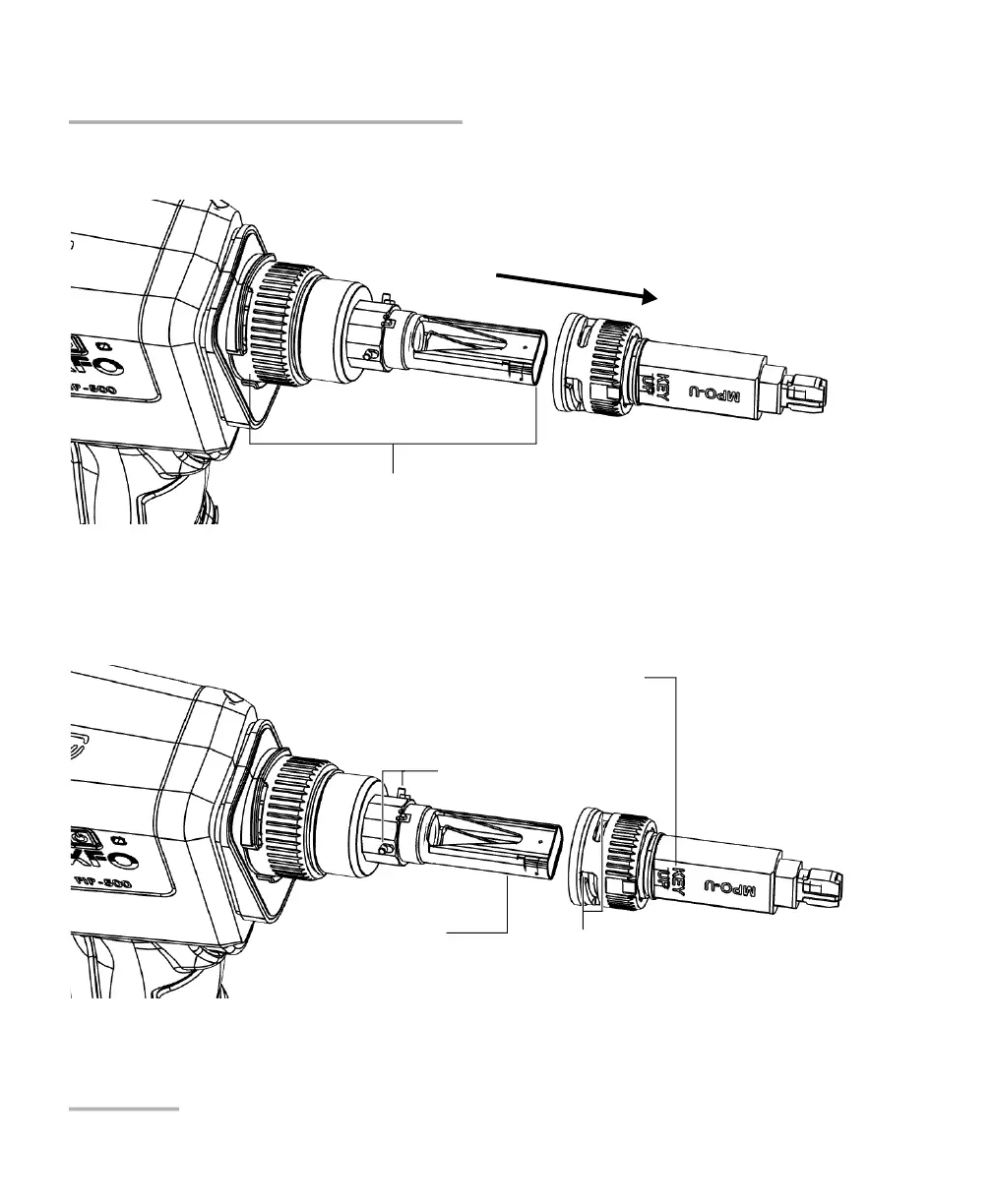
3. Pull on the SmarTip to remove it.
4. Align the new SmarTip with the optical head, ensuring that the
orientation of the SmarTip (either key up or key down, when
applicable) suits your test setup. In all cases, ensure that the widest
part of the anchoring slots is aligned with the pins.
5. Slide the SmarTip toward the unit until it stops.
Optical head
Optical head
Desired key orientation
(when applicable; should be visible as shown
below)
Pins
Widest part of the SmarTip anchoring
slots



 To Next Page