Preparing for Automation
FTB-500 197
Changing Communication Settings
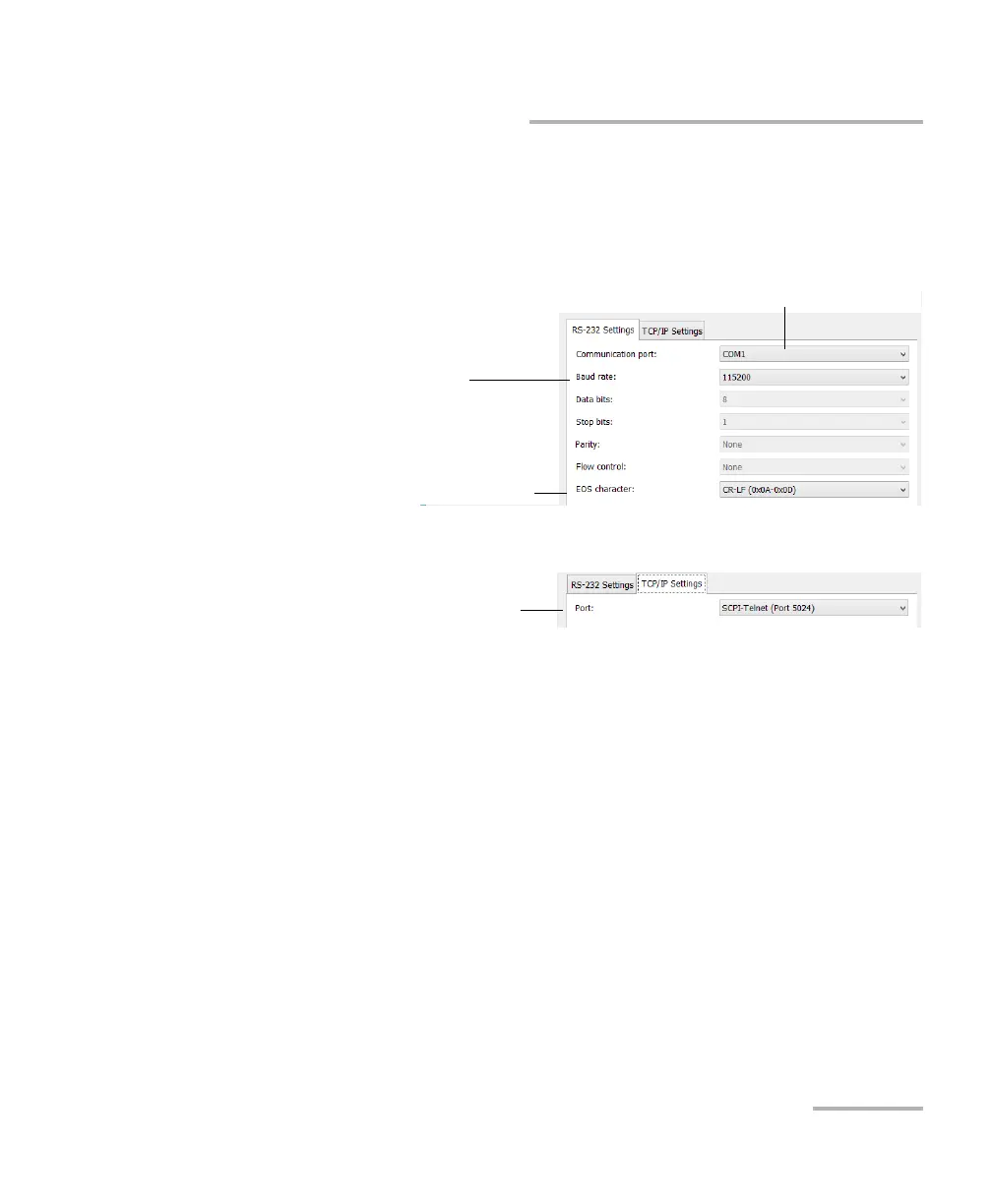
5. According to the communication type you have selected, customize
the corresponding parameters as shown below.
For RS-232
For TCP/IP
For information on communicating with TCP/IP over Telnet, see
the section pertaining to communication through TCP/IP over
Telnet.
6. Tap Apply to confirm your changes.
Serial port—used to connect the RS-232 cable.
The only available value is COM1.
Determines the speed at which data
is sent between the unit and a
computer, in bits per second (b/s).
End-of-string (EOS) character—used to indicate the
end of a data string (when sending or receiving data).
TCP/IP port 5024—used to
connect over Telnet.



 To Next Page