Preparing for Automation
214 FTB-500
Configuring DCOM Access to Your Unit
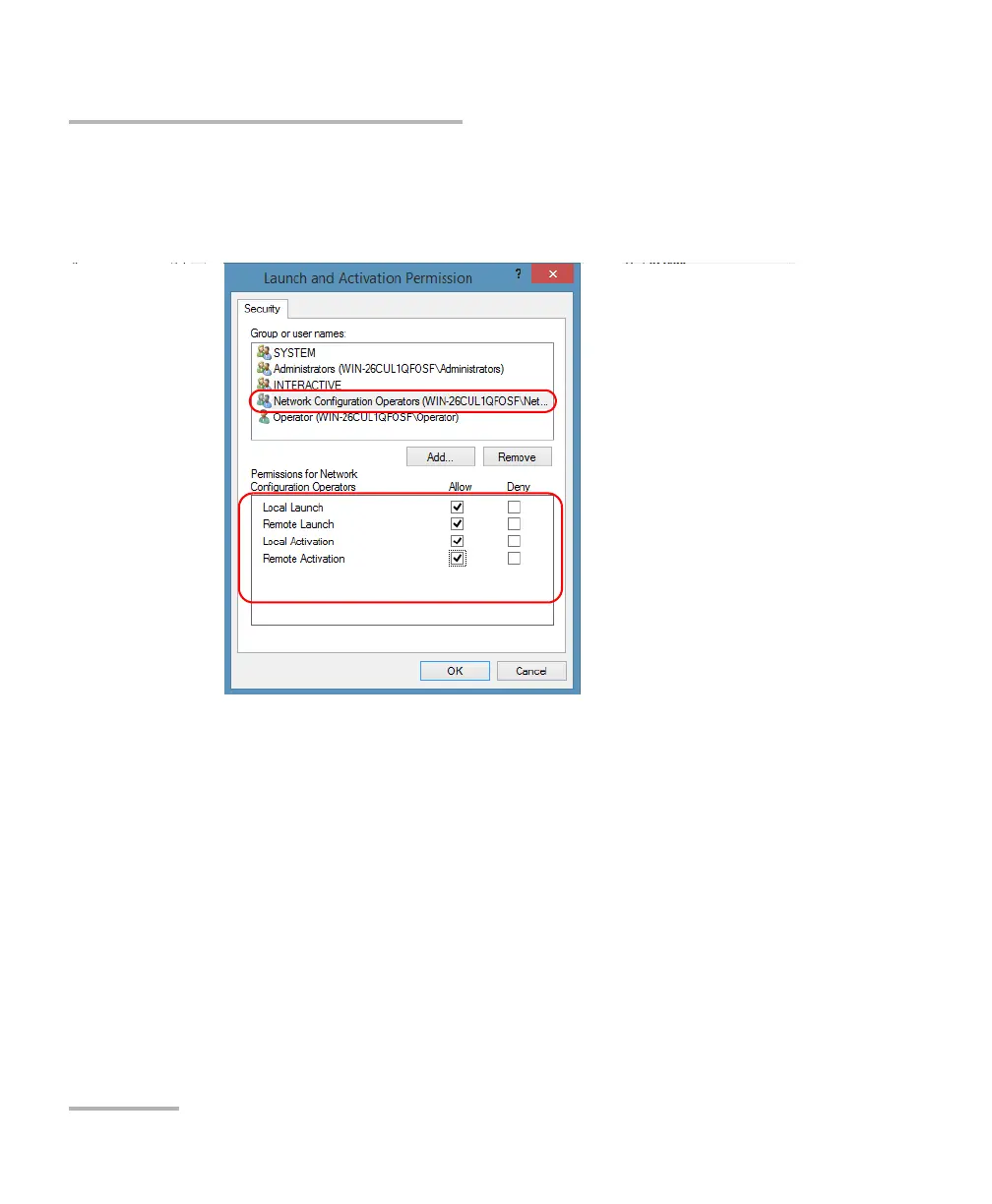
10. In the Launch and Activation Permission dialog box, select a user.
11. To allow this user to start and activate the unit remotely, select Allow
for all four permission choices.
12. Repeat steps 10 and 11 for each newly added user.
13. Tap OK.



 To Next Page