Using FTB Products in an Automated Test Environment
242 FTB-500
Using the EXFO Getting Started Applications
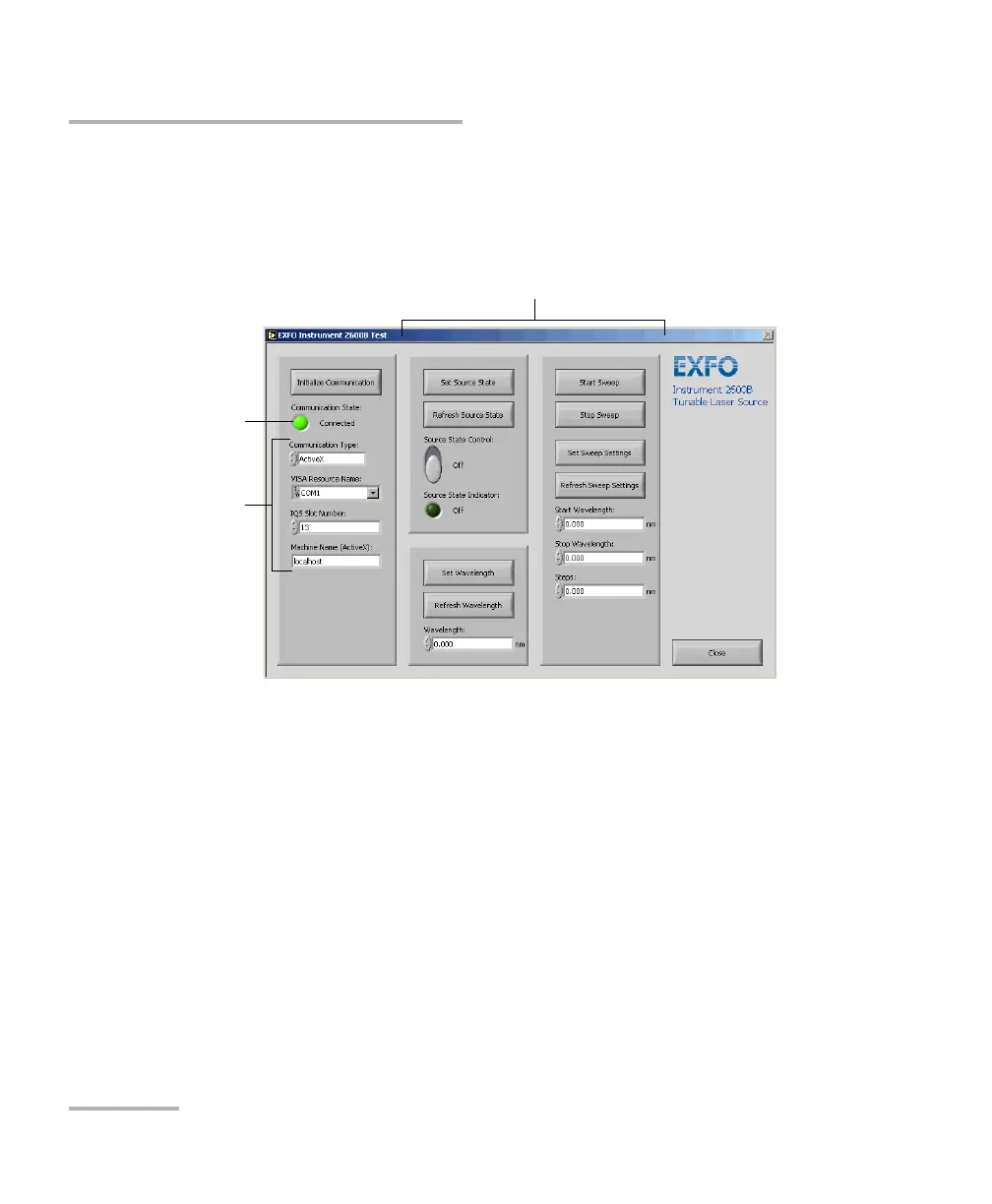
On the Front Panel, you can set communication parameters between the
FTB-500 unit and the current instrument. It also offers various controls and
buttons to use the instrument easily. In fact, the application performs the
necessary calls to the instrument’s drivers so it is transparent to the user.
The application state (called State Machine) changes whenever an action
is performed on the instrument. If you toggle to Block Diagram view, you
can see the list of possible states. The application is always in one of the
predefined states.
Communication
indicator
(light green when
connected)
Communication
parameters
Function examples


 To Next Page